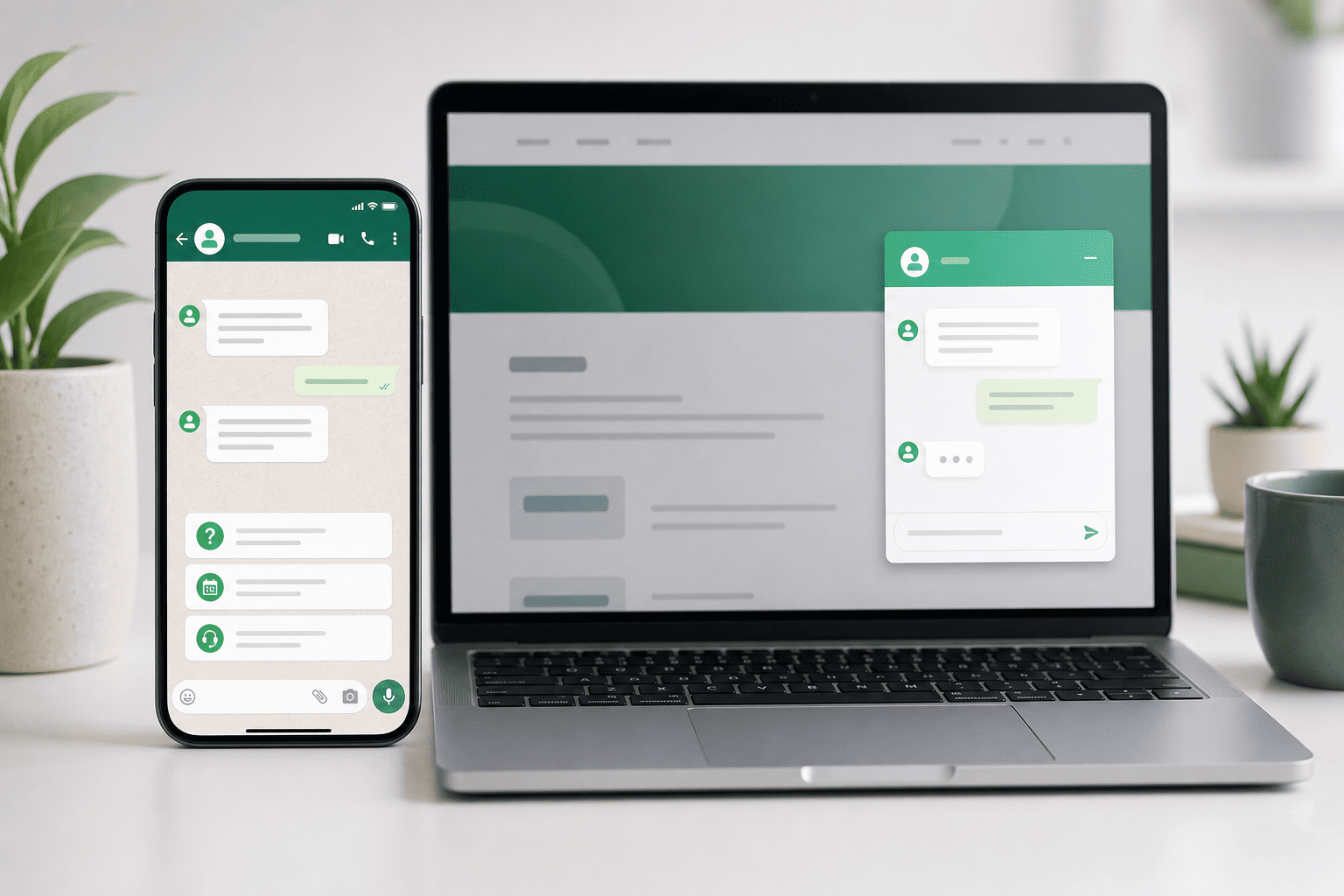
Running a small business is a lot to juggle. You handle money, projects, customers, and a growing team, often all in the same day. The right tools make work easier, faster, and more accurate, so you can focus on growth. In this guide, we highlight the top 10 small business tools that are simple to start and strong enough to grow with you. We also show how Noem.ai ties your customer conversations together with consistent answers across channels, 24/7 availability, multi-lingual support, complete conversation history, actionable insights, and reduced support costs, so you move fast without hiring more people (ref: Lindy; ref: Upwork; ref: Flowlu).
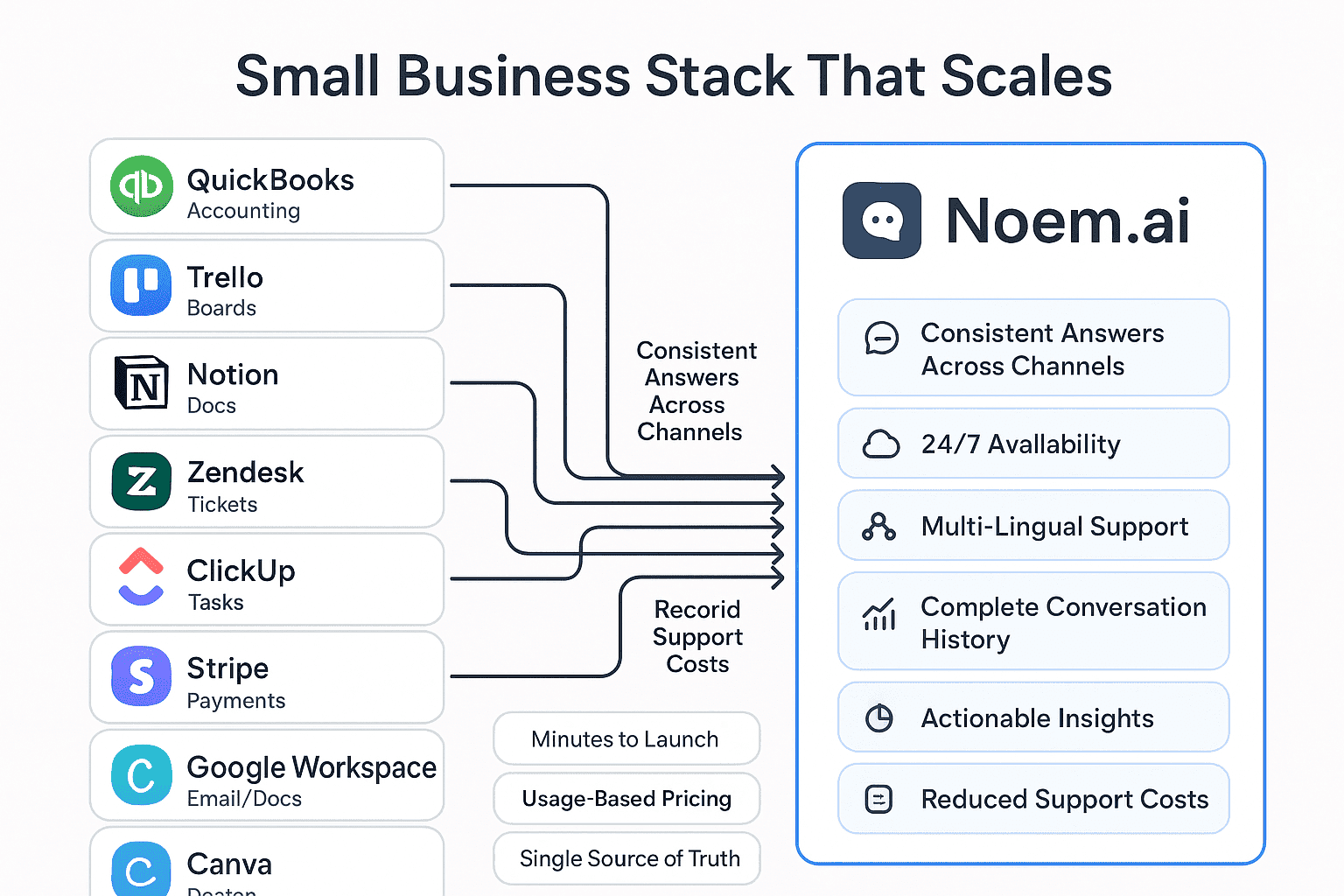
Most small business stacks end up as a pile of point solutions, each solving one problem and none of them talking to each other. Noem.ai takes a different approach: one AI Concierge, grounded in your real content through retrieval-augmented generation (RAG), deployed across your website, SMS, WhatsApp, voice, Slack, and social from a single setup. Usage-based pricing starting at $19.99/month means the cost scales with your business instead of a flat fee regardless of size. As you go through this list, notice how many tools solve a single piece of the puzzle — and how Noem.ai is built to cover the support and lead-capture piece across every channel at once.
The Essential Business Stack: 10 Tools That Punch Above Their Weight
- QuickBooks — Best for Accounting and Financial Management: Many small businesses choose QuickBooks to track income, expenses, invoices, and taxes. It is known for bank connections, receipt capture, and simple reports that owners can read. Plans often start at an entry price that is friendly for new teams, with upgrades as you grow (ref: Lindy; ref: Flowlu; ref: Upwork). Sources highlight that automation inside accounting tools can cut bookkeeping time in a real way, which helps owners focus on sales instead of spreadsheets (ref: Flowlu). QuickBooks is strong on finance, but it does not answer customer questions for you. Pair it with Noem.ai to give 24/7 answers about billing, refunds, or receipts in any language while you sleep.
- Trello — Best for Visual Project Management: Trello uses cards and boards that you can drag and drop, making work feel simple to see. Teams like it because it takes very little time to learn, and it keeps tasks and owners clear. A free plan helps new teams try it, with low-cost tiers as needs grow (ref: Upwork; ref: Lindy; ref: Fiji IT Solutions). Many lists note Trello boosts team visibility and reduces status meetings, which saves time every week (ref: Small Business Expo). It is great for internal flow, but it does not pull customer chat history into projects—Noem.ai gives you complete conversation history so your team can link work to what the customer actually said.
- Notion — Best for All-in-One Workspace: Notion blends docs, tasks, wikis, and databases in one flexible space. That means you can keep SOPs, project notes, and checklists together in one home. Many small teams choose Notion to reduce app-switching and cut time lost while searching for files (ref: Lindy). As your pages grow, you can build a tidy structure for everyone. For customer-facing knowledge, Noem.ai auto-syncs your Notion docs (and other sources) to keep answers consistent across chat, email, and social without extra steps.
- Zendesk — Best for Customer Support Tickets: Zendesk is a known name for tickets, help centers, and support routing. It helps teams organize requests by channel and topic and guides agents to faster responses with a clear queue. Many roundups note that small businesses see faster resolution times after adopting a modern ticket system, though costs can rise with volume and seats (ref: Flowlu; ref: Lindy). If you need deep ticket workflows, Zendesk is a strong base. If you need consistent answers across channels with less agent load, Noem.ai helps you respond first with smart, verified answers and pass to agents only when needed.
- ClickUp — Best for Customizable Task Management: ClickUp lets you shape views, fields, and dashboards to match your way of working. It combines tasks, docs, goals, and dashboards in one place, which helps teams see both big goals and daily steps. Low entry pricing and broad features make it a common pick for fast-growing teams (ref: Upwork). Many users report that flexible automation saves time, especially when projects have many steps (ref: Fiji IT Solutions). To close the loop with your customers, Noem.ai runs 24/7 and speaks multiple languages, so updates and answers are always on-brand and on time.
- Stripe — Best for Payments and Billing: Stripe is a leading online payment processor that helps businesses accept cards and wallets on web and mobile. It supports subscriptions, one-time payments, invoicing, and tools for managing fraud. Many guides call it a favorite for both e-commerce and SaaS because it scales with traffic and new markets (ref: Lindy). While Stripe handles the money flow, your team still fields many “where is my receipt?” and “how do I update my card?” questions. Noem.ai gives consistent answers across chat and email and can guide customers step-by-step, which reduces repeat tickets and saves time.
- Google Workspace — Best for Collaboration Suite: Gmail, Docs, Calendar, and Drive give teams a shared place to work from day one. It is familiar, secure, and used by teams of all sizes. Many sources note that collaboration suites help small businesses save hours each week by keeping communication and files in one platform (ref: Fiji IT Solutions). As your team grows, simple admin and sharing controls are key. For customer-facing responses beyond email, Noem.ai keeps answers uniform across live chat, social, and your help center.
- Canva — Best for Design and Marketing: Canva makes design fast with templates for social posts, flyers, and ads. It is friendly to non-designers and speeds up creative work that used to take hours. Many lists rank Canva high because it is affordable and helps teams ship more content per month (ref: Lindy; ref: Small Business Expo). It also supports brand kits so your look stays consistent. After launch, Noem.ai turns customer feedback into actionable insights, so you see which messages and designs drive questions or conversions.
- FreshBooks — Best for Freelancer Invoicing: FreshBooks is simple for invoices, time tracking, and expenses, which is ideal for solos and small agencies. It focuses on getting paid faster and keeping billing clear. Many roundups list it as a top pick for easy invoicing and faster client payments (ref: Lindy; ref: Upwork). When clients have questions about a bill or a time entry, fast answers matter. Noem.ai offers 24/7, multi-lingual support, so simple billing questions do not wait for business hours.
- Calendly — Best for Scheduling: Calendly removes back-and-forth by letting customers book time that works for everyone. It supports buffers, reminders, and round-robin scheduling for teams. Many sources show that scheduling tools save hours each week and make meetings more likely to happen on time (ref: Calendly Blog; ref: Signeasy). With meetings sorted, you can focus on service. Add Noem.ai to capture the full conversation history before and after the meeting, so follow-ups are fast and personal.
What Small Teams Really Need From Support (And How Noem.ai Delivers)
- Consistent Answers Across Channels: Customers reach out by chat on your site, email after hours, or social during a launch. If each channel gives different answers, trust drops fast and repeat tickets rise. With one knowledge source and continuous auto-sync, Noem.ai gives consistent answers across all channels, so customers hear the same clear message every time. This reduces confusion and shortens time to resolution because customers do not need to re-ask the same question in a new place. Many small-business guides highlight the need for consistent messaging to protect brand trust and reduce errors as teams grow (ref: Flowlu; ref: Small Business Expo).
- 24/7 Customer Support Availability: Customers do not work on your schedule. They ask for help on weekends and late at night, and slow answers can lead to lost deals or churn. Noem.ai runs around the clock, offering help anytime, so your team can rest without leaving customers stuck. You choose the tone, rules, and safety settings, and Noem.ai follows them for every answer. Many lists of top tools call out time savings and better customer experience when simple issues are solved fast, day or night (ref: Upwork; ref: Signeasy).
- Multi-Lingual Customer Support: As you grow, customers come from many countries and speak many languages. Hiring native speakers for every language is hard for a small team. Noem.ai supports multi-lingual answers, so customers get clear help in their language. This builds trust and opens new markets without heavy hiring. Tool roundups often note that global-readiness helps small businesses win earlier and serve customers better from day one (ref: Lindy).
- Reduced Support Costs: When simple questions get smart, fast answers, your team handles fewer tickets. That means lower costs per conversation and less backlog during busy seasons. With usage-based pricing and built-in hosting and analytics, Noem.ai helps keep costs predictable as you scale. Many sources share that the right mix of tools can lower operational costs and save hours each week, which adds up fast for small teams (ref: Fiji IT Solutions; ref: Upwork).
- Complete Conversation History: When a customer repeats their story, it feels bad and wastes time. Noem.ai keeps a complete conversation history, so context is always there. This helps your team give personal answers and skip the back-and-forth. It also helps new agents get up to speed faster without digging. Guides for small businesses stress the value of centralizing data so no one has to hunt for details across apps (ref: Small Business Expo; ref: Flowlu).
- Actionable Customer Insights: Support is not just about answers—it is about learning. With analytics, you can see top questions, gaps in your docs, and where customers get stuck. Noem.ai turns conversations into insights, so you can improve products, pricing pages, and FAQs. Over time, this reduces repeat issues and boosts satisfaction. Many tool roundups point to analytics as a must-have for smart growth and better decisions (ref: Lindy; ref: Fiji IT Solutions).
Why Noem.ai’s Single Stack Scales Faster Than Piecemeal Setups
- One Platform, Many Jobs: Instead of stitching together a bot builder, a host, a knowledge sync tool, a multi-channel publisher, and a separate analytics suite, Noem.ai bundles it all. This means fewer logins, fewer invoices, and fewer points of failure. With one stack, you set up once and go live in minutes instead of weeks. When you change your docs or help articles, auto-sync makes sure every channel updates, which reduces wrong answers and customer confusion. Small business guides often warn that too many tools lead to higher costs and slower rollout, so a single stack helps you move faster (ref: Upwork; ref: Fiji IT Solutions).
- Predictable, Usage-Based Pricing: Growth should not break your budget. With usage-based pricing, you pay for what you use and scale step-by-step. This helps you match support spend to demand, like during launches or holiday rushes. When demand dips, your costs can dip too. Many small-business lists point to affordability and clear pricing as key reasons to pick one tool over another (ref: Lindy; ref: Signeasy).
- Faster Time-to-Value: Every week you delay is a week of lost time and revenue. Because Noem.ai is an all-in-one stack, you do not need a long build, custom scripts, or a chain of plug-ins. You connect your knowledge, set your rules, and publish across channels. Most small teams can launch in the same week they start. Sources agree that tools with simple setup create value sooner and reduce the burden on small teams (ref: Upwork; ref: Flowlu).
- Trust by Design: Trust is about correct, consistent answers and clear guardrails. With continuous auto-sync, Noem.ai reflects your latest content, which keeps answers in line with your brand and policy. You set tone, escalation paths, and handoff rules, so the experience feels like your team at its best. Because it is one stack, analytics and history line up, making reviews and audits straightforward. Many guides remind owners to pick tools that protect brand voice and reduce risk from out-of-date info (ref: Small Business Expo; ref: Lindy).
- Grows With Your Other Tools: You do not have to rip and replace. Keep QuickBooks, Trello, Notion, or Zendesk if they work for you. Noem.ai layers on top to give consistent, multi-lingual, 24/7 answers and feed insights back to your team. That means you keep your workflow while getting more from every customer touch. Many roundups say the best tools play well with others and make the rest of your stack more effective (ref: Fiji IT Solutions; ref: Upwork).
How To Choose Your Stack (A Simple Checklist You Can Use Today)
- Start With Your Highest-Frequency Tasks: List the tasks you do most—billing, scheduling, project updates, or support questions. Pick tools that make those tasks faster with the fewest clicks. If two tools feel similar, choose the one with the simpler setup and clearer pricing. A lean set of tools is easier to teach your team and faster to maintain. Many SMB tool lists stress solving the core jobs first and skipping nice-to-haves until later (ref: Lindy).
- Favor Tools That Centralize Data: When your files, tasks, and chats live in many places, you lose time hunting for info. Pick tools that pull data into one home or sync to a central source of truth. For customer support, Noem.ai keeps a complete conversation history and unified analytics, so you always have the full picture. Centralizing saves time for every role, not just support. Small-business guides remind us that centralized data reduces errors and helps with onboarding new team members (ref: Flowlu).
- Plan For Growth From Day One: Choose tools with friendly entry pricing but real headroom for growth. Look for clear upgrade paths and limits that match your plans. For support, make sure you can serve customers 24/7 and in multiple languages without adding complex tools. Noem.ai scales usage smoothly, so you only pay more when your demand grows. Sources point to scalability and transparent pricing as must-haves for small teams with big goals (ref: Signeasy; ref: Fiji IT Solutions).
- Measure Outcomes, Not Just Features: Features are helpful, but outcomes pay the bills. Track time saved, tickets deflected, and customer sentiment. Tools like Noem.ai turn conversations into actionable insights, so you can improve docs, product, and onboarding. When you see fewer repeat questions and faster answers, you know the tool is working. Many roundups recommend measuring results monthly and then adjusting your stack (ref: Upwork; ref: Small Business Expo).
Quick Look: Typical Entry Pricing To Help You Budget
Pricing changes often, and each plan has limits, but public lists and vendor pages give a general idea of starting points. Here is a simple view of common entry-level prices many small teams consider when picking tools. Always check the current vendor page before you buy, since promotions and tiers can change. Use this as a rough planning guide only. Sources referenced in this article include pricing mentions and tool roundups from respected SMB lists (ref: Calendly Blog; ref: Signeasy; ref: Fiji IT Solutions; ref: Lindy).
- Trello Standard: Often listed at around $5 per user/month on many roundups, with a free tier for basics. This makes it a budget-friendly visual project tool for small teams. It is a common first upgrade when a team outgrows the free plan. The low price makes it easy to test with a few users first (ref: Upwork).
- ClickUp Unlimited: Frequently referenced with entry pricing around $7 per user/month on annual terms, with a free plan to start. It offers broad features that can replace multiple tools for some teams. Be sure to map limits to your workflow before committing. Start small, then expand if it sticks (ref: Fiji IT Solutions).
- Zendesk Team/Entry Tier: Many lists show entry-level per-seat pricing for support suites that can rise with volume. Plan for your expected ticket load and channels to avoid surprises. If your top need is fast, consistent answers at lower cost, layer Noem.ai in for first-response coverage before escalating to agents (ref: Lindy; ref: Flowlu).
- QuickBooks Simple Start: Roundups often cite an entry plan around the $20/month mark, with frequent promos. As you add features for payroll or advanced reporting, expect price changes. Map features to your needs, not just the price. Start with the basics, then grow (ref: Flowlu).
- Google Workspace Starter Tiers: Many sources note a free or low-cost way to begin with Google tools, plus paid tiers for business email and storage. Confirm the tier that matches your shared drive and security needs. Consider long-term storage and retention rules for growth. The right tier early can save headaches later (ref: Fiji IT Solutions).
- Canva Pro/Teams Entry: Lists often note affordable monthly per-user pricing for richer features beyond the free plan. Factor in brand kit needs and shared templates when choosing a tier. If only a few team members design, keep others on the free plan. Scale as content demand grows (ref: Small Business Expo).
- FreshBooks Lite/Entry: Roundups highlight simple plans for sole proprietors and small studios. Check invoice limits, client caps, and late fee options. Start with what you need to get paid fast. Upgrade only if billing gets more complex (ref: Upwork).
- Notion Plus/Team: Sources show low-cost tiers for team wikis and databases that become your internal nerve center. Plan your workspace early so pages don’t sprawl as you grow. Use templates to speed up onboarding and keep structure clean. This reduces time lost to hunting for docs (ref: Lindy).
- Calendly Standard/Teams: Lists cite starter paid options around the low double digits per user/month, with a free plan to try. Consider reminder rules, round-robin, and integration needs when picking a tier. Scheduling time saved each week often justifies the cost. Keep only the features you use (ref: Calendly Blog; ref: Signeasy).
- Stripe Base Costs: Payment processors mostly charge per-transaction instead of a monthly seat price. Check fees for cards, wallets, and international payments. For many small businesses, transparent fees make it easy to forecast costs. Build a simple spreadsheet to model your monthly volume (ref: Lindy).
No matter which tools you pick, remember the goal: speed, clarity, and trust. Every tool should help you serve customers better and faster. This list shows how to build a simple, powerful stack that grows with you. And when you are ready to bring all your customer conversations together—with consistent answers across channels, 24/7 multi-lingual support, full conversation history, and actionable insights—Noem.ai is built to scale with your business.
Ready to make your stack work harder for you? Try one upgrade this week, measure the time saved, and imagine what happens when your support runs itself after hours. Then see how Noem.ai can help you go live in minutes—not weeks—so your team can focus on growth (ref: Upwork; ref: Fiji IT Solutions).