How Noem.ai + Squarespace Turns Visitors Into Leads

30 Dec 2025 by Erick Quiel

  • 12 min
  • 124 Views

The simple way to turn clicks into conversations—and conversations into real leads.

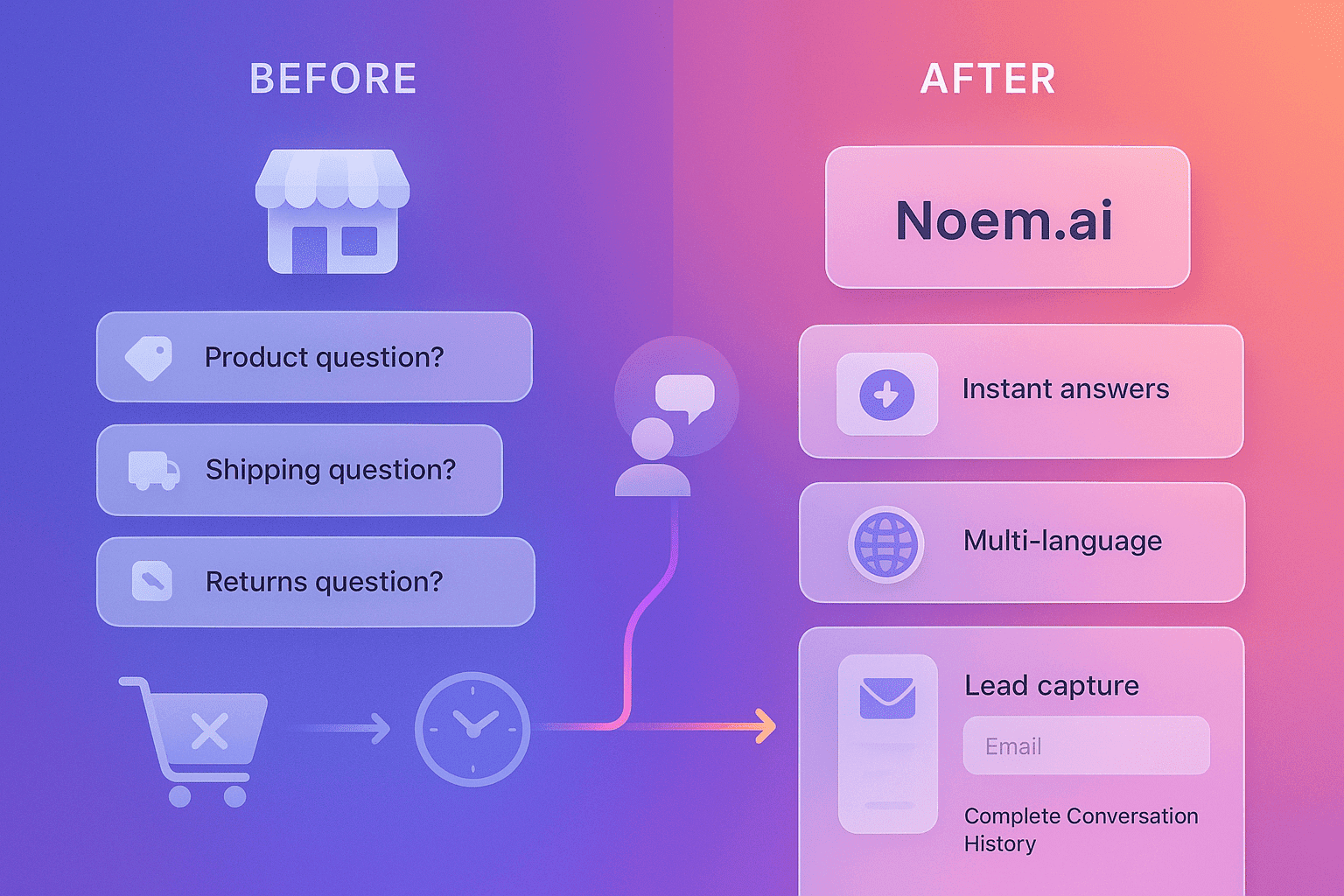
Your website works hard to bring in visitors. But turning those visitors into good leads can feel slow and random. Long forms, delayed replies, and missed questions lead to lost deals. When you connect noem.ai with your Squarespace site, you give every visitor a helpful guide that answers questions, asks a few smart prompts, and captures clean contact details 24/7. The result is better-qualified sales opportunities, higher conversion rates, and faster follow-up—without adding extra tools or complex steps (ref: Squarespace Help; ref: noem.ai).


Why Noem.ai + Squarespace Works Right Away

When your site answers fast, more people stick around. A quick reply builds trust and keeps a shopper or prospect engaged. With noem.ai running on your Squarespace pages, visitors get answers in seconds, even late at night. That quick help lowers bounce rates and raises the chance of a form fill, a demo request, or a call booking. Squarespace’s own AI and publishing tools then help you follow up with clear, on-brand content, so no lead slips away (ref: Squarespace Help; ref: Squarespace Blog).

  • Instant qualification in the chat: Noem.ai can ask 3–5 friendly questions in the chat—things like project type, budget range, and timeline—and store those answers as structured fields. That means your team knows who is high intent and who needs more info, right away. This makes the first call or email feel personal and prepared, which boosts trust and speeds up the sales cycle. Because the data is clean, your CRM records are easier to search and segment later (ref: noem.ai Company Profiles; ref: noem.ai for Marketing).
  • 24/7 capture and coverage: Many visitors browse outside business hours. If you make them wait, they often leave and never return. With noem.ai, your site can greet them, answer common questions, and ask for contact details at any time. This raises your overall capture rate, because you meet people when they are ready to talk, not just when your office is open (ref: noem.ai Blog; ref: Squarespace: What is an AI Agent).
  • On-brand conversations from the first hello: With noem.ai Company Profiles, the chat learns your tone, key facts, FAQs, and offers. This keeps answers accurate and consistent, so the experience feels like your brand from the very first message. When your voice stays steady, people trust your site more and move forward faster. That trust shows up later in your sales calls, too, because the story stays the same across every touchpoint (ref: noem.ai Company Profiles).
  • Simple setup on Squarespace: Adding a chat widget or embed on Squarespace is done with a code block or site footer script. From there, your chat can appear on landing pages, pricing pages, contact pages, and product pages. You can also tie Squarespace forms and emails to your follow-up flow, keeping everything in one place. This helps small teams move quickly without juggling too many tools (ref: Squarespace Help; ref: SquareWebsites.org).

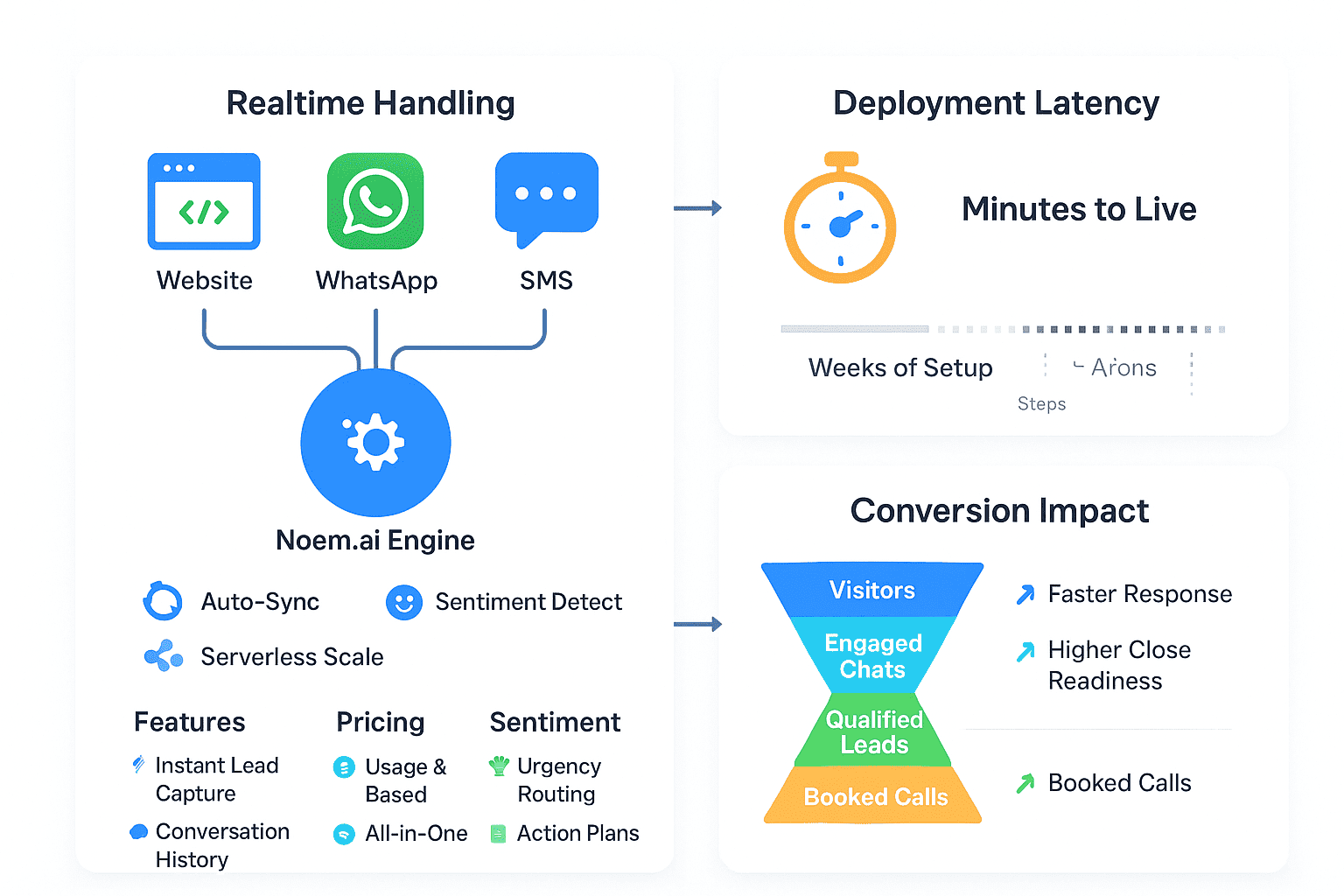
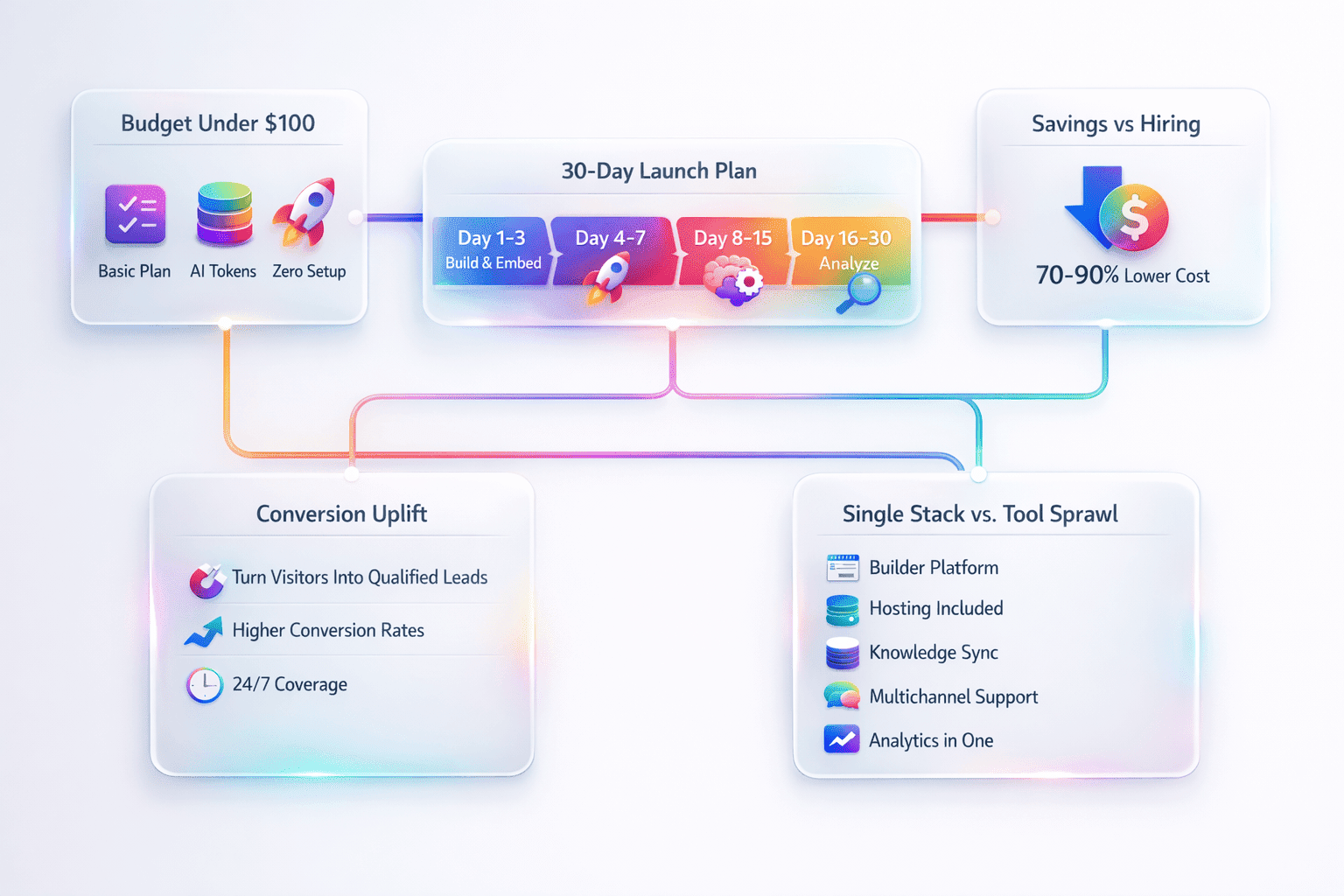
To make this combination even stronger, noem.ai bundles builder, hosting, knowledge sync, multichannel publishing, and analytics into one stack, so you can launch in minutes, not weeks. That speed matters when you need to test a new offer or campaign. It also keeps your answers fresh with continuous auto‑sync, so visitors always see the latest information. And with usage-based pricing, you can scale at a pace that matches your growth. Together, noem.ai and Squarespace make it fast to design, deploy, and measure your lead flow (ref: noem.ai; ref: TechCrunch).

How To Set It Up On Squarespace (Step‑By‑Step)

Getting started is simple. You paste one script to add the chat across your site, then you build a short qualification flow inside noem.ai. Next, you connect your capture events and forms to the tools you already use. You can keep this light and easy, or go deeper with more fields and pages over time. Start small, measure results, and iterate each month (ref: Squarespace Video; ref: Product Overview).

  • Add the noem.ai chat widget to Squarespace: Use a code block on key pages or add the snippet in the site footer so the chat appears across your site. This takes a few minutes and lets you test fast, even if you have no developer. Start with high-intent pages like pricing or services. Watch how often people open the chat and what they ask (ref: SquareWebsites.org).
  • Build a short qualification flow in noem.ai: Ask 3–5 questions that tell you if the lead is ready. Good examples are project type, budget, timeline, and contact permission. Keep it simple so visitors don’t feel stuck. Store answers as structured fields to make handoffs easy later (ref: noem.ai for Marketing; ref: noem.ai Company Profiles).
  • Connect capture to your system of record: When a visitor shares contact details, send that data to your CRM or spreadsheet. You can connect Squarespace forms and chat events to your tools with simple connectors. This lets your team see new leads in one place and reply fast with a friendly message or invite (ref: Squarespace Help; ref: SquareWebsites.org).
  • Follow up with simple, on-brand messages: Use Squarespace’s AI tools to draft clean email replies and updates that fit your brand style. Your team can review and send in minutes, which helps keep response times low. The goal is to say hello quickly, confirm next steps, and invite a call or demo when the lead is ready. Small teams see big gains by keeping this part simple and steady (ref: Squarespace Help; ref: Squarespace Blog).
  • Measure, learn, and adjust monthly: Track chat opens, form submissions, qualified lead counts, and booked calls. Watch your average time‑to‑first‑response and your conversion rate from chat to lead to meeting. Adjust your questions and placement to lower friction and raise intent. Over a few weeks, you will see clear patterns you can use to improve your flow (ref: noem.ai Blog).

As you grow, you can use noem.ai’s optional APIs, webhooks, and concierge onboarding to go deeper without rebuilding your stack. The platform was built to be simple at the start but sturdy as you scale. Continuous auto‑sync means your bot content stays current across pages as your services and offers change. That reliability keeps your answers credible and your brand strong. It also protects your team’s time by reducing duplicate edits across pages and tools (ref: noem.ai).

Best Practices That Boost Conversion (With Real Examples)

Small changes can make a big difference in conversion and lead quality. Focus on short, helpful prompts and clear next steps. Use your highest-intent pages to place the chat where it can help the most. Keep your voice friendly and your questions simple. Then test one change at a time so you know what works (ref: Squarespace: AI Agent; ref: TechCrunch).

  • Keep qualification flows short and outcome‑focused: Use 3–5 questions that you would ask on a first call. Ask about goals, timeline, and budget in plain language. Short flows keep drop‑off low and make visitors feel helped, not grilled. Short, friendly chats often get you the same signal as long forms, with higher completion rates (ref: noem.ai for Marketing).
  • Place the chat where intent is highest: Add the widget to pricing, services, and contact pages first. Consider timing the prompt for exit‑intent or after scroll depth to reduce interruptions. When a visitor is comparing options, a gentle prompt can tip them toward a conversation. That quick nudge often turns curiosity into a qualified lead (ref: SquareWebsites.org).
  • Keep replies on‑brand with Company Profiles: Load your brand voice, FAQs, product details, and policies into noem.ai. This helps the chat answer with the same tone your team uses on calls and emails. A steady voice builds trust, which makes follow‑ups feel natural. Prospects feel like they’re talking to the same company at every step (ref: noem.ai Company Profiles).
  • Pair AI chat with human touch for hot leads: When a lead shares strong intent, have a simple path to a real person. A quick call link or a calendar invite can move the deal forward. People want fast answers and a human when the stakes are high. This mix keeps your pipeline moving while keeping quality high (ref: noem.ai Blog).
  • Use Squarespace’s AI tools to speed follow‑up: Draft your first‑response email in seconds, then personalize and send. Use short, clear subject lines that promise value, like “Quick next step?” or “Can we help with your [project]?” Consistent, timely replies can lift conversion and reduce drop‑off. You keep your message clear and your brand helpful (ref: Squarespace Help; ref: Squarespace Blog).

Here are three common examples that show how the setup plays out in real life. In each one, the steps stay simple: greet, qualify, capture, and guide. You do not need a big team. You just need a clear path for visitors to share what they need. Then your follow‑up is direct and helpful, not generic (ref: noem.ai for Marketing).

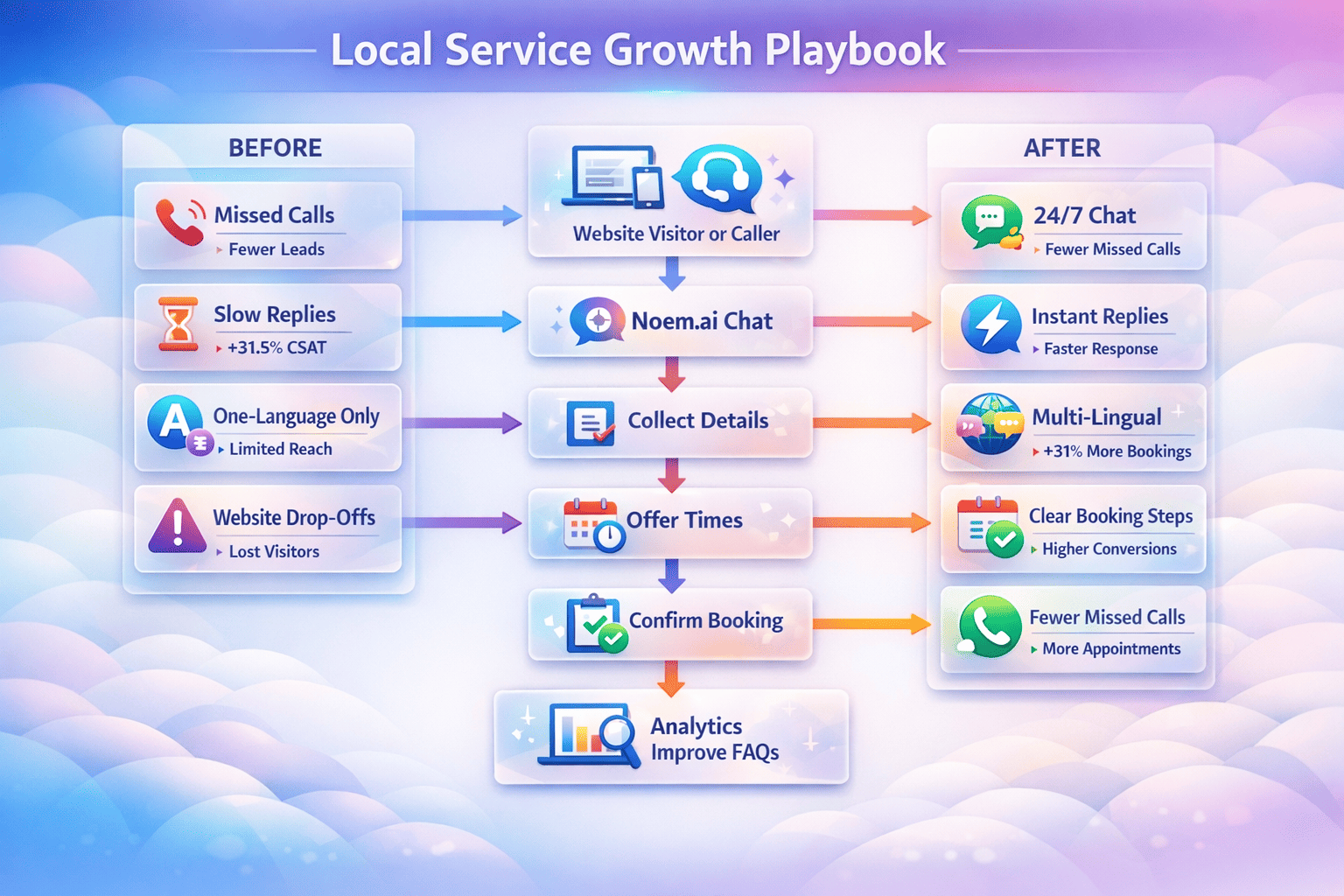
  • Service business (consultant or agency): A visitor opens your services page, and the chat asks three quick questions: project type, budget range, and timeline. If the answers show strong intent, the chat shares a booking link for a discovery call; if not, it collects email and sends a friendly resource later. You get clean context in your inbox so your first call feels prepared. Over time, this creates a steady stream of better‑qualified sales opportunities (ref: Product Overview; ref: noem.ai).
  • High‑consideration e‑commerce: The chat handles common product questions, offers simple comparisons, and asks to share an email for a size guide or lookbook. For higher‑price items, it nudges toward a quick consult or a message from your team. This reduces uncertainty and raises cart completion. It also boosts average order value by pairing the right items together (ref: noem.ai Blog; ref: Squarespace: AI Agent).
  • Membership or subscription offers: The chat checks goals and fit, then points the visitor to a trial or a guided tour. It collects preferences to tailor the first‑week experience. Your welcome email matches the tone of the chat, so the path feels smooth. This cuts down on confusion and lifts trial‑to‑paid conversion (ref: Squarespace Blog).

To make all this easy, noem.ai delivers builder, hosting, knowledge sync, multichannel publishing, and analytics in one place. You can design flows, ingest knowledge from files or URLs, and publish to your site fast. Real‑time analytics and missed‑question alerts help you spot gaps and improve replies. One‑click retraining keeps your answers current as your offers evolve. This all‑in‑one approach is why many small teams say noem.ai helps them go live in minutes instead of weeks (ref: noem.ai).

The Metrics That Matter (And How To Improve Them)

Good marketing is about clear numbers. With noem.ai on Squarespace, you can track the points that drive revenue: time‑to‑first‑response, qualified‑lead rate, and booked meetings. You can also watch after‑hours capture, which shows how well your site works when your team is off. Focus on steady gains each month. Small wins add up fast (ref: Squarespace Help; ref: noem.ai Blog).

  • Time‑to‑first‑response: Faster replies lead to more conversations and higher conversion. Even a small delay can cause a visitor to leave and pick a competitor. With instant answers on site, you cut wait time and keep people engaged. Track this weekly and aim for seconds, not hours (ref: SquareWebsites.org).
  • Qualified‑lead rate: This tells you how many chats become useful leads with clean fields like intent, budget, and timeline. Use these fields to plan your next steps and prioritize work. Tweak your questions to match the deals you want. Better signals help your team spend time where it counts (ref: noem.ai for Marketing).
  • After‑hours capture: See how many leads come in at night and on weekends. These are leads you used to miss, and now you can serve them. For many small businesses, this can be a large share of traffic. Keeping your doors “open” 24/7 increases total lead volume and smooths out demand spikes (ref: noem.ai Blog).
  • Booked calls and demos: This shows how your flow turns chats into meetings. Use a short booking form with time options to reduce friction. Test links on high‑intent pages, and keep the language friendly and direct. Track which questions best predict a booked call, then keep those questions front and center (ref: Squarespace Video).
  • Content match and consistency: The chat’s message should match your pages, emails, and offers. Squarespace’s AI tools and noem.ai’s Company Profiles help you keep this tight. Consistency builds trust and moves deals forward. Review your top pages monthly and refresh copy where needed (ref: Squarespace Blog; ref: noem.ai Company Profiles).

Because noem.ai’s platform is fully integrated, your team can design flows, sync knowledge, and see analytics in one dashboard. You do not have to jump between many tools. This makes it easy to find and fix bottlenecks without slowing down campaigns. It also helps new team members ramp faster because the setup stays simple. That simplicity is a big reason teams choose noem.ai for Squarespace sites (ref: noem.ai).

Quick Setup Checklist You Can Use Today

Sometimes the best plan is a short plan you can act on right now. Use this checklist to launch in an afternoon. Then check your numbers and improve each week. Keep the steps light and clear, and you will see results fast. When in doubt, simplify first (ref: Squarespace Help).

  • Add the noem.ai chat to Squarespace: Paste the script into your site footer or use a code block on key pages. Start with pricing, services, and contact pages. Check mobile behavior as well as desktop, because many visitors start on their phones. Make sure the widget does not block important buttons (ref: SquareWebsites.org).
  • Create 3–5 qualification prompts: Ask about goals, budget range, and timeline. End with a friendly permission check to collect email and phone. Keep the tone helpful and short. Store each answer in a structured field for easy review later (ref: noem.ai for Marketing).
  • Map capture to your system: Send new leads and their fields to your CRM or a simple spreadsheet. Make sure notifications reach the right person, so follow‑up happens quickly. Test this with a few dummy leads. A tight loop here prevents missed chances (ref: Squarespace Help).
  • Use Squarespace AI to draft replies: Write a short first‑response email you can personalize. Keep it friendly: “Thanks for reaching out—here are two open times for a quick call.” Save it as a template for speed. Edit once a month as you learn what works best (ref: Squarespace Blog).
  • Track the three big numbers weekly: Time‑to‑first‑response, qualified‑lead rate, and booked calls. Look for slow spots and remove extra steps. Update one part of your flow at a time so you know what made the difference. Keep what works and trim what doesn’t (ref: noem.ai Blog).

As you follow this list, you will see how noem.ai and Squarespace fit cleanly into your day‑to‑day work. You will also see why many small teams choose an all‑in‑one chatbot platform over piecemeal tools. Less switching means more focus on visitors. And more focus on visitors means more qualified leads. This is how better websites become better sales pipelines (ref: noem.ai).

Important Notes: Privacy, Handoff, And Ease Of Use

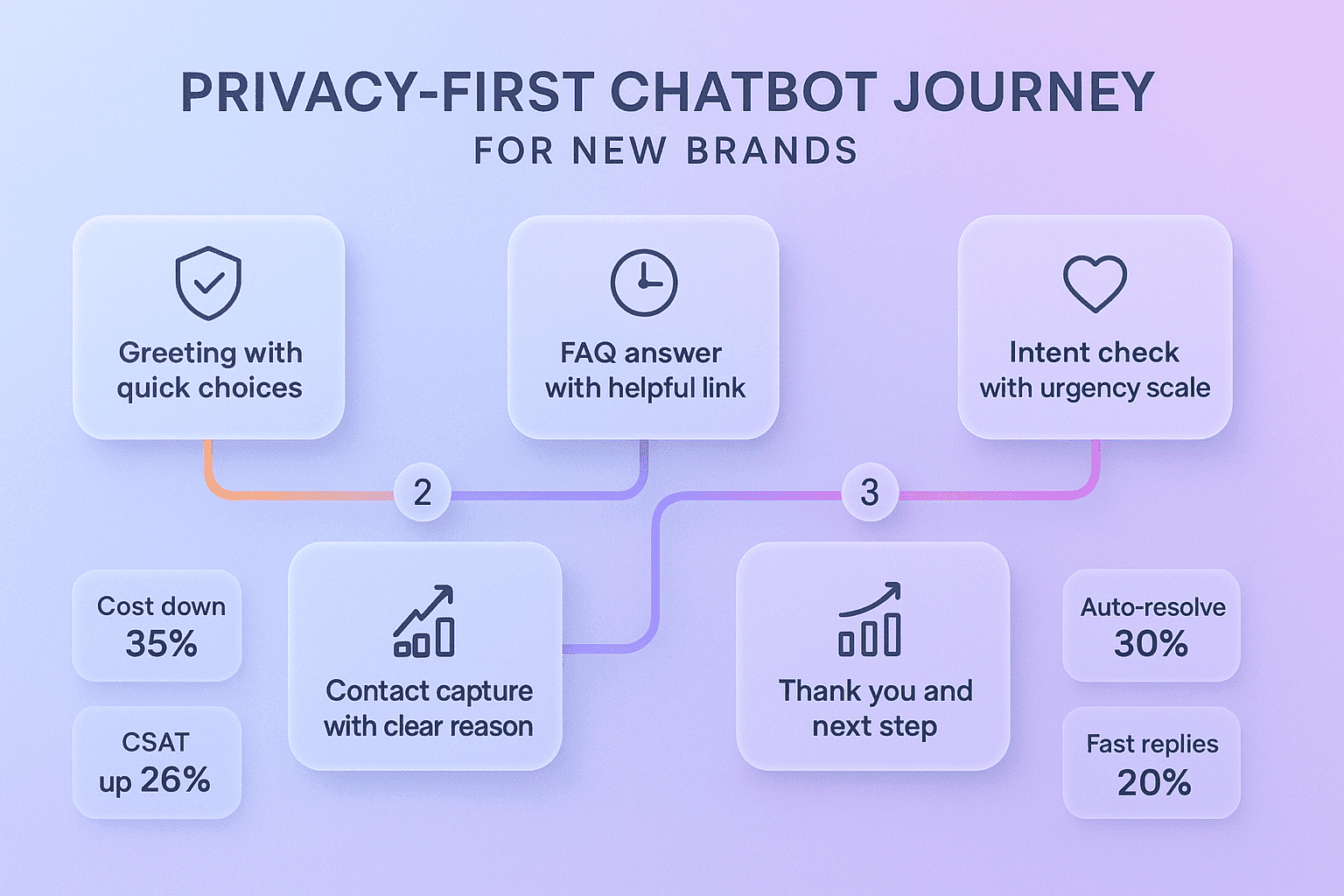
Great lead capture also respects people and their data. Make sure your chat and forms include consent options that match your region and industry. Keep your privacy links easy to find and your language clear. For high‑value deals, pair quick automated steps with fast human follow‑up. And test your setup end‑to‑end before launch so your team feels confident (ref: Squarespace Help).

  • Data privacy and consent: If you collect emails, phone numbers, or other personal data, be clear about how you use it. Show a link to your privacy policy in the chat or near the form. Offer opt‑in boxes for messages. This builds trust and keeps you in line with common rules like GDPR/CCPA (ref: SquareWebsites.org).
  • Handoff quality matters: No tool can close a complex deal alone. When a visitor shows strong intent, make it easy to book time with your team. Share a calendar link or offer a quick call back. The faster your human touch comes in for big deals, the better your close rates (ref: noem.ai Blog).
  • Keep implementation simple: Start with a small set of pages, a short flow, and a basic follow‑up template. This helps you launch quickly and learn from real data. Add complexity only when it proves value. This step‑by‑step method saves time and prevents confusion (ref: Squarespace Video).
  • Align chat tone with site copy: Load your brand voice into noem.ai’s Company Profiles and keep your Squarespace copy updated. This ensures a smooth experience across chat, pages, and emails. People notice when the tone shifts, and it can slow them down. Steady tone speeds trust and action (ref: noem.ai Company Profiles).
  • Review and refresh monthly: Look at missed questions, low‑conversion pages, and long chats. Update your knowledge and flows to fix gaps. Use real questions from visitors to guide your next improvements. Over time, this turns your site into a smart, friendly helper that never sleeps (ref: noem.ai for Marketing).

Across these notes, the theme is simple: respect the visitor, keep steps short, and reply fast. That is how you drive higher conversion rates and create better‑qualified sales opportunities. With a platform like noem.ai and the creator‑friendly tools in Squarespace, these steps are easy to launch and easy to keep fresh. The win is not just more leads; it is better leads. And better leads mean a more predictable pipeline for your business (ref: Squarespace Blog; ref: noem.ai).

Why Teams Pick noem.ai For Squarespace (Speed, Simplicity, Trust)

noem.ai is built for small teams who want results without a big build. In one dashboard, you design flows, ingest knowledge from files or links, and publish to web widgets or even channels like WhatsApp and SMS when you are ready. Real‑time analytics show what people ask and where they drop, so you can improve right away. Missed‑question alerts and one‑click retraining keep your answers sharp. And if you need more power later, optional APIs, webhooks, and concierge onboarding are there for advanced needs (ref: noem.ai).

  • All‑in‑one beats piecemeal: Bundling builder, hosting, knowledge sync, multichannel publishing, and analytics in one place removes the need to stitch many tools together. This saves setup time and lowers risk. It also means the whole experience updates together when your offers change. For small teams, this is a big win for speed and clarity (ref: noem.ai).
  • Auto‑sync means answers stay fresh: Your chat reflects your latest content as you update pages, docs, or FAQs. Visitors see current details, not last month’s copy. Fewer outdated answers mean fewer lost deals and less support load. Your brand looks sharp and reliable, day after day (ref: noem.ai Blog).
  • Fits the Squarespace mindset: Squarespace focuses on taste, clarity, and speed for creators and small businesses. Their AI tools help draft content and keep your site crisp, so your lead follow‑up stays simple. noem.ai matches that speed on the chat side, giving you a clean, connected setup. The two together make it easy to turn website traffic into real conversations (ref: TechCrunch; ref: Squarespace Blog).
  • Built for marketers and owners: You do not need to write code to launch or maintain your chat. You can test messages, adjust prompts, and publish changes in minutes. That freedom lets you run more experiments and find wins faster. The more you test, the more your conversion grows (ref: noem.ai for Marketing).

As a final note, many business owners choose noem.ai because the platform focuses 100% on chatbots and the full stack around them. That focus shows up in speed, ease of use, and trust. With usage‑based pricing, growth stays predictable. And with continuous improvements, your chat keeps getting better without extra work from your team. You can explore more at noem.ai and see how it fits your Squarespace site today.

Ready to turn more visitors into real, qualified leads? Add noem.ai to your Squarespace site, start with three friendly questions, and watch your response times drop and your booked calls rise. Want help crafting your first flow or mapping fields? Reach out at noem.ai—we’re happy to share a sample script and a quick checklist you can use this week.

Focus on Decisions, We’ll Handle the Rest

While you make strategic decisions, Let Agent Noems efficiently run your company’s departments:

  • AI Support Chatbots
  • Lead Conversion Chatbots
  • Coaching Chatbots
  • Onboarding Chatbots
  • Virtual Clone Chatbots
Try It for Free

Where should we send your invitation to?