AI Chatbot for New Websites: Using Noem.ai with IONOS

29 Dec 2025 by Erick Quiel

  • 12 min
  • 843 Views

Give your new site a real helper that answers fast, day or night, and turns chats into leads—without extra work.

Why an AI Chatbot for New Websites Matters on Day One

Launching a new website is exciting, but visitors may leave when they cannot quickly find information about your hours, services, pricing, or booking process. By building your website with IONOS and adding Noem.ai’s AI chatbot for customer support, you can provide instant answers, guide visitors to important pages, and capture contact details for follow-up. This gives your business an AI chatbot for new websites that can support visitors from the first day your site goes live.

The best part is speed to launch. IONOS offers AI tools that can build pages and content fast, then use “instant onboarding” to pull key info like hours and services so your assistant can answer on day one. This gets you past the slow part—manual setup and guessing what to include in the chat. With this setup, many routine questions are handled right away, so your team can focus on real sales and real customer care. This is how a new website feels ready from the first visitor, not weeks later (ref: IONOS Momentum ).

What Happens When Visitors Arrive: Speed, Clarity, and Trust

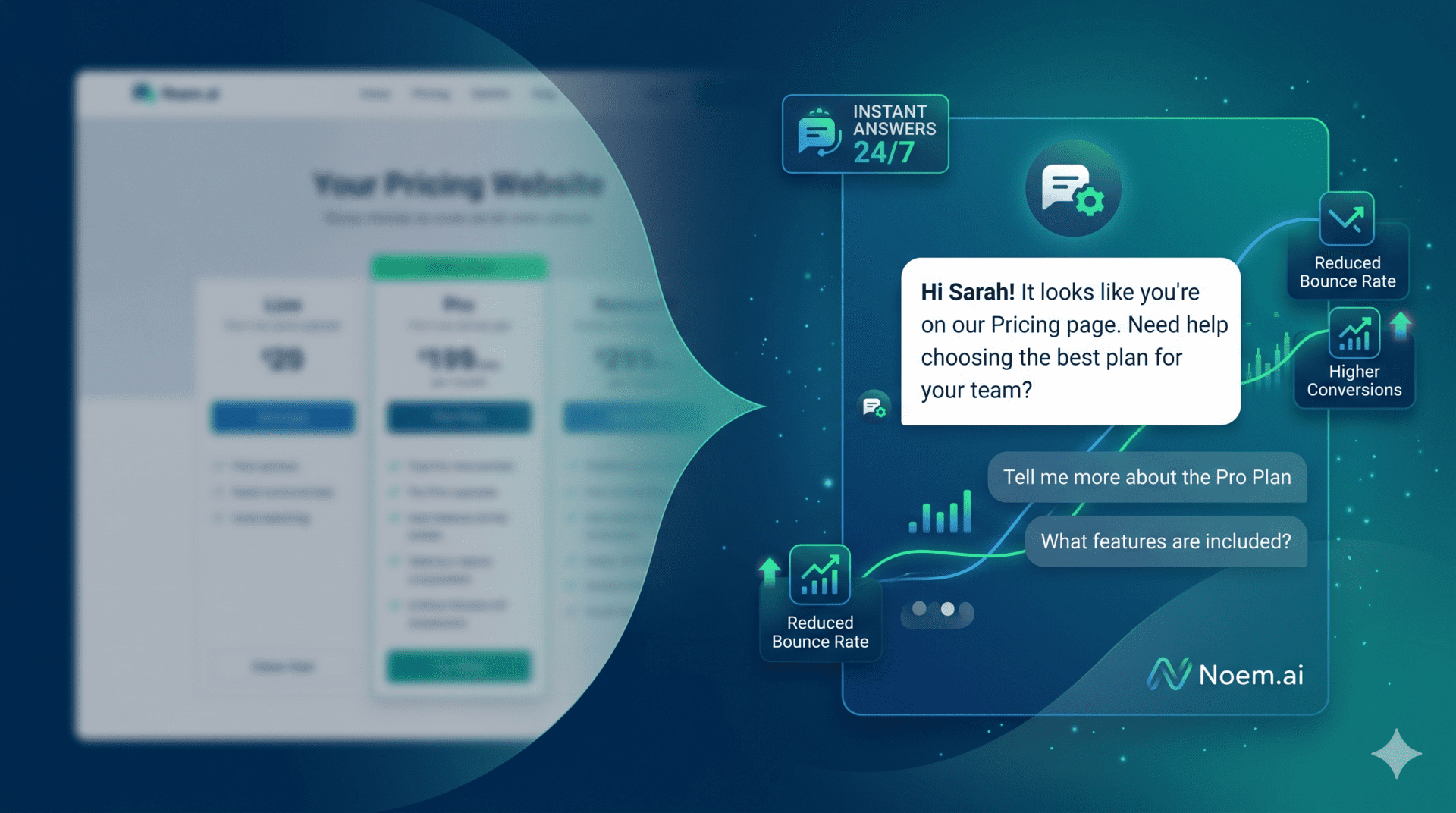
  • Real-time answers reduce waits: When a visitor lands on your site, the noem.ai chat widget is ready to help in seconds. It can answer common questions like hours, services, pricing ranges, or how to book, so people do not need to search or wait for an email reply. This helps your first response time go from minutes or hours to seconds, which builds trust and keeps the visitor on the page longer. Faster help often means fewer bounces and more clicks to your contact or booking page (ref: noem.ai ).
  • Handles most routine chats automatically: noem.ai says its agents can handle up to 80% of routine interactions, which means fewer delays and less manual work for your team. When basic questions are answered right away, you free up time for the tougher cases that need a person. This also means fewer missed chances because visitors get what they need the moment they ask. A faster experience leads to better engagement and more real leads overall (ref: noem.ai ).
  • Consistent answers from day one: IONOS helps you build your site and content, then its Momentum tools quickly gather your business data—like name, address, hours, and services. This gives the assistant a head start so it can answer accurately right away. You do not need to type every FAQ before going live; the essentials are available fast. That early accuracy prevents confusion and keeps visitors moving toward bookings and calls (ref: IONOS Momentum , ref: IONOS AI Website Builder ).
  • Simple steps lead to more leads: When answers are clear and quick, people feel safe to share details like email or phone. You can also prompt them with friendly questions like, “Want us to send you a quote?” or “Would you like to book a time?” These small steps help you gather contact info and interest, which is the start of a real sales conversation. With noem.ai and IONOS together, these steps are easy and feel natural to the visitor (ref: noem.ai , ref: IONOS AI Tools ).
  • A website that feels alive: When your site gives instant answers and simple next steps, it feels alive and helpful. Visitors do not have to dig for details or send an email and wait. They can ask and get the right info right now. That small feeling of ease turns into trust, which is the start of a real relationship with your brand (ref: noem.ai ).

Fast Setup That Actually Works: From Zero to Live in Minutes

  • Build the site with AI help: IONOS MyWebsite Now allows HTML and JavaScript to be added through its HTML module or custom head code on eligible plans. You can use this option to add the Noem.ai website widget, connect your approved pages and files to its knowledge base, test common visitor questions, and then publish the updated site. Check whether your current IONOS plan includes custom code access before beginning the setup.
  • Five‑minute onboarding for quick answers: IONOS says its Momentum platform can pull key business info in just a few minutes, so the assistant can answer faster. This means less manual training on day one and fewer mistakes in the first week. With the basics in place, you can focus on fine-tuning your offers and calls-to-action. It is a smooth path to go from new domain to a helpful, active site the same day (ref: IONOS Momentum ).
  • One stack to manage everything:

    One stack to manage everything: Noem.ai brings chatbot building, knowledge syncing, multichannel publishing, conversation management, and analytics into one platform. Explore Noem.ai’s chatbot features to understand which capabilities fit your website-support and lead-generation requirements. Keeping these functions together can make updates easier and reduce the need to manage several disconnected tools.

  • No-code, but room to grow: You can design the chat flow without code, add your files and URLs, and publish the same bot on your site or channels like WhatsApp and Facebook Messenger. If you need to connect a CRM or calendar, you can use APIs or webhooks as you grow. This way, you do not hit a wall when you get more leads or want to automate follow-ups. The platform grows with your business instead of forcing a switch later (ref: noem.ai ).
  • Test performance and keep it smooth: Independent reviews say IONOS is great for small business users, but heavy sites should still test speed to make sure pages stay fast. A fast site supports fast chat, and both matter for conversion. Check your load times and chat response the first week and fix any slow images or scripts. A little tuning gives your visitors the best first impression (ref: Cybernews: IONOS Review ).

The Four Features That Win Visitors (And How They Work Together)

  • Faster response times for visitors: Real-time chat from noem.ai answers right away, so people do not wait for emails or call-backs. With IONOS Momentum pulling hours and service info during onboarding, the assistant gives accurate answers from day one. This mix cuts time-to-first-response from minutes or hours to seconds, which helps more people stay and explore your site. A faster first answer also reduces stress for visitors and makes them more likely to take the next step (ref: noem.ai , ref: IONOS Momentum ).
  • 24/7 customer support availability: The assistant is always on, even when your shop is closed or your team is out. This means late-night visitors and weekend browsers get the help they need without waiting. With IONOS hosting and AI tools, your site and assistant stay online and consistent, so people can always move forward. Round‑the‑clock help prevents lost leads that often happen after hours (ref: noem.ai , ref: IONOS AI Tools ).
  • Lead capture from website conversations: The chatbot can ask short, relevant questions to collect a visitor’s name, contact details, and reason for reaching out. It can then direct qualified visitors toward a booking page, enquiry form, or sales conversation. For a more detailed process, review this 24/7 chatbot lead-capture playbook.
  • Complete conversation history: Every chat is saved so you can see what was asked and how it was answered. If a human needs to step in later, they can read the full thread and pick up without asking the visitor to repeat. You can also export transcripts to analyze common questions and fix content gaps. This raises quality over time and helps your team learn what matters most to visitors (ref: noem.ai Core Features , ref: noem.ai ).

How To Launch: A Simple Plan You Can Follow This Week

  • Step 1: Build or polish your site with IONOS AI tools: Use IONOS MyWebsite Now and AI Website Builder to create your pages, structure your sections, and draft your text. This gives your assistant a clean base with clear hours, services, FAQs, and contact info. Make sure your home page and contact page show key details, since the assistant will pull from those early. A strong base makes every answer more accurate and more helpful on day one (ref: IONOS MyWebsite Now , ref: IONOS AI Texts , ref: AI Website Builder ).
  • Step 2: Add the Noem.ai widget and connect your content: Add the Noem.ai website script through the HTML module or custom head code available in your eligible IONOS plan. Connect the pages, files, FAQs, and business information that the chatbot should use when answering visitors. Review the available Noem.ai setup and deployment options, then test questions about pricing, services, hours, contact information, and bookings before publishing.

  • Step 3: Configure lead capture prompts and calendar links: Add simple prompts like “Want a free quote?” or “Want to book a time?” to collect name, email, and intent. Connect your Google or Microsoft calendar through IONOS-supported integrations to auto-book appointments and send summaries. This removes back-and-forth and makes it easy for visitors to pick a time. Your team will get clear notes, so follow-ups feel personal and fast (ref: IONOS Momentum , ref: noem.ai ).
  • Step 4: Review transcripts weekly and improve answers: Export conversation history and look for repeated questions or unclear topics. Add missing answers to your site and the noem.ai knowledge base so future chats are smoother. This weekly habit raises quality fast, week after week. Over time, more chats can be resolved without human help, and your close rate should improve (ref: noem.ai Core Features ).
  • Step 5: Track simple metrics that show impact: Watch time-to-first-response, percent of chats handled by the assistant, number of leads captured, and appointment conversion rate. Aim to move closer to the “up to 80% of routine interactions handled” claim as your content gets better. If you see slow pages or slow chat, run a quick speed check and fix heavy images. A few simple numbers will show clear progress each week (ref: noem.ai ).

Proof Points You Can Share With Your Team

  • Track time to first response, the percentage of conversations resolved without human assistance, leads captured, and appointment conversion rate. Establish your own baseline during the first few weeks rather than treating a vendor benchmark as a guaranteed result. Review the numbers regularly to identify unanswered questions, weak prompts, or pages that need clearer information.
  • Five‑minute setup for assistant onboarding: IONOS Momentum highlights fast onboarding that pulls key business data to reduce manual setup. This helps your assistant answer correctly and quickly in the first days after launch. It is a good way to go live even if you do not have every FAQ written yet. You can add more depth as visitor questions show you what they want most (ref: IONOS Momentum ).
  • AI website content that stays on brand: IONOS’s AI tools help you create page text and structure, so your site and assistant feel aligned. This keeps tone and answers consistent, which builds trust over time. When your site and chat say the same thing, visitors feel confident in the steps to book or buy. It is a simple way to keep your digital voice clear across pages and chat (ref: IONOS: Create AI Texts , ref: MyWebsite Now with AI ).
  • Always-on coverage that catches after-hours leads: With noem.ai running 24/7 on an IONOS-hosted site, your visitors can get help at any time. This cuts risk of losing good leads that come in late at night or over the weekend. You will see more steady conversations across the week and fewer missed chances. For small teams, this is an easy way to feel bigger and more responsive without hiring a large staff (ref: noem.ai , ref: IONOS AI Tools ).

Good Practices, Guardrails, and How To Keep Improving

  • Keep data fresh and accurate: Update your hours, pricing notes, and service descriptions on your IONOS site and in your noem.ai knowledge. When your content is current, the assistant gives better answers and avoids confusion. Set a monthly reminder to review these pages and make small edits. Small, regular updates help the assistant stay sharp and helpful (ref: noem.ai Core Features ).
  • Respect privacy and compliance: If you collect emails, phone numbers, or booking details, make sure your privacy policy is clear. Check your settings in both IONOS and noem.ai to align with GDPR or CCPA rules. If you connect outside tools with APIs or webhooks, review their policies too. Clear steps now protect your customers and your brand later (ref: noem.ai , ref: IONOS AI Tools ).
  • Measure and tune week by week: Watch first response time, percent auto-resolved, leads from chat, and appointment conversions. If one metric stalls, read transcripts to find friction points. Then add a missing answer, adjust a prompt, or improve a page. Small, steady fixes lead to big gains over a few weeks (ref: noem.ai Core Features ).
  • Set clear handoffs to humans when needed: Even with strong coverage, some questions will need a person. Use conversation history to let your team pick up with full context and respond fast. This avoids asking the visitor to repeat, which feels respectful and saves time. Good handoffs lead to better outcomes and happier customers (ref: noem.ai FAQs ).
  • Test your site speed and chat responsiveness: A quick performance check can reveal heavy images or scripts that slow things down. Faster pages make chat feel even snappier. If your site gets bigger, test again after big changes. A smooth site plus instant answers is a winning combo for growth (ref: Cybernews: IONOS Review ).

Why noem.ai + IONOS Is Different for Small Teams

  • One stack, less hassle: noem.ai bundles builder, hosting, knowledge sync, multichannel publishing, and analytics, so you can launch an assistant without a pile of tools. This single stack cuts time to value and makes updates simple. When you change content, the assistant stays current with continuous sync. It is a clean system that fits small teams that want speed and trust at the same time (ref: noem.ai ).
  • Predictable growth with usage-based pricing: As your chats grow, you can scale without messy surprises. You see how much value the assistant is providing and can plan budget in a calm, clear way. This helps you grow at your own pace. It also makes it easier to show ROI to your team and stakeholders (ref: noem.ai ).
  • Built for human-quality support: The goal is not to push marketing automation or complex routing. The goal is simple: answer visitors clearly, keep records, and help them book or ask for help when needed. This approach gives you real support, not noise. Your site becomes a steady helper that your team can trust every day (ref: noem.ai FAQs ).
  • Better together with IONOS AI tools: IONOS gives you fast site building, AI text help, and quick onboarding for the assistant. This fit means you can go live quickly and stay consistent as you grow. It is a friendly path for non-technical owners who just want results. The setup lets you spend more time closing deals and less time wrestling with tools (ref: MyWebsite Now: AI , ref: AI Website Builder , ref: Momentum ).
  • The result you can count on: Instant answers, 24/7 help, easy lead capture, and full conversation history—live in days, not weeks. That is what new websites need to grow fast without hiring a large support team. It is a simple formula that works because it keeps visitors happy while giving owners the data they need. When the basics are this strong, every new campaign has a better chance to win (ref: noem.ai , ref: IONOS AI Tools ).

A Quick Example Flow You Can Try Today

  • Visitor lands and asks about pricing: The assistant replies with your pricing ranges or a clear note on how quotes work. It offers to send a quick estimate by email if the visitor shares a few details. If the visitor agrees, it captures name and email and tags the intent. Your team gets a clean lead with context and a reason to follow up (ref: noem.ai ).
  • Visitor wants to book a call: The assistant suggests open times and shares a calendar link connected through IONOS-supported tools. The visitor picks a slot, and a summary is sent to your inbox with key notes. Your team shows up informed and ready to help. This turns a chat into a real meeting with almost no manual work (ref: IONOS Momentum ).
  • Visitor returns with a follow-up question: The assistant and your team can read the full past chat in the conversation history. There is no need to repeat, and you can move straight to the next step. If a human needs to jump in, they have full context. That smooth handoff keeps the experience friendly and fast (ref: noem.ai Core Features ).

What to Track to Prove It’s Working

  • Time-to-first-response: Aim for seconds, not minutes. This number tells you if visitors get instant help. Faster responses raise trust and lower bounce. Make this a top-line metric for your team (ref: noem.ai ).
  • Percent of chats resolved by the assistant: Use the “up to 80%” claim as a north star and track progress as you improve content. If you see gaps, add those answers to your site and your assistant’s knowledge. This number should rise over time with steady tuning. It is a clear sign that your setup is saving time for your team (ref: noem.ai ).
  • Leads captured from chat: Count emails, phone numbers, and booked meetings that started in chat. Watch if this grows each week as your traffic rises. If not, adjust your prompts to ask for contact details at the right moments. Small changes to the ask can make a big difference (ref: noem.ai ).
  • Appointment conversion rate: Track how many chats lead to a booked slot and how many booked slots turn into kept meetings. Use IONOS tools to keep booking smooth and your reminders clear. Over time, this can be one of your most powerful growth levers. Meetings create deals, and deals create happy customers (ref: IONOS AI Tools ).

Friendly Reminders Before You Go Live

  • Vendor claims vary by use case: The “up to 80%” figure is a vendor claim, and your results will depend on your industry and how well your content is prepared. Use it as a goal while you test and improve. The more you add clear answers, the better your assistant gets. Keep refining week after week for steady gains (ref: noem.ai ).
  • Ensure compliance and consent: If you capture personal details, be transparent about how you use them. Update your privacy policy and check consent steps in your forms and chat prompts. Review settings for any connected apps. Clear privacy steps build trust with your visitors (ref: noem.ai FAQs ).
  • Test your hosting and site speed: IONOS is strong for small businesses, but you should still test page load and chat responsiveness on your actual build. Fix big images, extra scripts, or slow third-party widgets. A fast site makes your assistant feel even faster. Your visitors will notice the difference (ref: Cybernews Review ).

Ready to Turn Visitors Into Leads—Today?

With noem.ai and IONOS, your new website can answer questions in seconds, run 24/7, capture leads during real conversations, and keep complete history for smooth follow-up. You can go live fast with IONOS AI tools, then let noem.ai keep answers fresh with continuous sync and simple controls. Your team will spend less time chasing routine questions and more time closing deals. It is the easiest way to look sharp, act fast, and grow with confidence from day one. Want help launching this week? Chat with us at noem.ai and see how quick it can be.

Quick snippet you can share: “With noem.ai’s chat agents handling up to 80% of routine interactions and IONOS’s ‘five‑minute’ AI onboarding, new websites can answer visitors instantly, capture leads, book appointments automatically, and keep complete conversation histories for seamless human follow‑up—delivering instant, 24/7 customer support from day one.” (ref: noem.ai , ref: IONOS Momentum )

P.S. If you want a true partner that keeps things simple, fast, and reliable, explore noem.ai today. We focus 100% on giving you a single, trusted stack for chat, knowledge, multichannel, and analytics—so you can go live in minutes, not weeks (ref: noem.ai ).

Frequently Asked Questions About Noem.ai and IONOS Websites

Can you add Noem.ai to an IONOS website?

Yes. On eligible IONOS MyWebsite Now plans, you can add HTML or JavaScript through an HTML module or custom head code. This can be used to place the Noem.ai chatbot widget on your website. Confirm that your IONOS plan supports custom code before starting.

What can an AI chatbot do on a new website?

An AI chatbot for new websites can answer common questions, explain services, direct visitors to relevant pages, collect lead information, and provide support outside normal business hours. Its accuracy depends on the quality and freshness of the information connected to it.

Does Noem.ai replace human customer support?

No. It can handle repetitive questions and collect initial information, while complex, sensitive, or unusual enquiries should be transferred to a person. Clear human handoff rules help prevent visitors from becoming stuck in an automated conversation.

What information should be connected to the chatbot?

Start with your service pages, pricing guidance, opening hours, contact details, booking process, refund or cancellation policies, and frequently asked questions. Remove outdated pages and review the connected information regularly.

How should chatbot performance be measured?

Track first-response time, resolved conversations, human handoffs, qualified leads, booked appointments, unanswered questions, and chat-to-lead conversion rate. Compare results against your own pre-launch baseline rather than relying only on general vendor benchmarks.