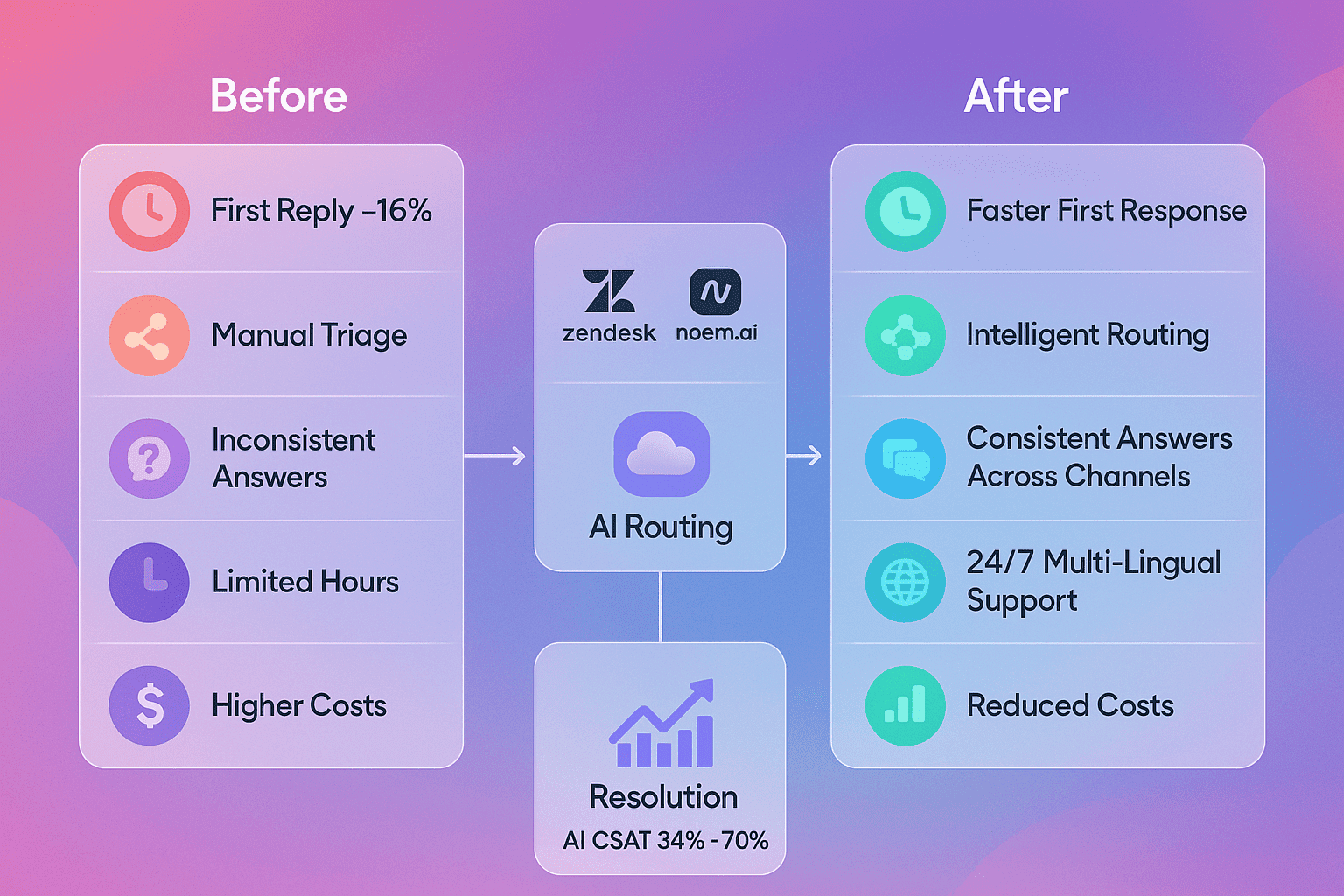
Measuring chatbot success does not need a huge tool stack, a pricey consultant, or a long setup. You can get clear answers by focusing on a few simple numbers that tie directly to sales and support results. This is especially true when you use Noem.ai on Squarespace, Wix, or Webflow, because the data you need is already in the dashboard. You can track leads, conversions, and response times without extra subscriptions, and you can run simple A/B tests to keep improving. When you run lean and stay focused, you will see what works and what does not fast, and you will save money while you learn what to scale next (ref: Noem.ai ).
The best place to start is with your goals. For most business owners, the goals are clear: create better-qualified sales opportunities, drive higher conversion rates, turn visitors into qualified leads, cut response time, and support sales and support conversations 24/7. These are the outcomes leaders care about because they connect to revenue and costs. Noem.ai was built to make these outcomes trackable right away, without a long build. With usage-based pricing, you can prove value on a small page or campaign and only pay for what you use, which is friendly for a tight budget (ref: Noem.ai vs. Intercom ).
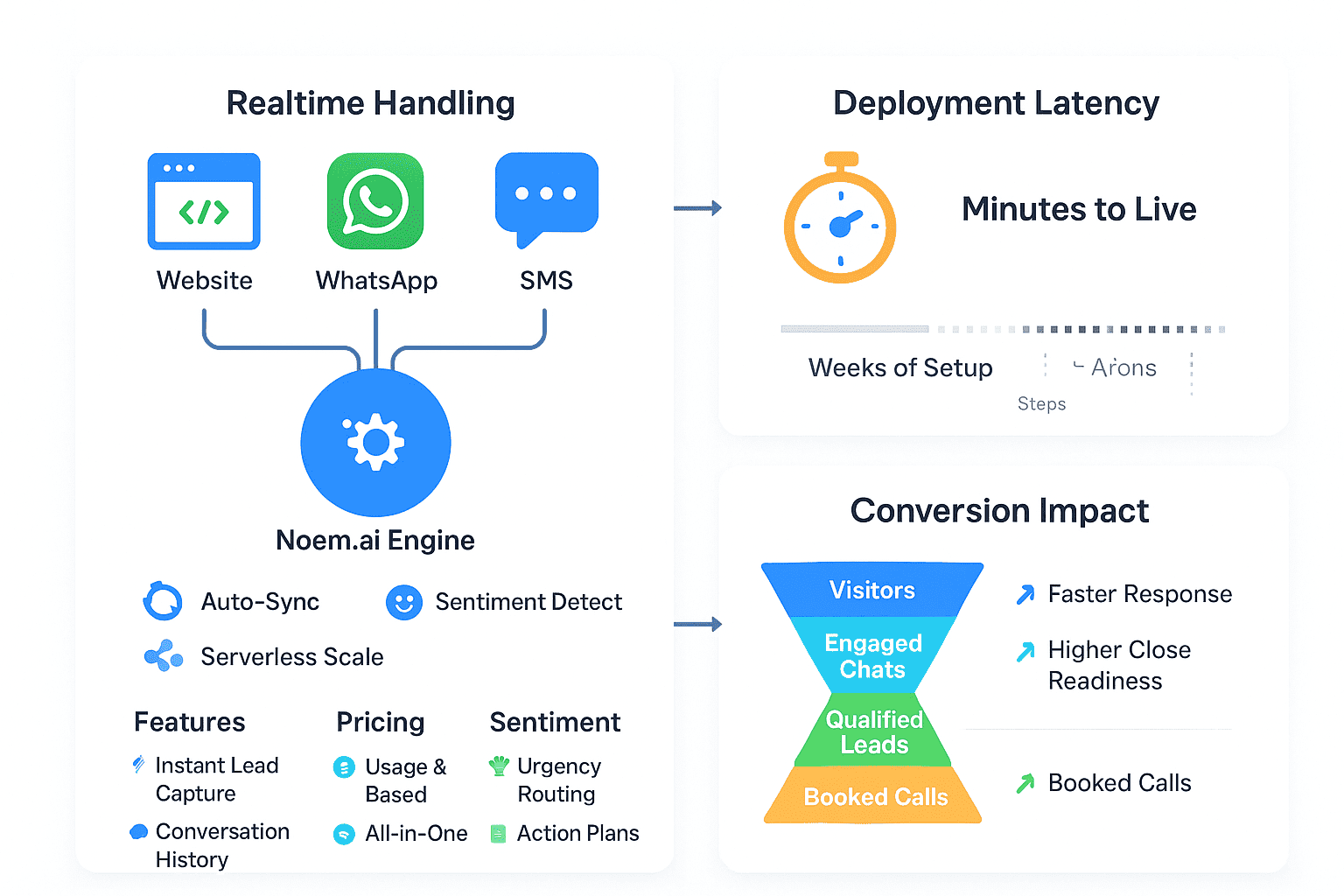
Noem.ai focuses 100% on chatbots and rolls builder, hosting, knowledge sync, multichannel publishing, and analytics into a single stack. This setup helps teams go live in minutes instead of weeks and keeps the bot synced to your latest content, so answers stay fresh without extra work. This mix of speed, simplicity, and trust is ideal when you need results quickly and do not want to wrangle a dozen tools. It also means you can do more tests and spend more time learning what gets visitors to convert. Lean teams win by keeping things simple, and this is where a focused platform like Noem.ai gives you a real edge (ref: Noem.ai ).
If you are on Squarespace, Wix, or Webflow, the setup is also quick. You can add Noem.ai with a small embed code and start seeing chats and outcomes in real time. As chats come in, the dashboard highlights which questions lead to sign-ups or sales and which ones need better answers. You can then tighten messages, adjust handoffs, and test new greetings to lift your results. You will be surprised how much a few tiny changes can improve your numbers when you watch the right metrics closely (ref: Top 5 AI Customer Support Chatbots ).
The essential low-budget metrics that prove value fast
- Lead Qualification Rate: This shows how many chat conversations turn into qualified leads with clear need, timing, and budget. When your bot asks the right questions, it works like a simple discovery call and filters out bad fits. This saves your team time and brings your sales reps better conversations that are worth more. Teams using modern chatbots report steady gains here because structured questions help turn visitors into qualified leads faster (ref: Noem.ai on turning visitors into leads ).
- Conversion Rate: Conversion can be a form fill, a demo request, a checkout, or a booking. Your bot should guide users toward one clear action and remove little steps that cause drop-off. Watch the share of chats that end with that action and compare before and after you launch your bot. With 24/7 coverage, helpful answers, and simple CTAs, teams commonly see higher conversion rates from traffic that would otherwise bounce (ref: Noem.ai + LivePerson.com overview ).
- Response Time Reduction: People do not want to wait, and slow replies kill deals. Many teams still reply by email after hours, and that delay can be more than a day. A fast bot can answer in seconds and keep ad traffic warm by meeting users the moment they show interest. Track average first response time and aim for under five seconds, which is normal with a well-tuned chatbot that is live 24/7 on your site (ref: Noem.ai FAQs ).
- Containment Rate: This is the share of questions the bot resolves without a human. Higher containment means fewer tickets and less time spent on simple tasks. When your bot can answer common questions with confidence, your team stays focused on complex cases and high-value work. Many teams cut ticket volume and save real budget thanks to better containment and clear escalation rules that only hand off when needed (ref: Top 5 AI Customer Support Chatbots ).
- Customer Satisfaction (CSAT): After a chat, a quick thumbs up or star rating tells you if the answer helped. You can also track sentiment to spot confusion or complaints in the moment and fix content gaps fast. Look for steady or rising CSAT after you launch, even as volume grows with 24/7 coverage. This helps prove that the bot supports both sales and support well, not just one side (ref: Small business efficiency ).
- Cost Savings per Interaction: Simple math shows the value. Add the time your team saves, the tickets you avoid, and the chats your bot handles every day. Subtract your usage cost. That number is your direct savings, and it grows as your bot answers more simple questions and supports buyers outside office hours (ref: Slashing costs and productivity ).
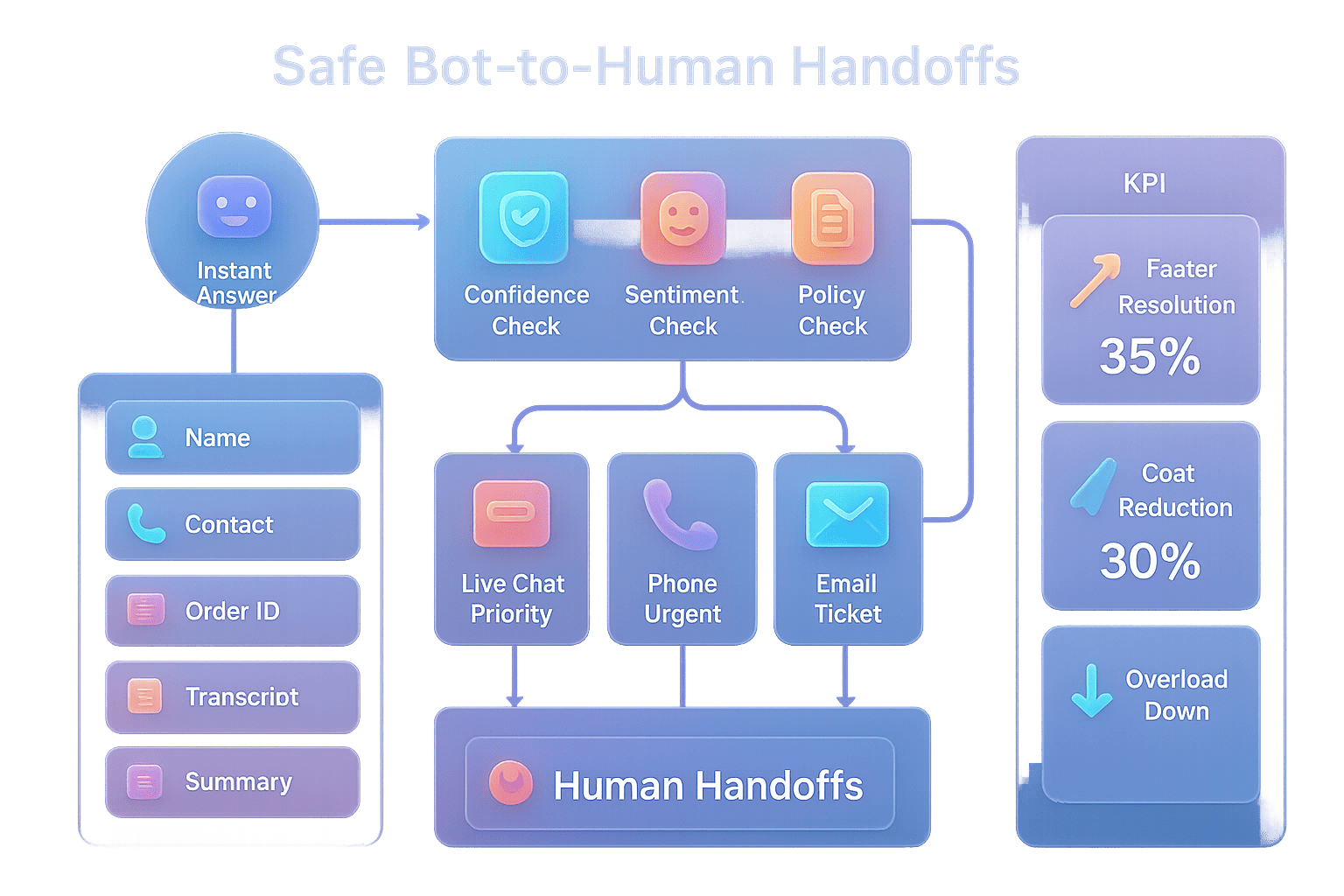
- Escalation Quality: Not every chat should end with the bot. The key is to pass complex issues with context so humans can help fast. Track how often handoffs happen, the time to resolution, and the outcomes after the handoff. When your bot shares the full transcript and the need is clear, your team solves problems faster and with fewer back-and-forth messages (ref: Noem.ai vs. Intercom ).
- Knowledge Coverage: Check how many unique questions your bot can answer well and update your knowledge often. When your site changes, your bot should reflect those updates without manual edits. With continuous syncing, you can keep answers fresh across pages, help docs, and blog posts. This is a big advantage of a focused platform like Noem.ai that was built to keep content current without extra tools (ref: Noem.ai ).
- Revenue Influence: For eCommerce or booked services, connect chat events to purchases, upgrades, or bookings. Even simple tracking with UTM tags and page goals shows the lift. Watch revenue per visitor on pages with the bot versus those without. Over time, you can roll out the bot to more pages that show higher lift and keep your budget tied to results (ref: AI chatbot reality ).
These nine metrics are enough to prove value, find gaps, and guide your A/B tests. They are easy to track, simple to explain, and map to goals your leadership already cares about. You do not need a complex tech stack to do this right. A single dashboard and a weekly review are usually enough for steady, meaningful gains. That is why so many business owners start with Noem.ai on one key page and scale from there when they see the results (ref: Noem.ai + LivePerson.com overview ).
Budget-friendly A/B tests that move the numbers
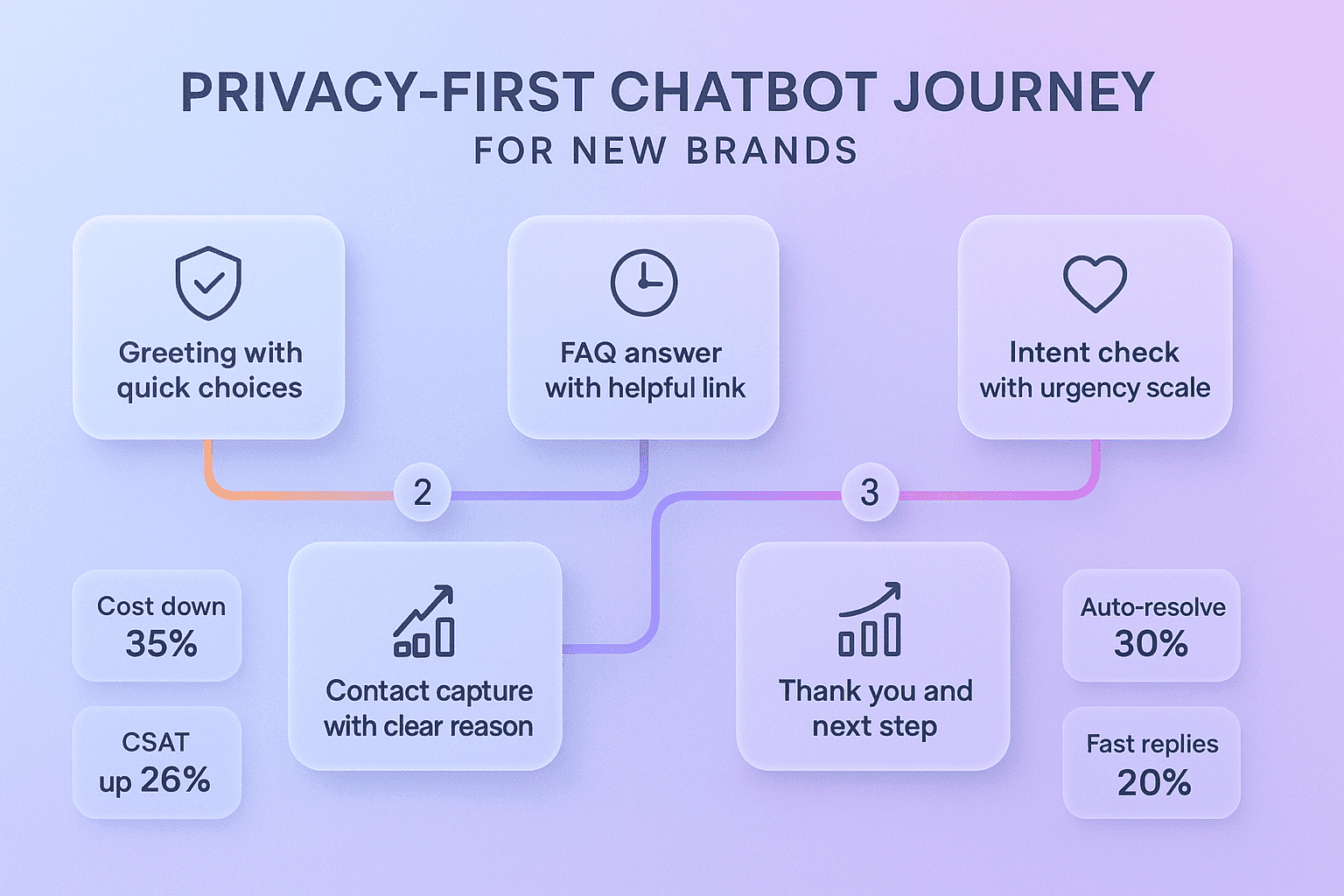
- A/B the Greeting to Lift Lead Quality: Test a simple “How can I help?” against a discovery-style prompt that asks about needs, timing, or budget. The second style makes it easier to qualify leads because it sets the stage for a focused chat. It also helps users share the facts your team needs early, which saves time and boosts the chance of a good handoff. Run this test on your pricing or plans page where buying intent is higher (ref: Noem.ai on turning visitors into leads ).
- A/B the CTA to Boost Conversions: Try a generic button like “Book a demo” versus a contextual CTA like “See pricing for your team size” or “Get a sample plan.” Tie the CTA to the page content so it feels helpful, not pushy. Add a product image or a short benefit to make the click more clear. Watch conversion rate from chat to action and give each variant enough traffic before you choose a winner (ref: Noem.ai vs. Intercom ).
- A/B the Flow for Progressive Lead Capture: Instead of asking for email upfront, test asking about need first and email second. This reduces friction and keeps more people in the conversation. Once the user sees value, they are more open to sharing contact info. This small shift can turn more visitors into named, qualified leads at a lower cost (ref: AI chatbot reality ).
- A/B the Escalation Trigger: Try a rule that escalates after three turns versus intent-based escalation when the question is complex. Intent-based escalation keeps simple issues with the bot and routes only tough ones to humans. This improves containment and protects your team’s time while still keeping service quality high. You should see better CSAT and fewer tickets when the bot handles common questions well (ref: Top 5 AI Customer Support Chatbots ).
- A/B the Speed Framing: Both variants answer instantly, but one message highlights “Always-on help” and “average reply time under 5 seconds.” This sets expectations and builds trust. When users know they will not wait, they are more likely to ask the next question and stay on the page. That extra engagement can nudge more visitors toward a purchase or a booking (ref: Noem.ai FAQs ).
- A/B the Knowledge Snippet: Test a short answer with a link versus a short answer plus a quick comparison table pasted into the chat. The table version can reduce clicks and give users what they need to decide right in the conversation. This can cut drop-offs and increase confidence in the choice. It also shows how strong content plus a good bot can speed up decisions and raise conversions (ref: Noem.ai + LivePerson.com overview ).
- A/B the Hero Page vs. Pricing Page Launch: Place the bot only on your homepage for one week, then only on your pricing page the next. Compare qualified lead rate and conversion rate across those two placements. Most teams see stronger lifts on high-intent pages like pricing, which can guide where to expand first. Use this test to build a rollout plan for the rest of your site (ref: Small business efficiency ).
A/B tests do not have to be complex to be useful. Keep each test focused on one change, run it for one to two weeks, and aim for a clear outcome like “more qualified leads” or “more demos booked.” You can split traffic by page duplicates or lightweight scripts, and then track results in one place. The goal is to learn quickly, lock in wins, and keep moving. That is how you turn a small budget into steady growth with the help of a smart chatbot on your site (ref: Costs and productivity ).
Setup playbooks for Squarespace, Wix, and Webflow (fast, simple, reliable)
- Squarespace: Add the Noem.ai embed code in a Code Block on the pages you want to test. Duplicating a page lets you A/B two versions with different greetings, CTAs, or flows. Use Squarespace’s built-in analytics to set a baseline on bounce rate and conversions before you go live. Then, compare those site numbers with Noem.ai’s chat metrics to see the before/after impact clearly (ref: Noem.ai ).
- Wix: Use the Custom Embeds section to install Noem.ai once, then toggle it per page for controlled tests. Wix Analytics gives you traffic, time on page, and goal data you can trend weekly. Start on one high-intent page like pricing, features, or checkout, where the bot can answer questions that block conversions. Keep one weekly test running to build momentum and find the fastest wins (ref: Top 5 AI Customer Support Chatbots ).
- Webflow: Drop the embed in the page settings or site-wide, then limit by path or collections for cleaner tests. If you want a 50/50 split, a tiny JavaScript snippet can route users to Variant A or B. Use Webflow’s CMS to manage content variants, which makes it easy to test different answers or product highlights. Watch the Noem.ai dashboard for live metrics while your site analytics track visitor flows (ref: Noem.ai vs. Intercom ).
- Cross-Platform Checklist: Before launch, set goals and write what success looks like in simple terms. Set a baseline for conversions and response times from your site analytics. In Noem.ai, define your primary CTA and add two to three qualifying questions. Then, turn on one A/B test per page and let it run long enough to gather real results before you pick a winner (ref: Noem.ai FAQs ).
- Rollout Plan: Start small—one or two pages for one to two weeks—then expand to your support pages and top blog posts. Use what you learn from high-intent pages to improve your knowledge base and your sales scripts. Over time, the bot will handle more of the simple questions and free up your team to focus on bigger deals and tougher issues. That is how lean teams scale 24/7 support and sales without growing headcount too fast (ref: Noem.ai + LivePerson.com overview ).
Quick wins, sample targets, and a weekly review rhythm
- Set Simple Targets: Pick three numbers to start: qualified lead rate, conversion rate, and average first response time. For example, aim for a 20% improvement in qualified leads, a 10–20% lift in conversions on high-intent pages, and under five seconds for first response time. These targets are realistic because they match the biggest pain points visitors feel—unclear next steps and slow replies. Keep the targets simple enough that everyone on the team can remember and rally behind them (ref: Noem.ai on turning visitors into leads ).
- Add 24/7 Coverage Where It Matters Most: Your pricing page, your checkout steps, and your contact page are the first places to start. These pages have users who are close to taking action, and they often have last-minute questions. Adding a helpful bot here keeps people from bouncing and turns more visits into real leads. This also reduces the load on your inbox and cuts delays that can cost you sales (ref: Top 5 AI Customer Support Chatbots ).
- Use One Weekly A/B Test: Keep your tests small so you can learn fast. One week is often enough for a clear signal on a busy page, but give it two weeks if traffic is light. As soon as you have a winner, roll it out and pick the next test. This steady rhythm builds gains and keeps your playbook simple and focused (ref: Costs and productivity ).
- Tighten Your Knowledge Weekly: Review the top failed questions and confused chats. Add short answers and links that address these gaps in plain words. Over time, this raises your containment rate and improves CSAT while reducing the number of tickets your team sees. This step is key to hitting your cost savings targets with a small team and a modest budget (ref: Noem.ai vs. Intercom ).
- Track Savings and Reinvest Wins: Use your savings per interaction to plan next steps. If the bot is deflecting enough tickets to save an hour a day, redirect that time to outreach, content, or demos. If conversions are up, pour a little more budget into the pages and campaigns that win. This is how you create a tight loop from savings to growth with simple, measurable steps (ref: AI chatbot reality ).
Why teams choose Noem.ai for Squarespace, Wix, and Webflow
Noem.ai’s single-stack approach bundles builder, hosting, knowledge sync, multichannel publishing, and analytics into one clean platform. This keeps setup fast and maintenance low, so you can move from idea to live in minutes instead of weeks. The continuous auto-sync helps your bot stay current with your newest pages and product info without manual rework. And usage-based pricing keeps your costs predictable, so you can test, learn, and scale with confidence on a tight budget (ref: Noem.ai ).
Unlike piecemeal solutions, Noem.ai is built to help business owners create better-qualified sales opportunities, drive higher conversion rates, turn visitors into qualified leads, and maintain 24/7 coverage. You can start small on Squarespace, Wix, or Webflow and expand as you see results, without needing extra tools to report on performance. This is a big reason growing teams make the switch—they want speed, clarity, and trust in one place. When you are watching your budget, fewer moving parts also means fewer surprises and more focus on the work that grows revenue (ref: Noem.ai + LivePerson.com overview ).
If you like to see tools in action before you commit, you can watch a walkthrough to understand how the flow works and how reporting looks. Seeing a real chat session go from greeting to qualified lead helps your team align on what to test first. You will also see how fast the first response can be and how easy it is to escalate when needed. That clarity makes it easier to set realistic targets and define what success looks like for your business (ref: YouTube Demo ).
Finally, if you need help, there is a simple help center and fast support to get you unstuck. You can find answers on setup, embedding, testing, and reading analytics with step-by-step guidance. This support lowers the risk of trying something new and makes it more likely you will stick with your weekly testing plan. The goal is to help you reach results you can show your team and your leaders in a short time (ref: Noem.ai FAQs ).
Put it all together: a 14-day plan you can start today
- Day 1–2: Baseline and Setup. Pick one page on Squarespace, Wix, or Webflow with clear buying intent. Add the Noem.ai embed and set one primary CTA, like “Book a demo” or “See plan options.” Capture baseline conversion and response time from your site analytics before you publish the bot (ref: Noem.ai ).
- Day 3–5: Launch and First A/B Test. Run the greeting test: generic help vs. discovery-style question. Watch the dashboard for lead qualification rate and chat-to-CTA conversion. Keep it simple and let the test run for a few days until you see a clear trend (ref: Noem.ai on turning visitors into leads ).
- Day 6–8: Knowledge Tightening. Review the most common questions and add clearer answers to the knowledge base. Shorten long answers into friendly, step-by-step replies. Watch containment rate and CSAT as you improve coverage for those questions (ref: Top 5 AI Customer Support Chatbots ).
- Day 9–11: CTA or Flow Test. Test a contextual CTA or progressive profiling to reduce friction. Measure conversion rate, qualified leads, and drop-off points. Keep only the variant that wins on your main page and pause the loser (ref: AI chatbot reality ).
- Day 12–14: Rollout to a Second Page. Take what worked and expand to your contact page or a key blog post. Review changes in response time, qualified leads, and conversions across both pages. Share your results with your team and set the next weekly test (ref: Costs and productivity ).
Ready to try this on your site today?
If you want a faster path to more qualified leads, clearer conversion lifts, and lower response times, try Noem.ai on one high-intent page and track the nine metrics above. The single-stack design helps you go live in minutes, the continuous sync keeps answers fresh, and the usage-based price keeps your budget safe as you scale. See how simple tests and simple numbers can add up to real wins on Squarespace, Wix, and Webflow with a lean toolkit. Start with a weekly A/B routine and a clear goal, and let the results guide your next move (ref: Noem.ai ).
Visit Noem.ai today, embed the chatbot on your site, and see how a focused stack turns visitors into qualified leads around the clock—no heavy setup, just steady gains you can measure and share (ref: Noem.ai ).