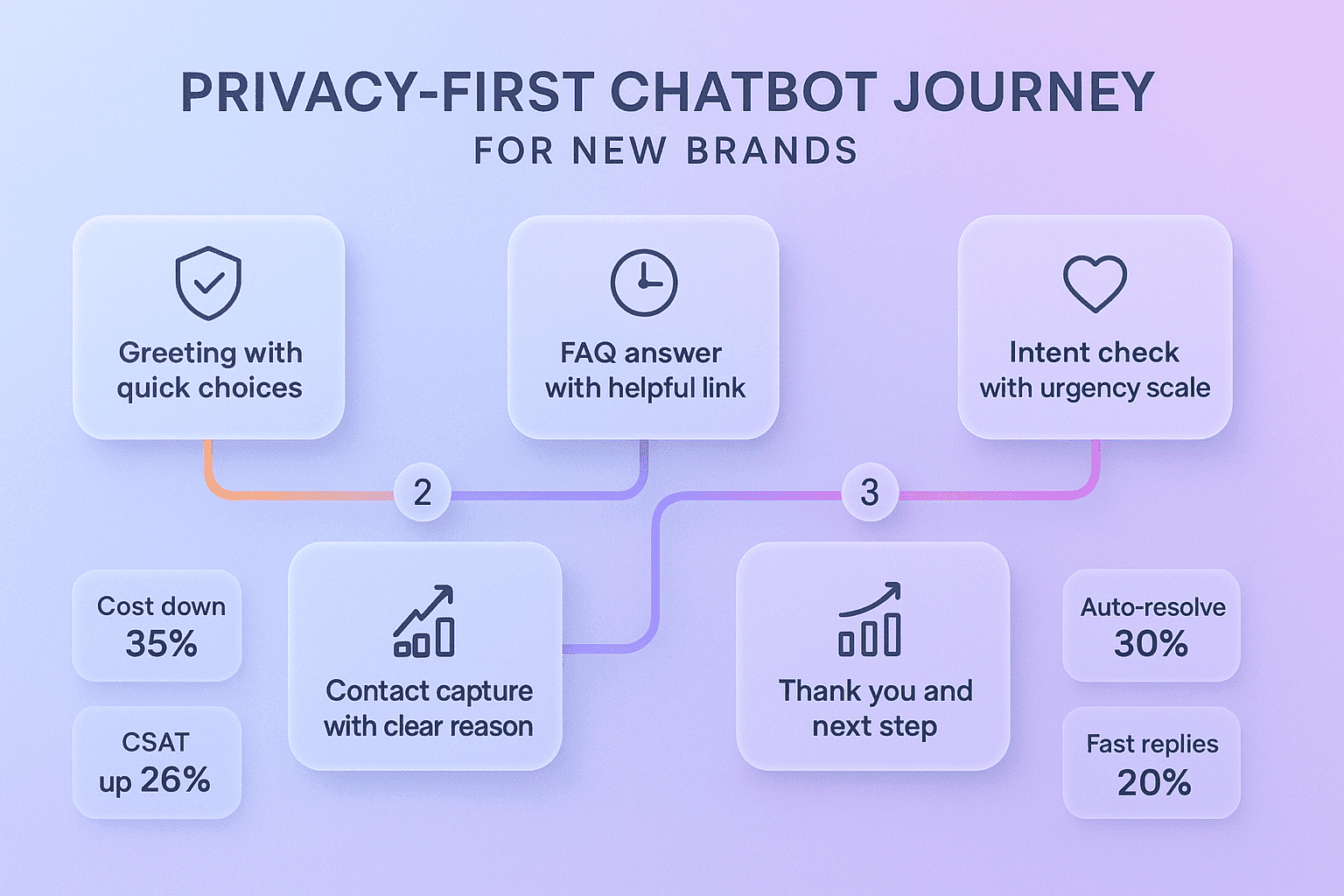
Your FAQ is full of answers customers need, but most visitors never read it. They scan, get lost, and leave your site without taking action. With a smart chatbot, your FAQ can talk back, guide people, and collect the right details at the right time. That is how your FAQ becomes a conversion engine instead of a dead-end page. With Noem.ai, these upgrades happen fast, and they work across your website and your favorite channels (ref: Noem.ai).
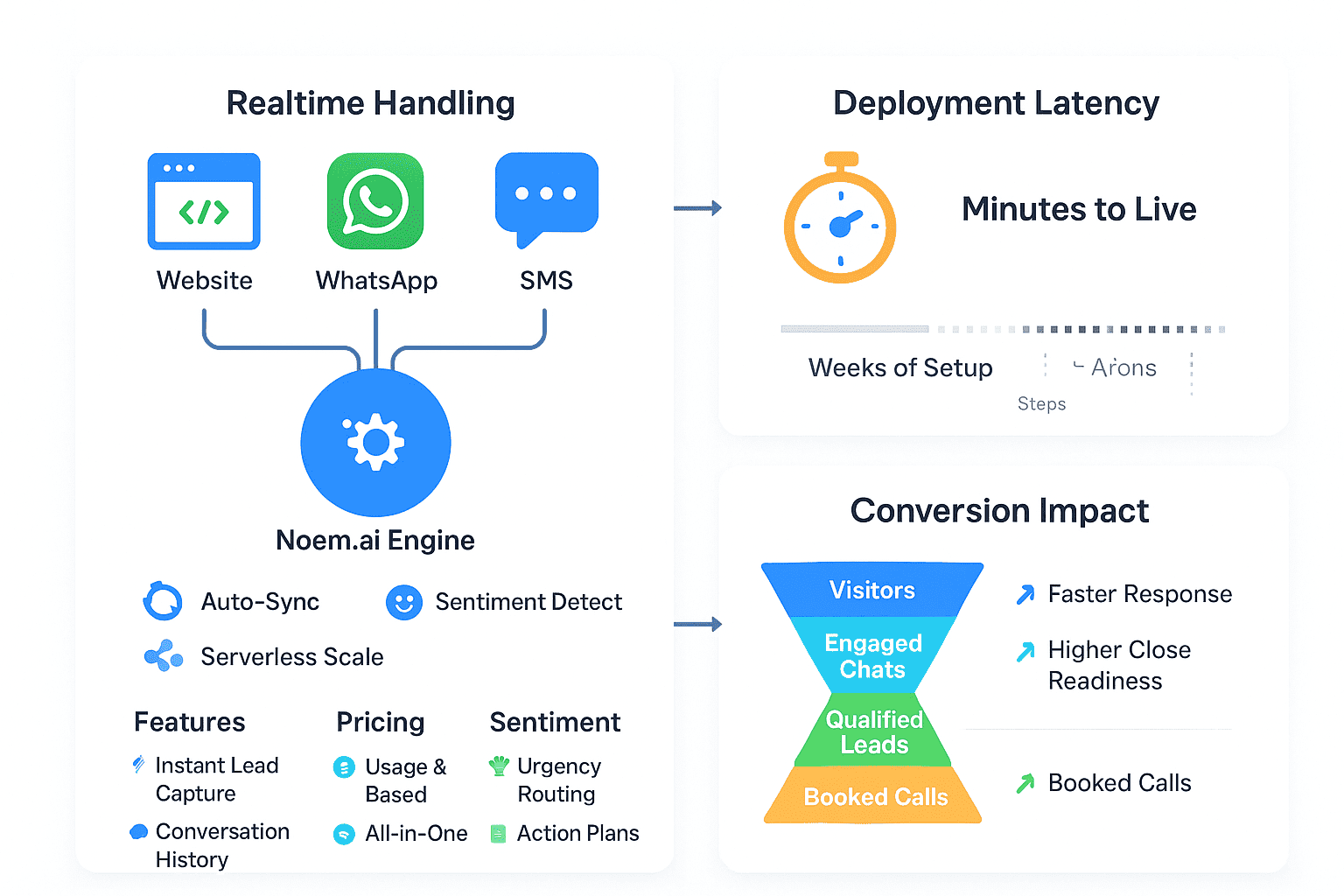
Noem.ai focuses 100% on chatbots—bundling builder, hosting, knowledge sync, multichannel publishing, and analytics—so you go live in minutes, not weeks. This means your team can ship updates fast and keep your bot always on brand. Continuous auto-sync makes sure the bot reflects your newest docs and pages, so answers are always fresh without manual edits (ref: Noem.ai Help). This speed and simplicity save time and reduce risk. It is why business owners pick Noem.ai over piecemeal tools that take more effort and create more drift.
- Why FAQs fail today: Most FAQs are long lists that people skim and skip. Visitors prefer to ask a quick question and get a clear answer in seconds. When they cannot, they abandon pages or fill out forms with weak intent. That hurts conversions and increases your support load.
- Why chat fixes it: Chat gives visitors a simple path—ask, get value, and move forward. The bot can share the right answer, then guide to the next best step like booking a demo or starting a trial. This feels helpful, not pushy, so more people move ahead. And you can capture details at the perfect moment, when trust is highest (ref: Noem.ai).
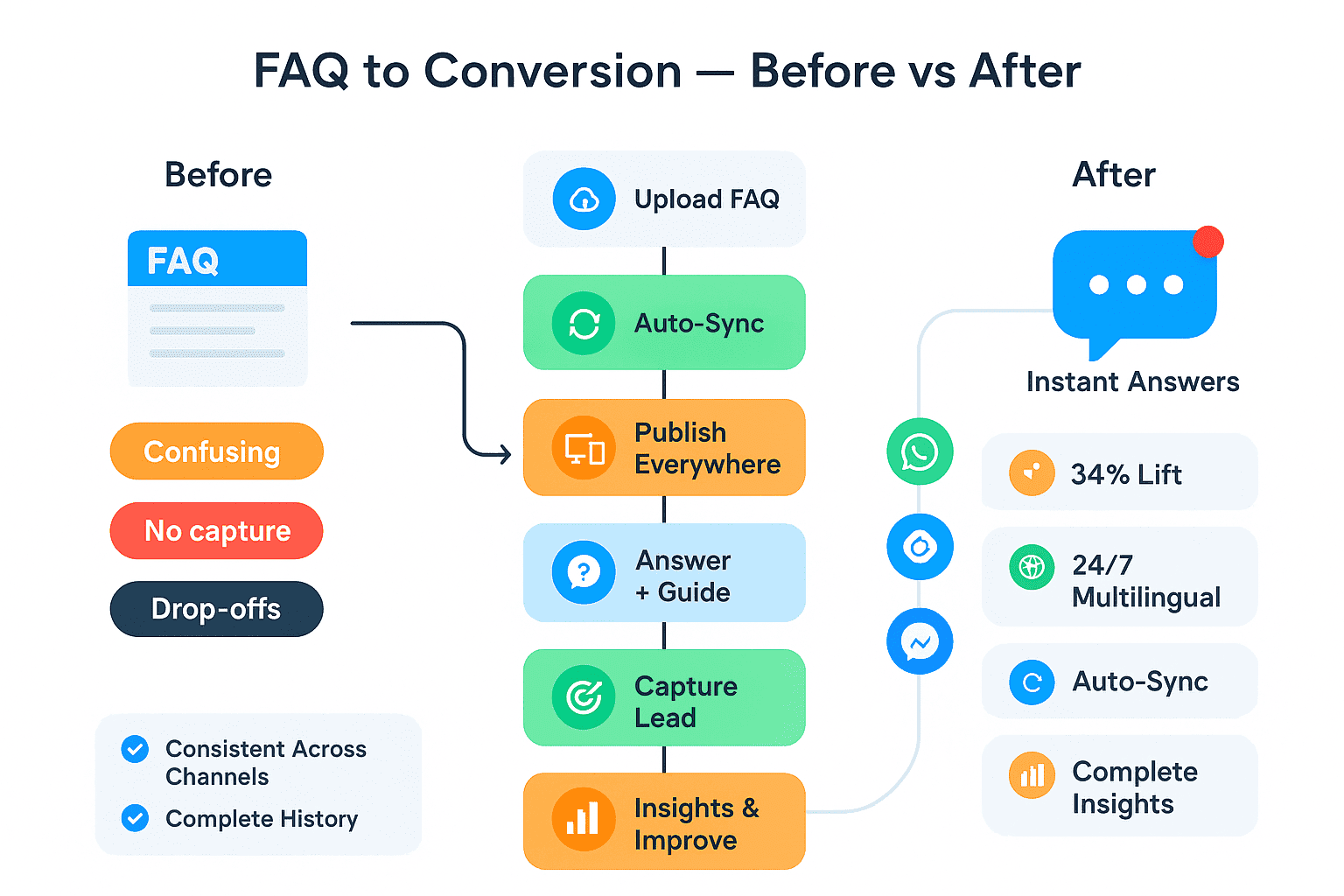
- Proven conversion lift: Businesses using Noem.ai report average conversion lifts around 34% from guided conversations that follow helpful answers with a gentle ask. Early use often shows 25–32% improvements as teams learn what messages work best and refine flows with simple edits (ref: Noem.ai). This starts with your FAQ and grows as you connect more channels. The best part: setup is fast and easy.
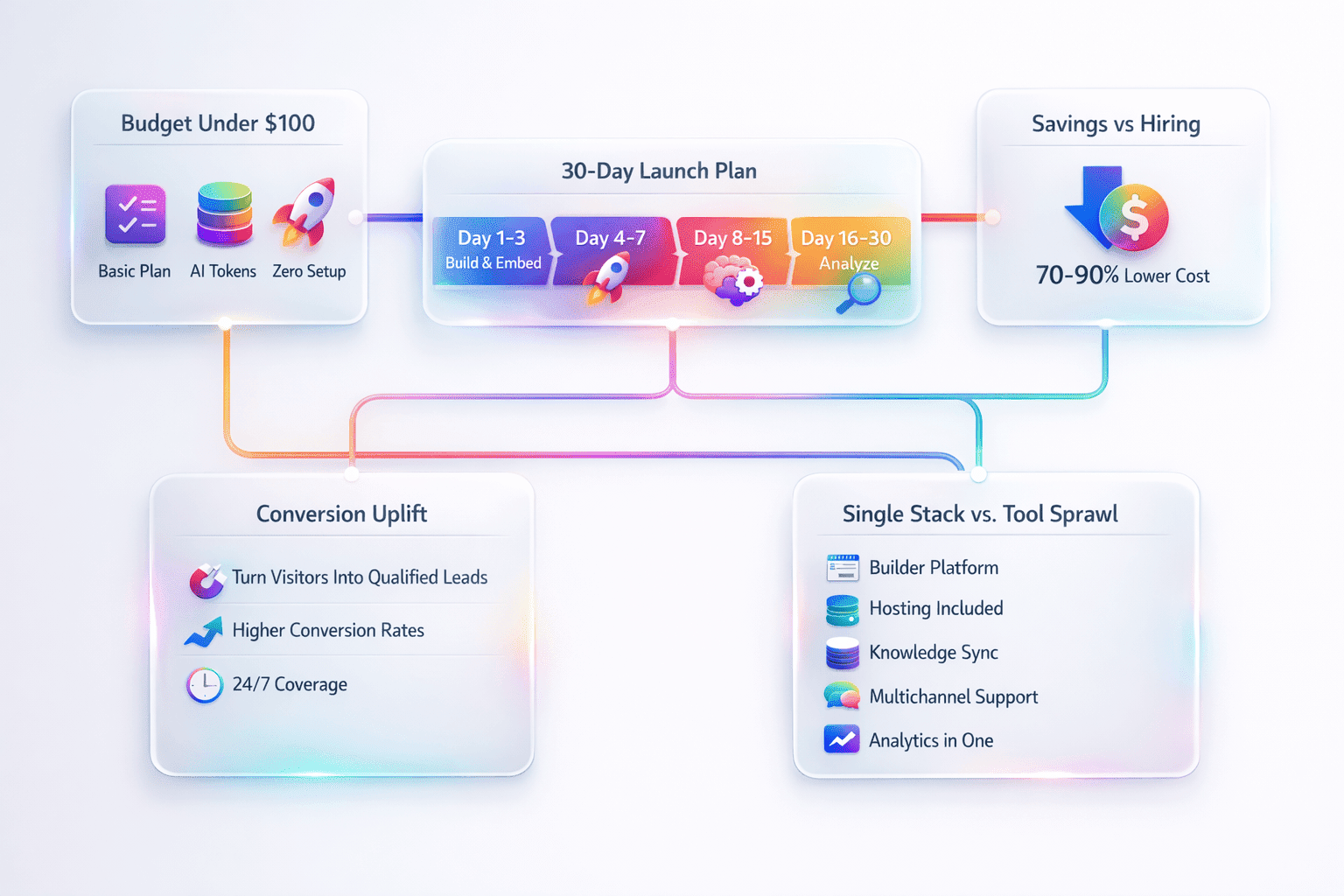
- What makes Noem.ai different: Many tools require separate builders, hosts, sync jobs, and analytics dashboards. Noem.ai puts it all in one place with usage-based pricing, so you launch quickly and scale without surprises. Auto-sync keeps content correct, multichannel publishing makes reach simple, and analytics show what to improve. It is speed, simplicity, and trust in a single stack (ref: Noem.ai).
Template Walkthrough — Turn FAQ into a Conversion Flow:
- Upload and Sync: Add your FAQ files or URLs into Noem.ai. Enable continuous auto-sync so the bot always reflects your latest content. This means no more manual copying and pasting every time your team updates a page. Your answers stay consistent and correct across every channel (ref: Noem.ai Help).
- Add Helpful Prompts: Set the bot to answer common questions first, then guide visitors to the next step. This can be a demo link, a pricing explainer, or a short contact ask. Because value comes first, people feel heard and are more likely to share info. That simple change boosts conversions (ref: Noem.ai).
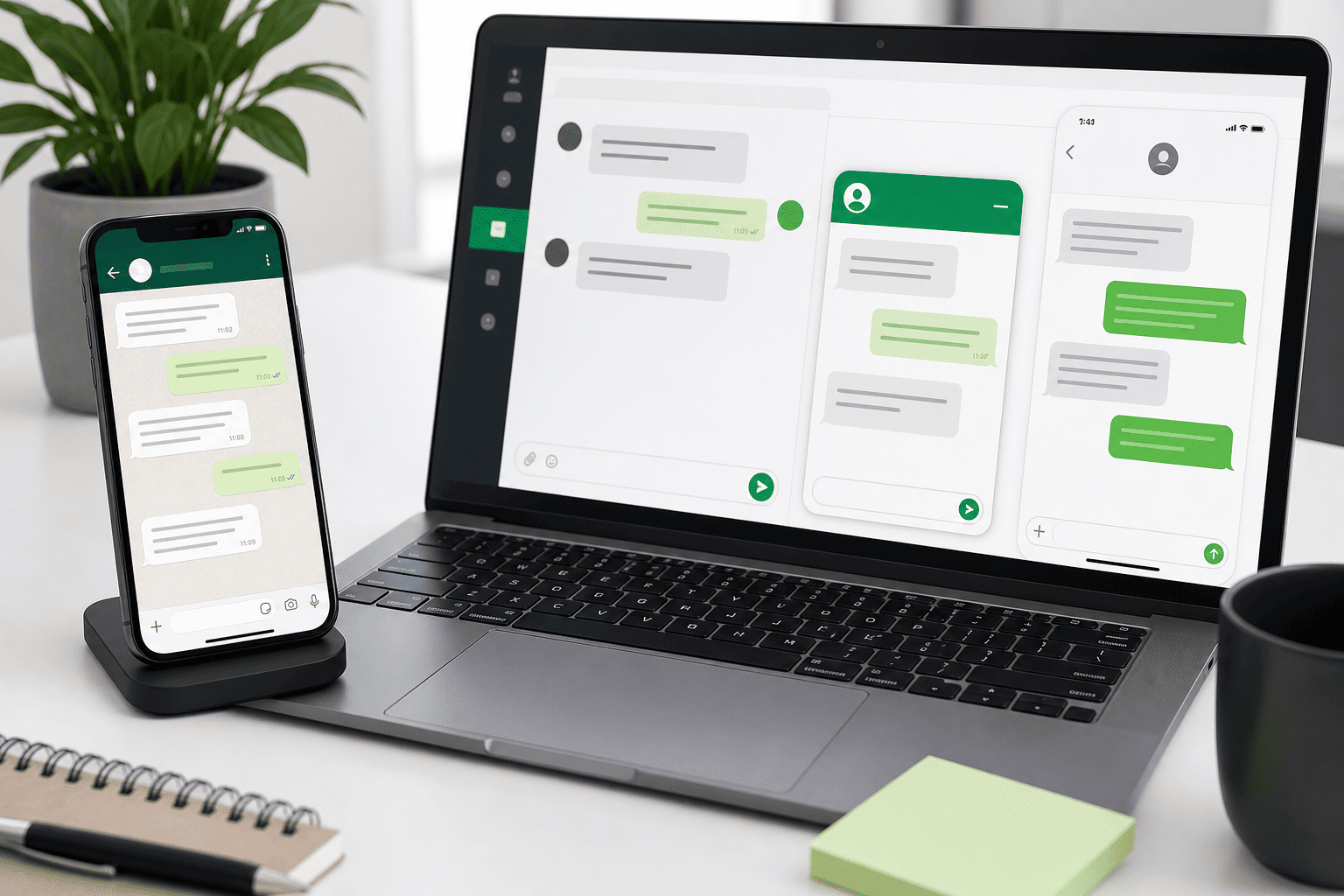
- Publish Everywhere: Embed the chat widget on your website and publish the same bot to WhatsApp or Facebook Messenger. Use a hosted page for campaigns or landing pages in a few clicks. All chats roll into one dashboard, so your team stays on top of what matters without juggling tools. That saves time and reduces friction (ref: Noem.ai).
How to Achieve Consistent Answers Across Channels
When answers are different on different channels, customers get confused and stop trusting your brand. One page says one thing, a social message says another, and an email says something new. This causes slowdowns and more tickets. It also hurts sales when buyers do not feel confident. Keeping answers consistent on web, chat, email, and social is the fastest way to build trust and speed up deals (ref: Noem.ai Help).
Noem.ai solves this with continuous auto-sync that brings in your newest knowledge from files, URLs, or tools. One source of truth powers every channel you publish to, so updates appear everywhere right away. Your team does not have to copy data into a dozen places or maintain rigid flows. From a single dashboard, you can review chats, refine prompts, and keep every answer aligned (ref: Noem.ai).
- Why consistency matters: Buyers notice when details do not match across your website, emails, and social replies. Even small gaps like a price note or a feature name can slow or stop a deal. When every channel gives the same answer, trust rises and next steps feel easy. This reduces drop-offs and boosts close rates.
- One bot, many channels: Publish the same FAQ-trained bot to your site, WhatsApp, SMS, Messenger, or a hosted page in minutes. You do not need separate bots or separate content jobs for each channel. That keeps operations simple and stable for your team. And it keeps the customer experience smooth, day after day (ref: Noem.ai Help).
- Fast reviews and edits: From one dashboard, your team can read conversations, spot gaps, and adjust prompts in plain language. No heavy rebuilds or complex scripts required. This makes small improvements every week easy. And those small wins add up to big results (ref: Noem.ai).
- The Noem.ai edge: Because builder, hosting, sync, and analytics are bundled, you get speed you can feel. Changes roll out faster, and risk goes down. This is a smarter path than stitching together different tools. It is one reason business owners move to Noem.ai when they want reliable growth (ref: Noem.ai).
Template Walkthrough — Keep Answers Consistent:
- Add Your Sources: Upload your FAQ PDFs, paste URLs, or connect apps that hold your help docs. These become the single source of truth the bot uses to respond. This cuts errors and avoids drift across channels. You control the versions in one place (ref: Noem.ai Help).
- Turn on Auto-Sync: Enable continuous sync so updates on your site or docs are reflected automatically. Your bot’s answers stay up to date without manual re-training. This saves hours every week for your team and prevents mistakes. Trust grows when answers never fall behind (ref: Noem.ai Help).
- Publish Multichannel: Embed the widget, spin up a hosted page, and connect messaging channels right from the dashboard. Customers now get the same clear answer wherever they ask. Your team can track one bot, not many. That is how you scale without chaos (ref: Noem.ai).
How to Provide 24/7, Multilingual Support
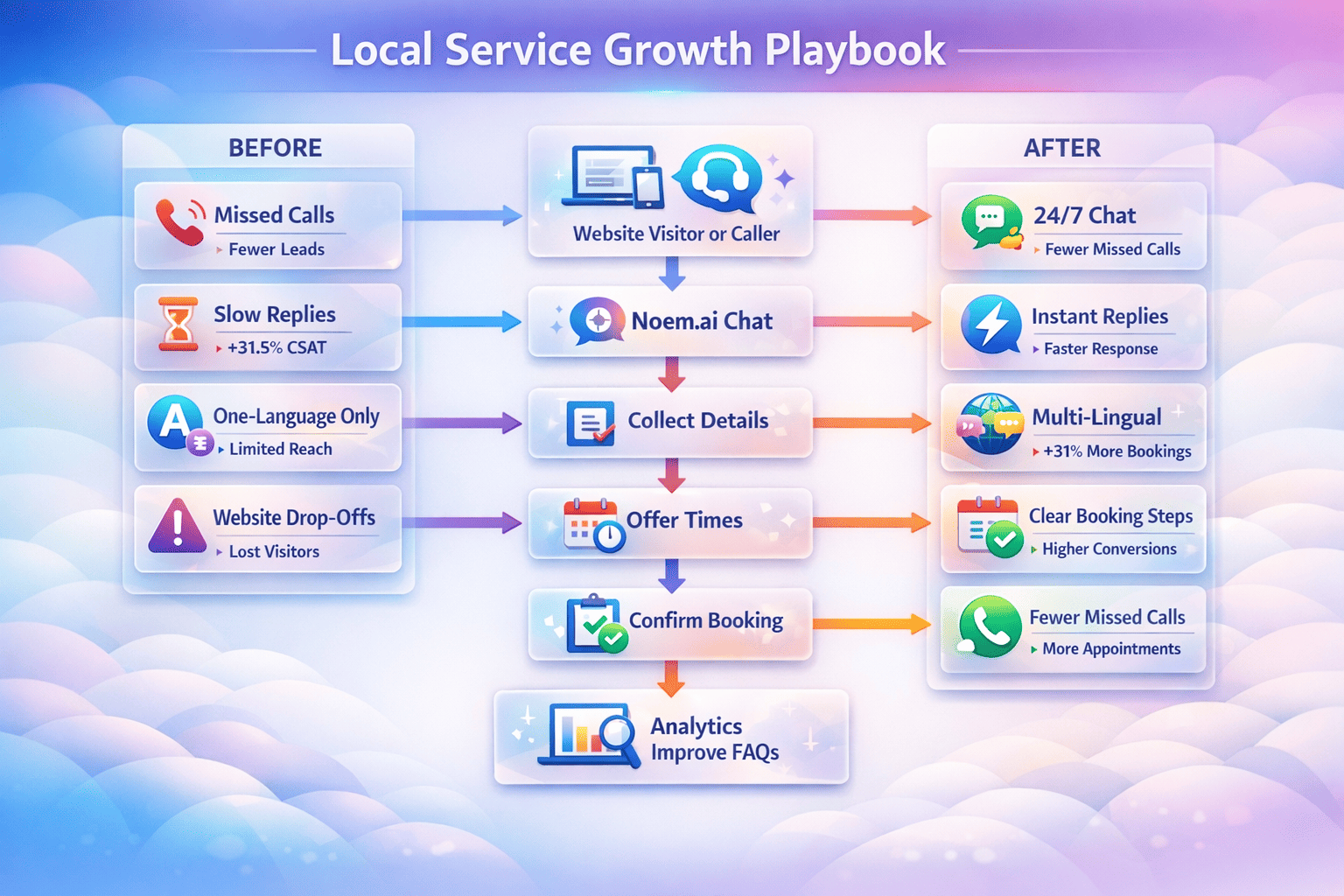
People expect help any time of day, from any country. If they cannot get it, they bounce or send a ticket and wait. That wait creates frustration and costs more over time. When your FAQ is available as a friendly chatbot, customers get help right away, in their own language. That sets a strong first impression and clears simple blockers fast (ref: Noem.ai).
Noem.ai agents can handle a very large share of routine interactions anytime, including at night and on weekends, so your team can focus on higher-value work during business hours. This means fewer delays and less back-and-forth for common questions. The bot adapts in real-time to the user’s intent and can guide the next step, like sharing a link or asking a follow-up. It is natural, helpful, and consistent on every channel (ref: Noem.ai Help).
- 24/7 availability: Always-on support meets people where they are, at any hour. This reduces wait time and builds trust fast. Rather than forcing visitors to open tickets for simple questions, they get answers in seconds. That experience keeps them on your site and moving to the next step (ref: Noem.ai).
- Multilingual out of the box: Your bot can detect and reply in the user’s language while still pulling from the same synced FAQ sources. You do not need separate bots or separate knowledge bases. This makes it simple to serve global visitors, partners, and teams. It also signals respect and care, which deepens trust (ref: Noem.ai Help).
- One dashboard for all channels: Whether the chat happens on your site, WhatsApp, or a hosted page, your team sees the full context in one place. That makes follow-up faster when it is needed. It also makes it easy to spot patterns and refine the experience week by week. Small tweaks compound into large wins (ref: Noem.ai).
- Proven in the wild: Teams using Noem.ai share stories of faster answers, smoother onboarding, and better conversion from guided chats. For example, businesses that connect the bot to their sales flows see warm, qualified leads coming in around the clock, not just during shifts (ref: Noem.ai). This is a practical upgrade you can ship in under an hour.
Template Walkthrough — Launch 24/7, Multilingual Support:
- Pick a Template: Choose the 24/7 Support Agent or Support + Sales template to cover FAQs and next steps. This gives you a strong starting point you can tailor in plain language. No heavy setup is required, so you can go live quickly. Your team stays in control from day one (ref: Noem.ai).
- Train on Your FAQ: Load your FAQs and help pages and switch on auto-sync. As your docs change, the bot updates across every channel. This keeps answers current without extra work. It is a calm, dependable system (ref: Noem.ai Help).
- Activate Multilingual Mode: Turn on multilingual responses so the bot adapts to the visitor’s language. Publish to your site and to messaging channels used by your customers. Now every visitor gets instant, clear help. That sets you apart in every market you serve (ref: Noem.ai Help).
How to Capture Leads and Cut Costs with Conversation History and Insights
Great conversations create great leads. But forms often feel cold and one-sided. People want help first, then they are ready to share details. When your FAQ becomes a guided chat, the bot answers questions, then asks for name, email, and a few key qualifiers at the perfect moment. Those leads go straight into your CRM or inbox so your team can act fast (ref: Noem.ai).
With Noem.ai, you can run instant lead capture after value is delivered: “Was this helpful? Want a quick demo?” That gentle ask raises response rates. The bot can also qualify on budget, timeline, or use case and route hot leads to your CRM via email or webhooks—tools like Microsoft Dynamics 365 are supported in typical playbooks (ref: Noem.ai). This trims time-to-first-touch and keeps sales focused on the right people.
- Instant website lead capture: Guided chat replaces forms at key points on your site and landing pages. The bot answers the top question, then asks for a few details without pressure. Because the moment feels helpful, completion rates go up. Teams report an average 34% conversion lift from this simple shift (ref: Noem.ai).
- Complete conversation history: Every chat—on your site, SMS, or social—syncs into one timeline. You can review context, spot missed chances, and retrain with one click. That helps your team follow up with clarity and care. It also makes coaching and QA much easier (ref: Noem.ai).
- Actionable customer insights: Sentiment-aware analysis turns raw chat logs into clear weekly action plans. You get what customers love, what confuses them, and which next steps unlock more revenue. Simple edits each week lead to steady gains. Leaders get CEO-ready insights without a complex data project (ref: Noem.ai).
- Reduced support costs: Because common questions are handled right away, your team spends less time on repeat tasks. This lowers the volume of routine tickets and frees up time for deeper support. Usage-based pricing keeps costs predictable as you scale, so value stays ahead of spend. That is a smart way to grow with confidence (ref: Software Finder).
Template Walkthrough — From FAQ to Leads and Insights:
- Place the Widget or Hosted Page: Add the website widget to your key pages and spin up a hosted link for campaigns. Start where intent is high, like pricing or product pages. This is where conversational value and capture work best together. You will see results faster (ref: Noem.ai).
- Design a Helpful Flow: Set logic to answer the question, then ask for contact details or offer a calendar link. Keep the message simple and kind. You can add a qualifier or two, like role or timeline, to tag high-priority leads. These get routed to your CRM or inbox right away (ref: Noem.ai).
- Turn on Conversation Logging and Insights: Keep full history across all channels and switch on sentiment analysis. Every week, look at the insights and ship 1–2 tiny improvements. Over a month, those tiny steps turn into a big lift. That is a repeatable system your team will love (ref: Noem.ai).
How to Launch in 7 Minutes: A Simple FAQ-to-Revenue Playbook
You do not need a long project plan to start. You can set up a high-impact FAQ chatbot in minutes and learn as you go. Start small on your website, then add channels like WhatsApp when you see results. Each week, review conversations and make tiny edits that keep answers sharp and next steps clear. This is a calm, steady path to more conversions and lower support effort (ref: Noem.ai).
- Pick your template: Choose Support + Sales or 24/7 Support to cover both help and conversion paths. This gives you strong defaults and saves time on setup. You can adjust prompts in plain language—no heavy scripts. The goal is to launch fast and learn (ref: Noem.ai).
- Load your FAQ and enable auto-sync: Add files and URLs to make them the single source of truth. The bot stays up to date as your docs change, which means fewer errors and less rework. Now your answers are consistent across channels. That is the base for trust and conversion (ref: Noem.ai Help).
- Publish and test channels: Add the widget to high-intent pages and turn on a hosted link for ads or emails. Push the same bot to WhatsApp or Messenger to meet customers where they already chat. Because Noem.ai bundles hosting, sync, and analytics, this takes minutes. All chats flow back to one place (ref: Noem.ai).
- Review and refine weekly: Look at conversation history and automated insights to spot quick wins. Shorten a confusing message, add a link, or tweak the ask. These small edits boost results without a long project. Steady progress keeps your team engaged and your pipeline growing (ref: Noem.ai).
Real teams use this approach to turn FAQs into working engines that support and sell at the same time. One customer example shows instant support for new domains, guiding users from question to action in a friendly way that builds trust. This is the kind of first-touch experience that grows word of mouth and keeps customers coming back (ref: Noem.ai). Because everything lives in one stack, you avoid complex setups and keep speed on your side. That is the quiet power behind Noem.ai.
Ready to see your FAQ sell for you, not just sit there? Launch your first Noem.ai chatbot today and watch more visitors turn into leads—what page will you upgrade first?