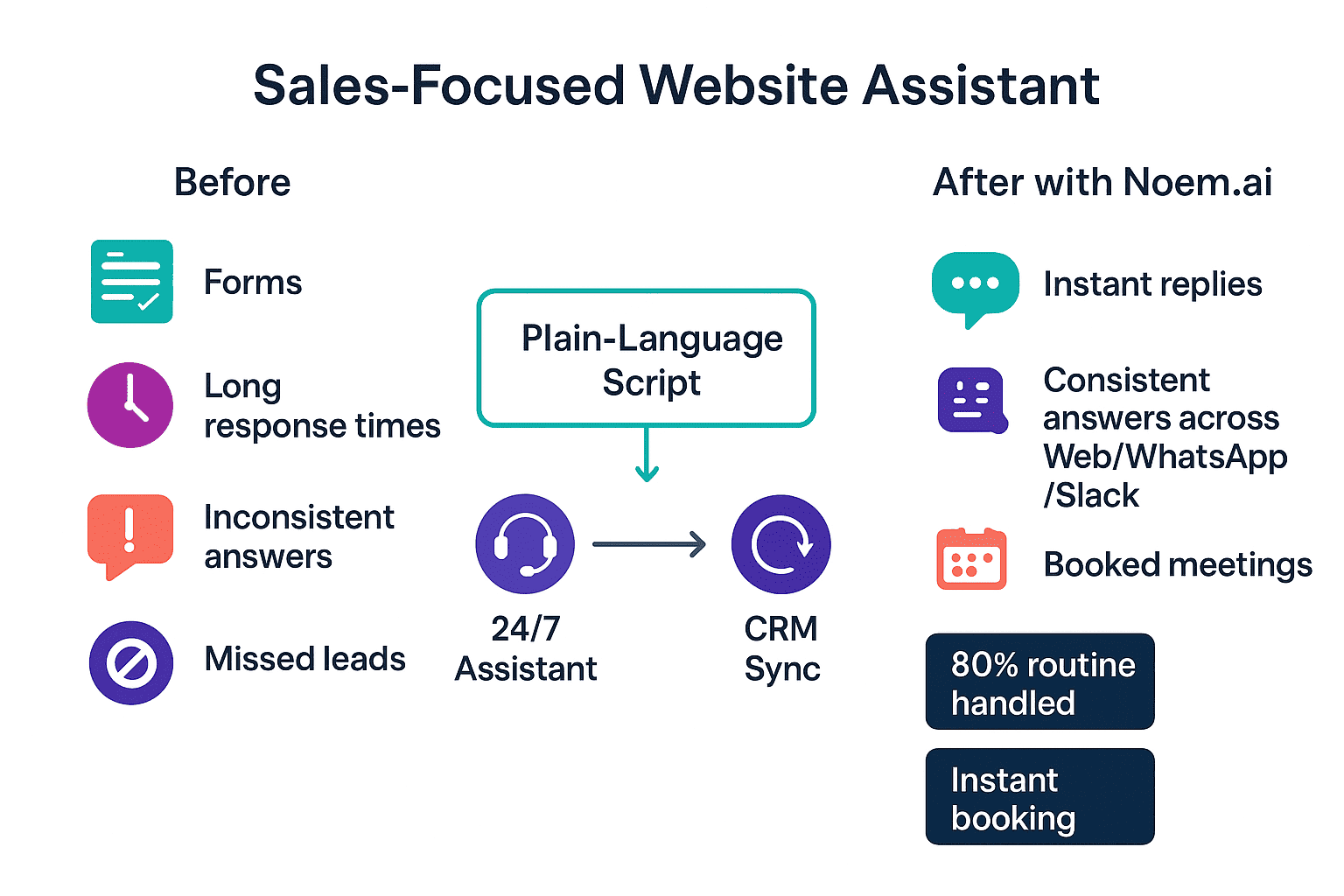
How to Pick a Simple, Plain-Language Script That Sells Without the Jargon
Most websites lose warm visitors because the chat feels stiff, slow, or confusing. You can fix this by using simple, friendly language that sounds like a real person. With Noem.ai, you can write prompts in plain words, like “What are you shopping for today?” or “Would you like a quick demo this week?” and the assistant will handle the rest. This makes your chatbot feel helpful, not robotic, and it keeps the focus on the buyer’s needs. It also means your team can update scripts fast, without long projects or technical hurdles (ref: Noem.ai Sales Rep Template ).
- Start with one clear goal: Pick a single outcome you want from most chats, like “book a demo” or “show pricing next steps,” so your assistant guides people with confidence. When your assistant has one job, it’s easier for visitors to say yes. If you try to make it do everything, it will feel confusing and slow. A focused goal also makes measuring success simple (ref: Noem.ai Sales Rep Template ).
- Use everyday words, not buzzwords: Short prompts like “Want help picking the right plan?” or “Can I send you a quick price guide?” get more replies than long scripts. People scan, they don’t read, so make it easy to answer in one click or a short reply. Clear language builds trust and keeps the chat moving. It also helps the bot deliver the same great reply on your site, in email, and on chat apps (ref: Noem.ai: Top AI Support Chatbots ).
- Offer choices that move the sale forward: Use two to three quick options like “See pricing,” “Compare plans,” or “Book demo,” so visitors never get stuck. Choices make it simple to take the next step without typing. This is helpful for mobile users who want fast taps, not long forms. It also improves lead quality because people pick what they want right away (ref: Noem.ai: AI Agents & Task Delegation ).
- Close chats with a friendly next step: End each path with a soft call to action, like “Want me to book 15 minutes for us?” or “Should I email a summary?” This keeps the energy positive while still asking for action. People like helpful nudges that save time. With Noem.ai, these scripts are easy to tweak, test, and roll out everywhere in minutes (ref: Noem.ai FAQs ).
How to Achieve Consistent Answers Across Channels (And Build Trust Fast)
Buyers today ask questions everywhere: on your website, Shopify, WhatsApp, Slack, and more. If each place gives a different answer, people get confused and drop off. Noem.ai solves this by syncing your knowledge base and brand prompts across all channels, so the same clear answer shows up no matter where someone chats (ref: Noem.ai + IONOS , Sales Rep Template ). This keeps your tone on-brand and reduces errors that cause lost sales. It also helps new team members because the assistant always reflects the latest info.
- Sync one source of truth to every channel: When you update a price, plan, or policy, it should change everywhere at once. With Noem.ai’s continuous auto‑sync, the assistant refreshes itself so answers stay current across your site, WhatsApp, Slack, SMS, Twilio, and WordPress. This prevents mixed messages and saves hours of manual edits. It builds trust by ensuring buyers always get the same clear, correct reply (ref: Noem.ai FAQs , Top AI Support Chatbots ).
- Use plain-language prompts that travel well: A simple message like “Based on what you need, I suggest our Pro plan. It includes live onboarding. Want details?” works on desktop, mobile, and chat apps. You don’t need different scripts for each channel. This keeps your brand voice strong while helping people make fast choices (ref: Sales Rep Template ).
- Personalize without being pushy: Pull in CRM fields like industry or past pages visited to offer suggestions that feel helpful, not creepy. For example, “I noticed you looked at Analytics—want a quick comparison to Growth?” feels like service, not tracking. This reduces friction and helps people find the right fit faster. It also prevents the back-and-forth that slows deals (ref: Noem.ai + Salesforce ).
- Keep scripts short and consistent: Short scripts are easier to read and easier to reuse. They’re also easier to translate and coach for tone. With Noem.ai, you can keep your brand language tight and still scale across every place your customers ask for help (ref: Noem.ai for Coaches ).
How to Provide 24/7 Customer Support Availability (Without Burning Out Your Team)
Many buyers visit after-hours or on weekends. If they can’t get help fast, they bounce and never come back. With Noem.ai, your assistant replies in seconds at any time, handling routine questions so your team can focus on higher-value conversations during the day (ref: Noem.ai + IONOS ). This steady coverage builds trust because visitors know they’ll get an answer when they need it. It also reduces gaps where leads slip away overnight.
- Answer in seconds, day or night: Fast replies increase engagement and reduce drop-offs. People don’t want to wait for a form or a callback, and they won’t dig for answers. When your assistant responds right away, visitors stay longer and take more steps. That means more booked demos and more qualified leads (ref: Top AI Support Chatbots ).
- Handle up to 80% of routine questions: Your assistant can resolve common requests like pricing basics, plan differences, and feature checks. This eases the load on your human team so they can focus on complex deals and custom solutions. It also creates a smoother buyer path from first question to next step. Many teams see ticket volume drop significantly when routine chats are handled automatically (ref: Top AI Support Chatbots , AI Agents ).
- Book meetings during the chat: Connect calendars so the assistant can offer times, confirm the slot, and send the summary. This turns casual interest into a real meeting while the visitor is engaged. It also helps reduce no-shows because people pick a time that works for them. The event and notes can sync to your CRM for easy follow-up (ref: Noem.ai + Salesforce ).
- Keep the tone helpful and human: Friendly words and short steps make nights and weekends feel like prime time. People don’t care if it’s a bot or not—they care about fast, clear help. Keep messages warm and straight to the point. With Noem.ai, you can train tone once and use it everywhere (ref: Noem.ai FAQs ).
How to Enable Multi-Lingual Customer Support (So Every Visitor Feels Welcome)
If you sell in more than one country, your assistant should speak like a local. Noem.ai supports multi-lingual replies so customers can get help in the language they prefer (ref: Noem.ai for Coaches , Noem.ai FAQs ). You can upload tone notes, phrases, and knowledge in different languages to guide the assistant. This not only helps people feel understood but also boosts conversions in new regions. When buyers can read, ask, and decide in their own language, they move faster.
- Keep core scripts short for easy translation: Short prompts are easier to localize and keep the meaning clear across languages. They also fit nicely on mobile screens. This is key for buyers who scan and tap instead of typing. You’ll spend less time rewriting and more time selling (ref: Sales Rep Template ).
- Match your brand voice in every language: Add tone notes like “friendly,” “direct,” or “helpful” so the assistant stays on-brand worldwide. This keeps your company sound steady across pages and channels. It also reduces confusion or mixed signals that can happen with literal translations. With Noem.ai, you set the tone once and reuse it by market (ref: Noem.ai for Coaches ).
- Use localized examples and choices: Show local prices, shipping notes, or region-based plans. Offer buttons like “See EU pricing” or “Talk to LATAM sales” to help people find the right info fast. This shows respect for the buyer and reduces friction. It can also lower the number of support tickets from new regions (ref: Top AI Support Chatbots ).
- Keep answers consistent across languages: Sync your knowledge base so changes roll out everywhere, not just in one market. This prevents the common issue of old info appearing in one place and new info in another. Buyers trust clear, matching answers. That trust turns into better engagement and more closed deals (ref: Noem.ai FAQs ).
How to Reduce Support Costs (While Improving the Buyer Experience)
Support gets expensive when your team answers the same questions again and again. The fastest way to lower costs is to prevent repeat tickets with clear, helpful answers at the first touch. With Noem.ai, teams often see up to 80% of routine interactions handled automatically, which reduces the total number of tickets that need a human hand-off (ref: Top AI Support Chatbots ). This means your team focuses on complex cases and strategic deals, not copy-paste replies. Predictable, usage-based pricing also helps you plan better without surprise costs (ref: Noem.ai FAQs ).
- Deflect common tickets with better answers: The assistant can explain plan differences, billing basics, and setup steps before a ticket ever starts. When common questions get solved in chat, your team spends less time on repeats. This also helps buyers feel heard in the moment. People get what they need and keep moving forward (ref: AI Agents & Delegation ).
- Route only high-value cases to humans: When the assistant sees a complex question, it can gather details and move the chat to a person. This gives your reps context and saves time for both sides. It also keeps queues shorter for people who need deeper help. Everyone wins: faster answers, fewer back-and-forths, lower costs (ref: Noem.ai + Salesforce ).
- Use real-time analytics to tune performance: You can spot which answers work and which cause drop-offs. Then you can fix scripts in minutes and see results fast. This avoids long rebuilds or major rework. That means steady gains without big projects (ref: Top AI Support Chatbots ).
- Choose a stack that bundles the essentials: With Noem.ai, you get building, hosting, knowledge sync, publishing, and analytics in one place. This reduces spending on multiple tools that don’t fit well together. It also speeds up launch so you go live in minutes, not weeks. Simple, fast, and trusted is the best way to save without cutting quality (ref: Noem.ai FAQs ).
How to Maintain Complete Conversation History (So Every Handoff Feels Seamless)
A great buyer experience depends on context. If a visitor already answered key questions, they don’t want to repeat them to a rep. Noem.ai keeps a complete conversation history and syncs it to CRMs like Salesforce, so your team can see the full thread and follow up with confidence (ref: Noem.ai + Salesforce ). This makes handoffs smooth and avoids awkward gaps. It also helps your team score and prioritize leads faster.
- Give reps the full story, not just a snippet: Seeing the entire chat lets reps pick up where the assistant left off. They can greet the buyer, confirm needs, and offer the next step without re-asking. This respect for time builds goodwill. It turns more handoffs into scheduled demos and signed deals (ref: Salesforce Integration ).
- Track what questions lead to conversions: Analytics show which answers help visitors move to booking or checkout. You can double down on those and improve weak areas. This makes the whole funnel clearer and faster. Over time, your assistant becomes a top-performing “first response” channel (ref: Top AI Support Chatbots ).
- Use missed-question alerts to plug gaps: If the assistant can’t answer something, you’ll see it in reports. Then you can update your knowledge or add a new script in minutes. This keeps your assistant fresh and helpful. It also prevents the same problem from happening again and again (ref: Noem.ai FAQs ).
- Keep privacy and security in mind: Store the right details, not every detail, and follow your policies for sensitive data. Good data hygiene builds trust with buyers and teammates. It also makes audits easier later on. Clean records, clear handoffs, better sales (ref: AI Agents ).
How to Unlock Actionable Customer Insights (Without Drowning in Dashboards)
You don’t need a huge report to see what’s working. You need simple, real-time insights that help you make better changes today. Noem.ai shows which questions are common, which offers get clicks, and which paths lead to meetings, so you can adjust fast for better results (ref: Top AI Support Chatbots ). When you track sentiment and engagement by page, you can also see which content needs help. This makes your updates focused and effective.
- See what buyers ask most and why: When you know the top questions, you can make answers clearer on your site and in chat. This cuts confusion and lifts conversions. You also learn how people talk about your product in their own words. That’s gold for marketing and sales scripts (ref: Noem.ai for Coaches ).
- Score and segment leads automatically: The assistant can tag interest level, use case, and urgency. Your team can then focus on the hottest leads first. You’ll spend less time sorting and more time closing. Salesforce workflows can flag top opportunities instantly for fast follow-up (ref: Noem.ai + Salesforce ).
- Tune scripts with one-click changes: If a path underperforms, tweak the wording or swap the choices. Small changes can drive big gains when they happen quickly. You don’t need a rebuild—just a better step. Over time, you’ll build a library of high-performing scripts that you can reuse across channels (ref: Sales Rep Template ).
- Collect reviews and feedback through chat: Ask happy visitors for a quick review link when the timing is right. This adds social proof right where people decide. It also shows what people love so you can highlight it more. Simple, timely asks can lift conversion rates across the funnel (ref: Noem.ai for Coaches ).
How to Implement Instant Website Lead Capture (And Turn Chats Into Booked Meetings)
Forms slow people down, but smart chat speeds them up. A great assistant asks short, friendly questions and captures details while helping the visitor move forward. With Noem.ai, your Sales Rep template can qualify leads, collect email and name, and book a time—all in one smooth conversation (ref: Sales Rep Template ). This means fewer no-shows because people pick a slot that fits. It also means warmer leads because they already got value during the chat.
- Invite engagement fast: Open with a friendly line like “Want help picking the best plan?” and a couple of quick buttons. Visitors can tap and move forward in seconds. This reduces bounce and keeps people exploring. The assistant then asks for name and email when it’s helpful, not random (ref: AI Agents ).
- Qualify while being helpful: Ask one or two discovery questions like “What’s your main use case?” or “How many seats do you need?” This information guides the next steps and shows the right offer. It also saves your reps time later. The whole path feels like service, not a survey (ref: Sales Rep Template ).
- Offer demos and resources on the spot: When interest is high, show a short comparison, a pricing guide, or a case study. Then ask, “Want me to book 15 minutes to walk you through it?” People say yes more when help is fresh. The assistant can confirm the time and send a summary right away (ref: Noem.ai + IONOS ).
- Sync leads and notes to your CRM: Every chat, answer, and booking can sync to Salesforce so your team has the full context. This helps with fast, personal follow-up. It also means no lost leads or messy spreadsheets. Clean data in, clean pipeline out (ref: Noem.ai + Salesforce ).
How to Launch in Minutes (Not Weeks) With Noem.ai’s Single-Stack Approach
Most chatbot projects stall because there are too many tools, too much setup, and not enough time. Noem.ai puts building, hosting, knowledge sync, multichannel publishing, and analytics in one place, so teams can go live fast and scale with confidence. You don’t need a big project plan to get value. You just need a clear goal and a simple script. The result is speed, simplicity, and trust from day one (ref: Noem.ai FAQs ).
- Pick a template and customize your script: Start with the Sales Rep template and edit the prompts in your brand voice. Keep the choices tight and the words simple. Add one or two offers that drive the next step. You can publish to your site with a short setup and see results right away (ref: Sales Rep Template ).
- Sync your knowledge base for steady answers: Connect your docs, pages, and FAQs so the assistant can answer with confidence. When you update content, it syncs and stays current. This reduces errors and rework across channels. It also helps new hires learn your product faster (ref: Noem.ai FAQs ).
- Publish to every channel that matters: Add the assistant to your website, Shopify, WhatsApp, Slack, SMS, Twilio, and WordPress without complex steps. This puts help where people already are. It also keeps your brand voice steady in every conversation. One setup, many touchpoints, same great answers (ref: Top AI Support Chatbots ).
- Measure, learn, and improve weekly: Watch analytics to see which paths convert. Tweak scripts and test small changes for quick wins. Keep the best performers and roll them out everywhere. Over time, your assistant becomes a reliable, repeatable growth engine (ref: Noem.ai Demo Video ).
How to Write Your First High-Converting Script (Copy-Paste Starter)
Use this plain-language starter and adjust for your product. Keep it short and friendly. Offer choices that match your main goals. Add a helpful next step. Then publish it with Noem.ai to start capturing more leads today (ref: Sales Rep Template ).
- Opener: “Hi! Want help picking the best plan for you?” This invites a quick yes and sets a helpful tone. Many visitors don’t know where to start, so this lowers the barrier. It’s friendly and gets them moving fast (ref: Top AI Support Chatbots ).
- Choices: “Compare plans,” “See pricing,” “Book a 15‑min demo.” These match common needs and map to the next step. Short labels make tapping easy on mobile. Each path should solve a problem in under a minute (ref: Sales Rep Template ).
- Qualify: “What will you use it for?” and “How many seats?” These two questions help you tailor recommendations. It also gives sales the context they need. Ask only what is needed to guide the next step (ref: AI Agents ).
- Close: “I can book a quick demo—want to pick a time?” Offer two or three time windows. Confirm email and send a summary. People who book while engaged are more likely to show up (ref: Noem.ai + IONOS ).
How to Make the Business Case (Simple Numbers That Matter)
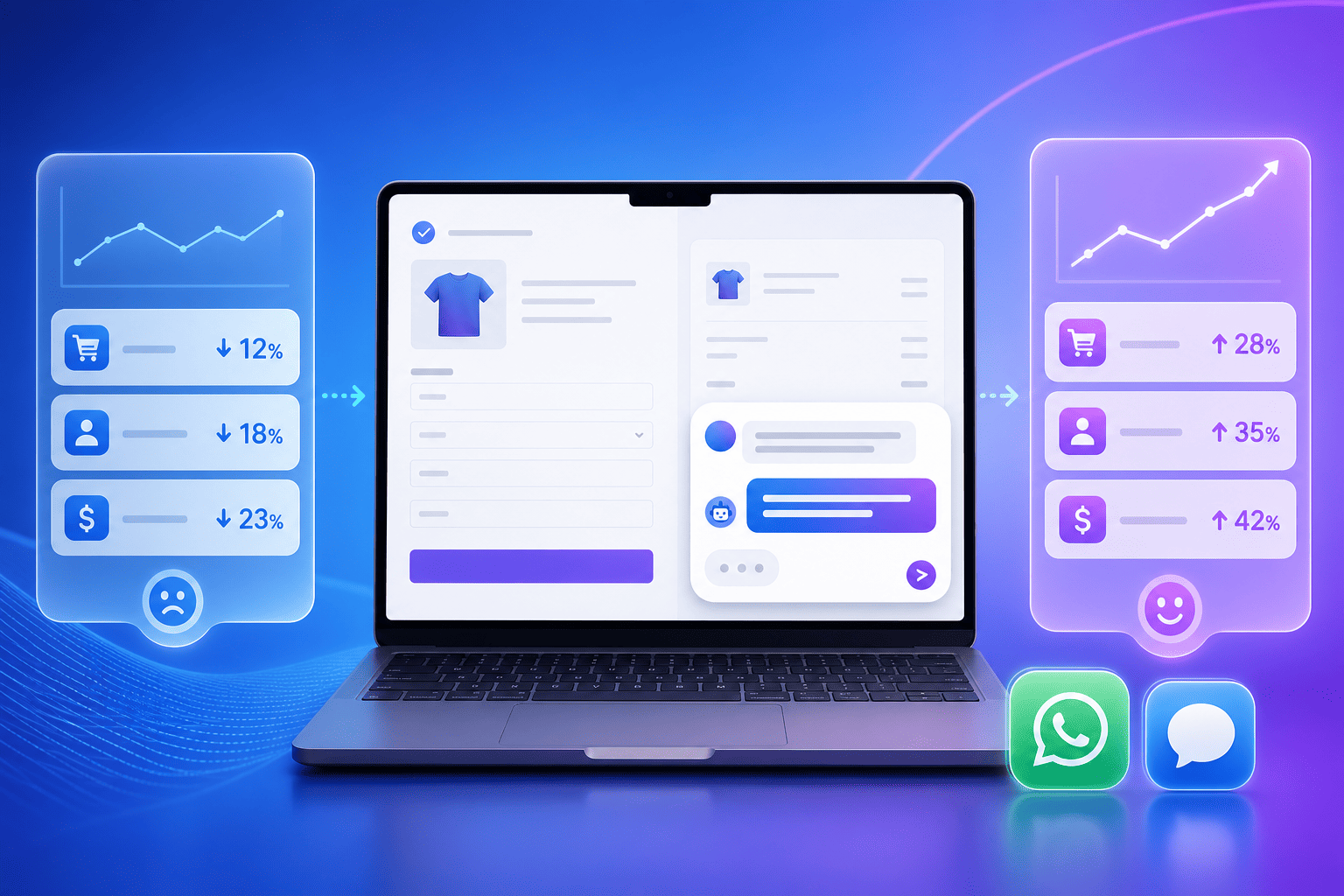
Leaders want simple math that shows value without fluff. A website assistant should cut costs by handling routine questions, increase qualified leads by guiding buyers faster, and keep answers consistent across every channel. With Noem.ai, teams report up to 80% of routine interactions handled automatically, fewer duplicate tickets, and smoother handoffs that lead to more booked meetings (ref: Top AI Support Chatbots ). Predictable, usage-based pricing helps budget with confidence and avoid surprise overruns. A single stack means less vendor sprawl and faster time-to-value (ref: Noem.ai FAQs ).
- Costs: Lower your support costs by deflecting common questions and reducing back-and-forth. When the assistant answers once, you avoid repeated tickets on the same issue. This saves time and money while improving the buyer experience. Better answers mean fewer escalations (ref: Top AI Support Chatbots ).
- Leads: Capture more qualified leads by offering help in the moment and booking demos in-chat. People who get value first are more likely to share details. This creates warmer handoffs for sales. The assistant does the busy work so reps can focus on closing (ref: Sales Rep Template ).
- Consistency: Keep your answers and tone aligned across all channels. Auto‑sync ensures updates go live everywhere at once. This reduces confusion and keeps your brand strong. Buyers trust steady information and choose faster (ref: Noem.ai FAQs ).
- Insights: Use real-time analytics to change what isn’t working and double down on what is. Small, fast tweaks add up week after week. You don’t need big projects to get better. You just need tight loops and clear goals (ref: AI Agents ).
Ready to see it for yourself? Spin up a Sales-Focused Website Assistant with plain-language scripts in minutes using Noem.ai. Watch the quick demo, pick the Sales Rep template, and publish to your site today—your next great lead could be one friendly chat away (ref: Noem.ai Demo Video , Sales Rep Template ).