Why instant support matters on day one
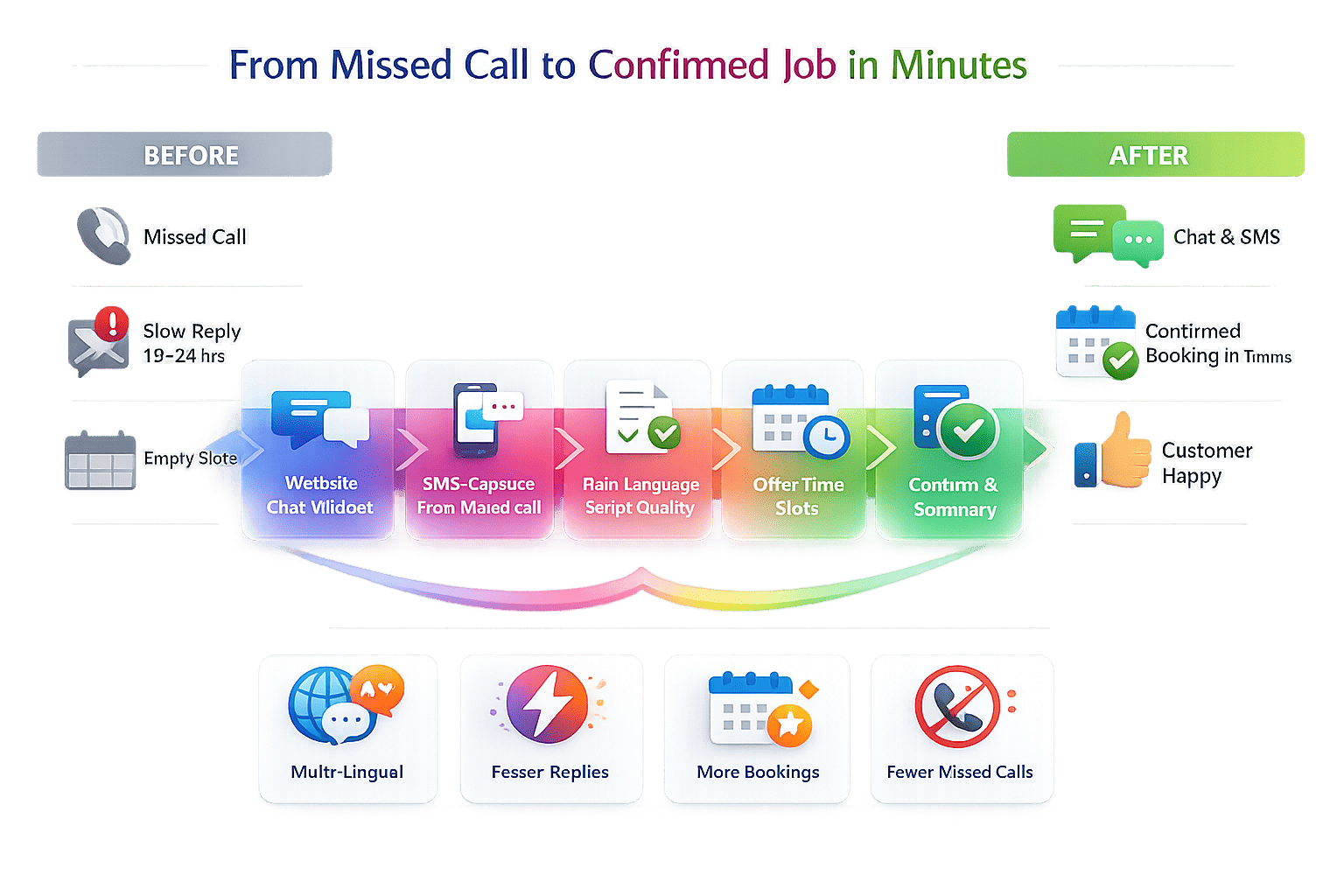
When your site goes live on Google Domains, your first visitors shape your brand. If they can’t get answers in seconds, they may leave and never return. That’s why adding a noem.ai chat widget on launch day is so powerful. It helps you greet, guide, and capture interest right away, even if you have a small team. Because it runs continuously and learns from your content, it gives every visitor the same clear, friendly help any time of day (ref: noem.ai ).
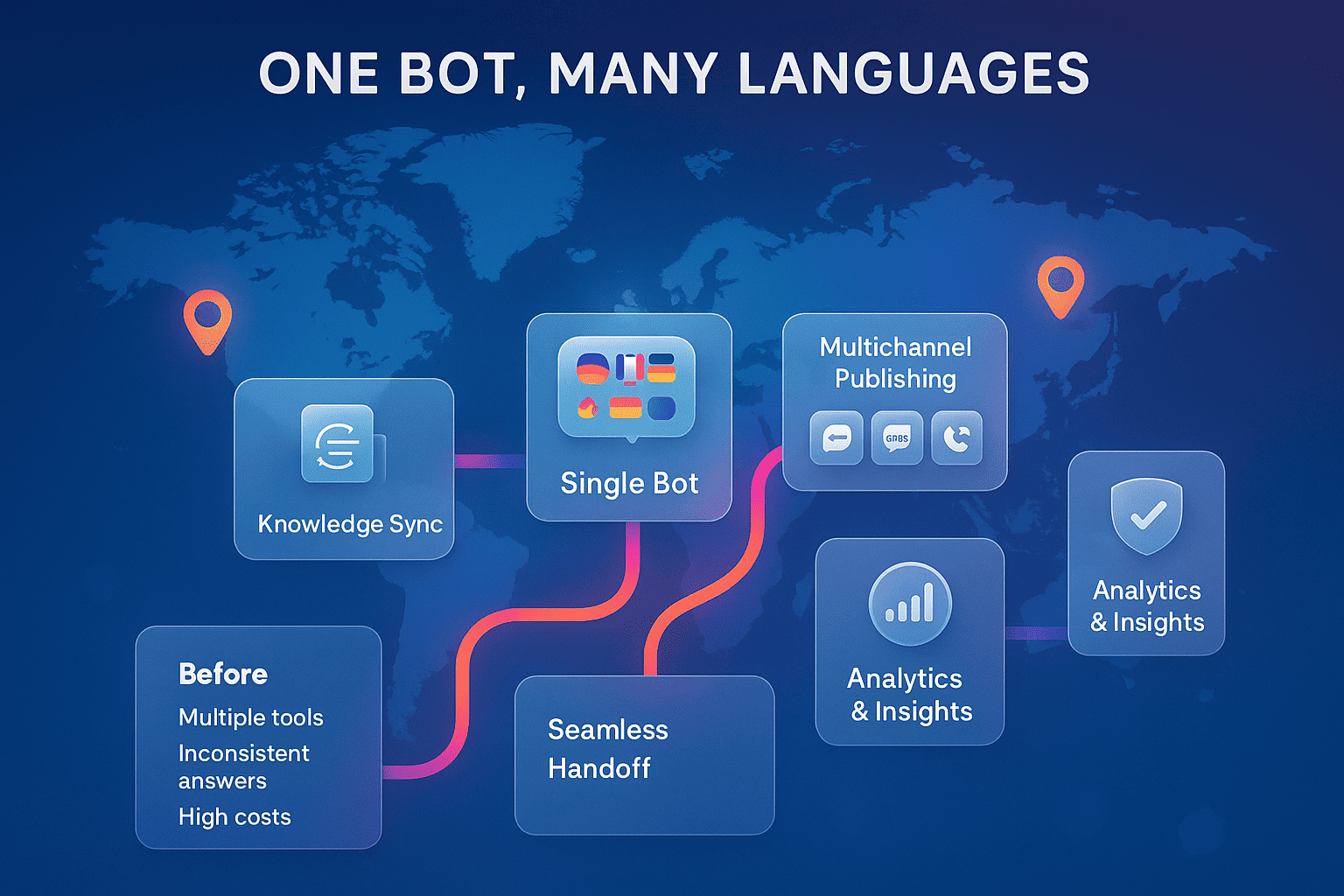
Speed is not the only benefit. With noem.ai, you also get simple deployment, strong analytics, and an easy way to keep answers up to date. You can ingest knowledge from your files, URLs, or connected apps, then deploy in one step to your website, WhatsApp, SMS, Facebook Messenger, or a hosted page. The built-in analytics help you spot hotspots and missed questions so you can improve right away. This setup keeps your support both stable and flexible as you grow (ref: noem.ai ).
Finally, since your site lives on a reliable Google-backed stack, you can manage tags and scripts cleanly with Google Tag Manager. This gives you a tidy way to add the noem.ai snippet and track events like messages sent and received. It also keeps things fast, which helps your visitors and your SEO. Keeping your tech lightweight is a smart move when you are just starting out (ref: noem.ai ).
Faster response times for visitors
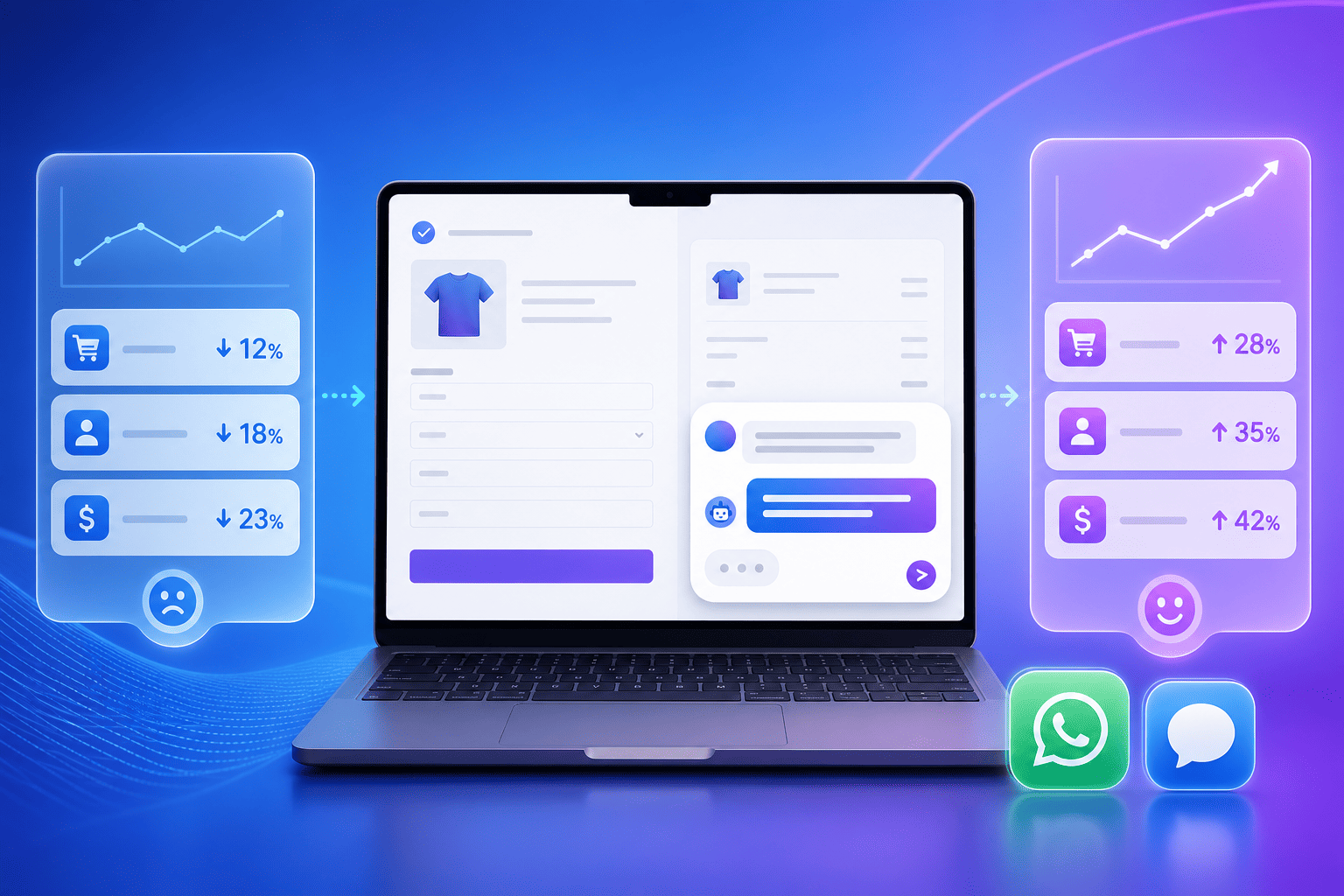
- Instant answers reduce bounce: New visitors have simple but urgent questions like “What do you do?” or “How much does it cost?” A noem.ai chatbot answers in seconds right on the page. This speed cuts the wait that usually comes from email or forms. Visitors stay longer when they get quick help (ref: noem.ai ).
- Simple Google Domains install: You can paste a short JavaScript snippet into your site or load it via Google Tag Manager. Both options are quick and do not require code changes to your theme or templates. This makes it safe and easy for non-developers. You can be live in minutes, not weeks (ref: noem.ai ).
- Real-time knowledge sync: With noem.ai, you can sync content from your URLs or files, so the bot stays current as your site grows. This means when you update a pricing page or FAQ, your bot can reflect it without manual rework. It keeps the experience consistent across pages. That reliability builds trust from the first click (ref: noem.ai ).
- Strong response-time gains: Industry research shows AI chat can reduce first-response delays dramatically compared to traditional support channels. Many teams report initial replies happening in seconds rather than minutes or hours. For new websites, that speed is the difference between a bounce and a lead. It is a practical step toward better customer outcomes from day one (ref: Google Workspace ; Digital Marketing Institute ).
- One dashboard, many channels: If your audience prefers chat on mobile or social, noem.ai lets you deploy the same bot to SMS, WhatsApp, Facebook Messenger, or a hosted page. That way, people can reach you where they are most comfortable. Your answers stay consistent because they draw from the same knowledge base. This multiplies your reach without multiplying your workload (ref: noem.ai ).
24/7 customer support availability
- Always on, even when you sleep: With noem.ai embedded on your Google Domains site, visitors get help anytime, day or night. You do not need to staff shifts or watch an inbox around the clock. The chatbot keeps working, answering common questions and guiding people to the next step. Your business looks responsive and ready, even with a small team (ref: noem.ai ).
- Launch steps are simple: Create your bot, add your approved domain, and paste the script into your site or Google Tag Manager. Then hit publish. You can also test quickly with a Chrome extension while you fine-tune your knowledge and UI. This flow is designed for speed and clarity, so you get to “live” fast (ref: noem.ai ; noem.ai ).
- Unified analytics and insights: The noem.ai dashboard gives real-time analytics, missed-question alerts, and one-click retraining. This means you can improve answers without deep tech skills. You can see which pages or prompts trigger the most chats and adjust text for clarity. Over time, these small changes stack into big gains in satisfaction (ref: noem.ai ).
- Reliable performance with Google tools: Many teams prefer using Google Tag Manager to keep scripts organized and track events. This keeps the site tidy and stable as you grow. It also helps keep load times fast, which lifts both user experience and search performance. This stack is a natural fit for startups and small businesses (ref: noem.ai ).
- Scales from free to pro: If you are just starting, you can use the free tier and upgrade when you see the value. As your traffic grows, you can add features like custom domains, brand controls, and advanced integrations. You never outgrow the platform because it is built to scale in clean steps. This helps you plan costs with confidence (ref: noem.ai ).
Lead capture from website conversations
- Conversational lead capture built in: Forms can feel like a wall. Chat feels like a friendly guide. With noem.ai, the bot can ask for an email or preference at the right moment in the conversation. This is a natural way to capture leads while helping visitors find answers (ref: noem.ai ).
- Connect to your tools fast: You can forward captured details to your CRM or sheets through APIs, webhooks, or connectors like Zapier. This keeps your records tidy without manual copy-paste. It also makes follow-up easy for your team. When you reduce friction, more leads move forward (ref: noem.ai ).
- Conversation starters that convert: You can set a custom greeting, starter prompts, or message limits in noem.ai to prompt the right action. A greeting can highlight a new offer or a common task like “Get a quote.” These prompts point visitors to their next best step in a friendly way. It is like having a host greet people at the door (ref: noem.ai ).
- Higher capture rates vs. static forms: Conversational interfaces often drive more engagement than static forms because they feel personal and helpful. When people get quick answers first, they are more willing to share contact details. That interaction builds trust faster than a cold form. For new sites, this is a direct path to early pipeline and feedback (ref: Google Workspace ; Digital Marketing Institute ).
- Keep the human touch when needed: While the bot handles common questions, you can still invite people to leave their details for a call or demo. This sets a clear path for high-intent visitors. It also helps your team focus on the right conversations. You get the best of helpful automation and human follow-up where it counts (ref: noem.ai ).
Complete conversation history and insights you can act on
- Every chat, in one place: noem.ai logs complete conversation history so you can review and learn. You can see what people ask, where they get stuck, and which answers work best. This record is gold for product, marketing, and support leaders. It is a simple way to make your website smarter each week (ref: noem.ai ).
- Track key events with GTM: When you deploy via Google Tag Manager, you can track chat starts, messages sent, and messages received as events. This puts meaningful engagement data right where your team already looks. It makes reporting cleaner and faster. It also supports better experiments since you can run A/B tests and watch the metrics you care about (ref: noem.ai ).
- Improve answers with one-click retraining: In the noem.ai dashboard, you can spot missed questions and trigger quick updates. One-click retraining makes the bot smarter without a heavy process. You can roll out changes in minutes and see the difference in your analytics. It is a tight loop: observe, improve, publish, repeat (ref: noem.ai ).
- Sync content to stay accurate: As your site grows, you can auto-sync pages so the bot reflects your latest content. This reduces stale answers that erode trust. It also keeps your team from doing manual updates across multiple tools. Accuracy builds confidence with every visitor session (ref: noem.ai ).
- Privacy and ownership of data: With full conversation history in your dashboard, you have a clear record of what was said and when. This helps with internal reviews and training. It also helps you align on messaging across the team. Clear records support better decisions and better customer experiences (ref: noem.ai ).
Step-by-step: Launch noem.ai on your Google Domains site today
- Create your chatbot in minutes: Go to noem.ai and start a new bot. Name it, pick your brand colors, and add your key web pages or files for knowledge. Keep it simple: start with home, pricing, and FAQ. You can always add more sources as you go (ref: noem.ai ).
- Approve your domain: In your noem.ai dashboard, add your website domain to the Approved Domains list. This is a quick security step that prevents someone else from embedding your bot. It also ensures your bot only runs where you want it. Once approved, your bot is ready to be embedded (ref: noem.ai ).
- Embed the script or use Google Tag Manager: Copy the embed code from noem.ai and paste it into your site’s HTML, or add it as a custom HTML tag in Google Tag Manager. Many teams prefer GTM because it is easy to manage and publish. Either way, it just takes a few clicks. Then publish your change and refresh your page to see the chat widget (ref: noem.ai ).
- Test and tune with a Chrome extension: If you want to test before going live, use the noem.ai Chrome extension. It lets you try the experience in your browser and see how the bot responds. You can adjust conversation starters, icons, and message limits until it feels just right. This helps you launch with confidence (ref: noem.ai ).
- Connect your CRM or sheet for lead capture: If you plan to capture emails or other details, connect your CRM or a spreadsheet via webhook or Zapier. Map the fields you want to store. Keep it light at first—email and name are enough to start. You can expand once you see how people engage (ref: noem.ai ).
- Watch analytics and improve weekly: After launch, open your noem.ai analytics to see message counts, common topics, and missed questions. Update your knowledge or add a new page to your site where needed. Use one-click retraining to roll out fixes fast. This weekly rhythm keeps your support fresh and helpful (ref: noem.ai ).
What you get when you pair noem.ai with Google Domains on day one
- A faster path to trust: People trust brands that answer quickly and clearly. With noem.ai on your site, every visitor gets a helpful, consistent answer in the moment. That builds confidence and lowers the risk of bounce. It sets a high bar for your future interactions (ref: Google Workspace ).
- 24/7 presence without extra headcount: You do not need to hire night shifts to be available. The widget works for you every hour of the day. It also scales when traffic spikes, such as launch day or ad campaigns. Your customers will feel the difference (ref: noem.ai ).
- Leads from authentic conversations: When answers flow, people are more willing to share their email or ask for help. This turns chats into warm leads instead of one-way visits. It also gives you better context for outreach. With consent and clear prompts, you build a healthy pipeline (ref: noem.ai ).
- Clear records for better decisions: With full conversation history, you can see the real words customers use. This helps you improve product pages, pricing clarity, and onboarding guides. It also helps every team member stay aligned. When you learn from conversations, your whole site gets better (ref: noem.ai ).
- A stack you can grow with: noem.ai is designed to be simple first and powerful when you need it. You can start with the free plan, then add features like branding controls, custom domains, or advanced APIs later. This is a calm way to scale support. It keeps you focused on your customers, not on tools (ref: noem.ai ).
Pricing clarity for new websites
If you are just launching on Google Domains, budget matters a lot. With noem.ai, you can start free and upgrade as you see results. Paid plans unlock features like hidden branding, higher message limits, and advanced deployment options. This keeps your costs predictable while giving you room to grow. It is a practical, low-risk way to add real support to your site (ref: noem.ai ).
Some teams also choose to publish the same bot to multiple channels while staying on one plan. This lets them meet customers on web, SMS, or social without rebuilding the bot. It also keeps reporting in one place. That central view helps you learn faster and act sooner (ref: noem.ai ).
How this helps business owners most
As a business owner, you wear many hats. You need tools that work right away and keep working as you grow. noem.ai gives you fast setup, steady performance, and simple controls, so you can focus on your customers. With Google Domains and Tag Manager, you can manage everything in a clean, safe way. This is a modern, simple stack that respects your time and your budget (ref: noem.ai ; Google Workspace ).
You also gain a deeper view into what buyers want. Conversation history shows you topics that matter most and areas that need clearer language. It shows which prompts engage visitors and which ones don’t. These insights pay off across your site and your sales calls. They help you build a product and message that fits your market (ref: noem.ai ).
Real-world example: Your first week with noem.ai on a new domain
- Day 1—Set up and go live: You create your bot, add your domain, paste the snippet, and publish. You add your Home, Pricing, and FAQ URLs as knowledge. You set a friendly greeting and a simple prompt like “Ask about pricing or features.” Within an hour, you see your first chats in analytics (ref: noem.ai ).
- Day 2—Lead capture connected: You connect a webhook to your CRM or a spreadsheet. You map name and email for interested visitors who ask for a quote. You test once, then watch the data appear on new chats. Now your website is collecting warm leads around the clock (ref: noem.ai ).
- Day 3—Tune answers and retrain: You review missed questions and adjust wording on your Pricing page. You trigger one-click retraining in the dashboard to update the bot. You also add a new starter prompt about a seasonal offer. Chat engagement rises as people see clear next steps (ref: noem.ai ).
- Day 4—Add channels: You deploy the same bot to a hosted page and SMS for event registrations. Messages stay consistent because the bot pulls from the same knowledge. You keep all the analytics in one dashboard. This creates a broader presence without extra work (ref: noem.ai ).
- Day 5—Measure and plan: You open the analytics to see the top five questions asked. You update your on-page copy to answer them more clearly. You add a short guide for the most common task and sync the URL. By the end of the week, your site is easier to use and your bot is even smarter (ref: noem.ai ).
Why choose noem.ai for your Google Domains site right now
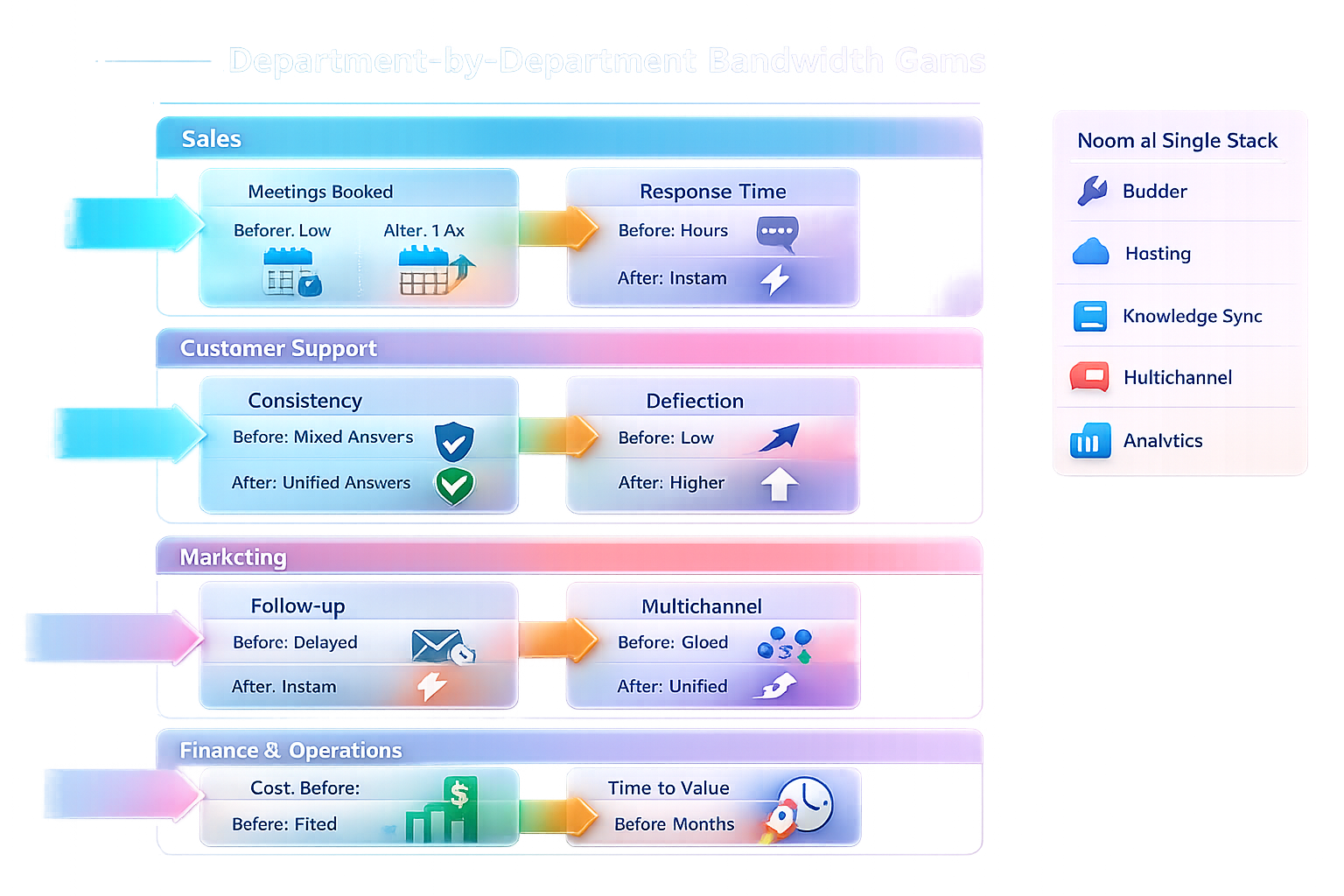
- All-in-one simplicity: noem.ai bundles building, hosting, knowledge sync, multichannel publishing, and analytics in one dashboard. This means fewer tools, fewer logins, and less risk of things breaking. Your team moves faster because everything is connected by design. That simplicity is a real advantage when speed matters (ref: noem.ai ).
- Trust through clarity: With clear controls and full conversation history, you keep an accurate record of every answer. You can show your team what’s working and why. You can improve content where it counts and retrain with one click. This creates a simple, trustworthy system you can manage with confidence (ref: noem.ai ).
- Predictable growth: Usage-based pricing means you scale at your speed. You can stay on a lower plan while you test, then add features when you are ready. This is good stewardship of budget and attention. It keeps your focus on customers, not on platform complexity (ref: noem.ai ).
- Built for business owners: The platform is made so non-technical teams can launch fast and improve weekly. You do not need complex routing or heavy process changes. You keep your site clean and your message clear. That is the path to sustainable growth (ref: noem.ai ).
Quick FAQ for launching on Google Domains
- Will this slow down my site? The snippet is small and designed to load efficiently. If you use Google Tag Manager, you can control load timing and monitor performance. Many websites run it without any issues. Always test with your own theme to verify load time (ref: noem.ai ).
- Can I hide the branding? Yes, you can hide branding on paid plans. This helps you maintain a fully on-brand experience. You can still keep analytics, retraining, and content sync. It is a clean path from proof-of-concept to polished rollout (ref: noem.ai ).
- How do I keep answers current? Sync your key URLs and files inside the noem.ai dashboard. When you update your site, retrain with one click to pull in the changes. You can also add notes for special cases or seasonal offers. This keeps the bot aligned with your live content (ref: noem.ai ).
- Can I try before I commit? Yes—start on the free plan and test on your Google Domains site. You can use the Chrome extension for quick previews as you iterate. When you are ready, publish on your domain and watch engagement. Upgrade later if you need more features or message volume (ref: noem.ai ; noem.ai ).
Ready to greet every visitor on your new domain?
Your launch deserves more than a static page and a slow inbox. Add the noem.ai chat widget to your Google Domains site and give people quick, clear answers the moment they land. Capture leads naturally from real conversations, keep a complete history, and improve week after week. You can be live today and start building trust with every visit. Get started at noem.ai and turn your new domain into an always-on customer magnet (ref: noem.ai ).