A smart, friendly chatbot can answer questions all day and night, welcome new visitors, and help you grow your email list. With the right setup, you can get all of this without writing code or hiring a big team. In this guide, you will learn how to launch your first chatbot fast, keep it affordable, and make it easy to manage. We will walk through each step clearly so you feel confident, even on your first try. By the end, you will have a ready-to-publish chatbot powered by Noem.ai that helps your site respond faster, stay helpful 24/7, capture leads, and keep complete chat history for smarter follow-ups (ref: Noem.ai Help).
The Quick Pitch: Why This Guide Is Different
Many how-to articles give vague tips and skip the parts where people get stuck. This guide is practical and hands-on, made for business owners who want results. We focus on clear steps, plain words, and real outcomes like faster answers, 24/7 coverage, more emails captured, and full conversation logs you can trust. We also keep this simple and honest, avoiding hype and complex setups. Because you’re busy, and the goal is to get something helpful live today with Noem.ai (ref: Noem.ai AI Chatbot).
Subtitle: Get set up in minutes, not weeks—no code, just clear steps.
Key Points
- 24/7 Availability
- Faster Response Times
- Lead Capture from Conversations
- Complete Conversation History
- No-Code Setup
- Multichannel Publishing
What You Gain: 24/7 Answers, Faster Responses, More Leads, and Clear History
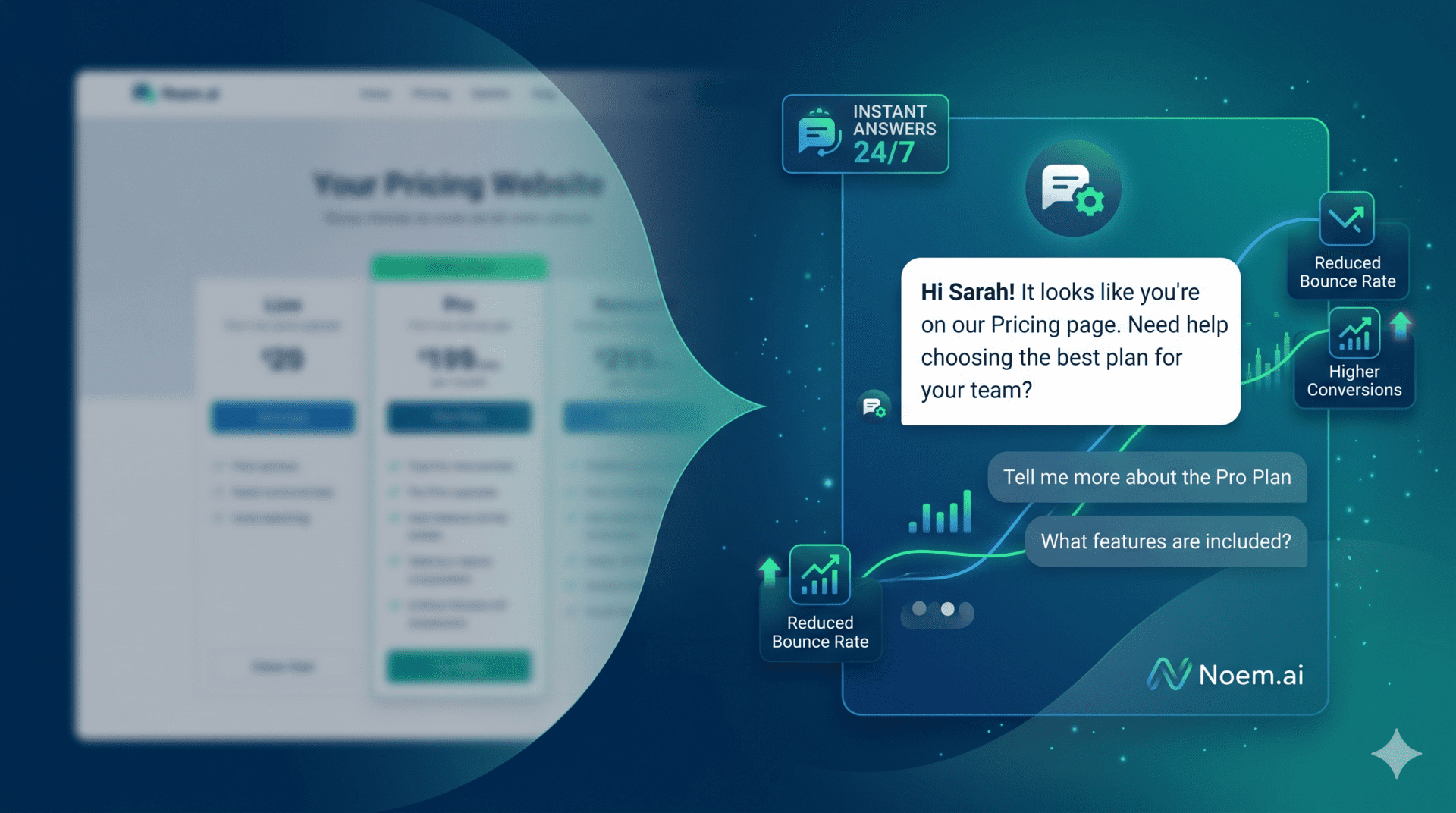
When visitors land on your site, they often have the same few questions. A chatbot can greet them, answer fast, and guide them to your email list. This means people get help right away without waiting for your team to reply later. Fast answers matter because most customers expect a reply within one hour, and many leave if they have to wait, so a chatbot can step in and keep interest high (ref: Noem.ai AI Chatbot). Using Noem.ai, businesses commonly see response times go from minutes to seconds, and industry benchmarks point to up to 80% faster responses when chatbots handle the first touch, which helps people feel heard right away (ref: Noem.ai Help).
A big win with a chatbot is your new ability to serve people at any hour. If a visitor reaches your site at 2 AM, they can still get answers and sign up to your newsletter without waiting. Studies show this constant availability can boost satisfaction by a large margin in support situations, because people get help when they need it most, not just during office hours (ref: Noem.ai AI Chatbot). With Noem.ai, you can also sync your latest website content automatically, so the chatbot stays fresh and accurate as your pages change (ref: Noem.ai FAQs). This lets you offer a steady, reliable voice for your brand every day.
Lead capture is a key part of this setup. When a visitor asks a question, they are already engaged, so the chatbot can politely ask for an email to send helpful tips or a follow-up guide. This turns a one-time chat into an ongoing conversation. By adding a simple prompt at the right time, you transform help into growth for your list. With Noem.ai, you can collect emails right inside the chat session and review them in your dashboard later (ref: Noem.ai Chatbot History).
Finally, full conversation history helps you improve over time. You can see what visitors ask most, which answers work, and where people drop off. This lets you update your FAQs, refine your chatbot instructions, and tune your welcome message week by week. Seeing the whole story makes it easier to serve customers well while staying simple for your small team (ref: Noem.ai Chatbot History). When you combine faster answers, all-day coverage, lead capture, and full history, your site becomes friendlier and more effective.
Why Choose Noem.ai for Your First Chatbot: Speed, Simplicity, and Trust
- Simple, No-Code Setup: With Noem.ai, you do not need developers to get started. The dashboard walks you through building, styling, and publishing your chatbot. The builder guides you with clear fields for your welcome message, voice, and instructions so you can focus on what to say, not how to wire it up. This no-code approach saves days of work and helps you go live in minutes instead of weeks. For a first-time launch, that speed means you can test, learn, and improve right away (ref: Noem.ai Help).
- Fast, Friendly Replies 24/7: People want quick answers, and a chatbot makes that happen even when you are busy. Benchmarks show that chatbots can reduce response time dramatically, helping you move from delayed replies to instant answers right on the page. This keeps visitors engaged and lowers bounce rates. With Noem.ai, your bot is always on, ready to reply at any hour, which can lift customer satisfaction in common support scenarios (ref: Noem.ai AI Chatbot).
- Built-In Lead Capture: Turning chats into email sign-ups is simple with the right prompt. You can ask for an email mid-conversation when the visitor is most engaged, and explain the value clearly. A friendly ask like “Want weekly tips? I can send them to your inbox,” works well. Many sites see stronger conversions when they engage this way on the page because the visitor is already getting help in real time (ref: Noem.ai Help).
- Complete Conversation History: With full chat logs, you can see every interaction at a glance. This lets you review what questions come up most and how your bot handled them. You can also see which messages triggered email sign-ups and which ones did not. Over time, this data helps you tweak your bot and your website so both get sharper and more helpful (ref: Noem.ai Chatbot History).
- One Stack, Less Hassle: Noem.ai bundles building, hosting, knowledge sync, multichannel publishing, and analytics into one stack. This keeps your setup neat and reduces tool switching. You do not have to glue parts together or chase third-party plugins, which saves both time and cost. For a first-time chatbot, using one platform lowers risk and helps you stay focused on growth (ref: Noem.ai FAQs).
Step-by-Step Setup: From Dashboard to Live Widget in Under 30 Minutes
Getting your chatbot live can be fast and smooth. These steps focus on the pieces that matter most, so you start simple and add more later. You will create a project, write clear instructions, set approved domains, and embed the widget on your site. You will also learn a few smart prompts for lead capture that feel natural and kind. Follow along, and you can be live today with your first version (ref: Noem.ai Help).
- Create Your Chatbot Project: Log in to your Noem.ai account and go to My Projects, then select New Project and choose Chatbot. Give your bot a clear display name and upload a friendly profile picture to make it feel warm and trustworthy. Write a short welcome message that says what the bot can help with, like “Hi! I can answer questions and share helpful tips. Want me to send you our best guide by email?” This small, clear message sets the tone and invites the visitor to engage right away (ref: Noem.ai Help).
- Define Straightforward Instructions: In the Instructions tab, give your bot a simple role and goal. For example: “You are a friendly website assistant. Answer questions clearly and simply, ask for an email if the visitor wants tips, and be helpful 24/7.” Add a few boundaries like “Keep answers short and plain” and “Avoid making claims you cannot support,” so the bot stays on-brand. These clear rules help keep the chatbot focused and trustworthy (ref: Noem.ai Instructions).
- Approve Your Domains: Go to Deploy and set your Approved Domains list to include your site, like yourwebsite.com. If you plan to use subdomains, add them individually so the embed works exactly where you want it. This step protects your bot from showing up on the wrong site and keeps your brand safe. Double-check this before embedding to save time later (ref: Noem.ai Deployment).
- Test the Chat Experience: Use the Test feature to try common questions and review the outputs. Ask a few basic FAQs and make sure the tone matches your brand voice. Try a sample lead capture prompt and see if the flow feels friendly and not pushy. Check the Chatbot History area and confirm that the full conversation shows up as expected (ref: Noem.ai Chatbot History).
- Embed on Your Website: Copy the Noem.ai snippet and paste it before your closing body tag. Replace the API key with the one from your dashboard and set the input placeholder so visitors know what to do. If you already have a login or newsletter form, you can pass the user’s email into the widget to keep your data clean and connect chats to known users. Keep the default styling on for your first version so you can go live fast (ref: Noem.ai Deployment).
The Embed Snippet You Can Use Right Now
Paste this into your site right before
. This is all you need to get the chatbot to appear on your page. You can adjust options later for colors, placement, and behavior. For now, keep it simple so you can ship quickly and start learning from real visitors. As you gather chats, you will know what to refine next (ref: Noem.ai Deployment).
<script src=”https://app.noem.ai/js/NoemBot.js”></script>
<script>
let currentUser = { email: ‘[email protected]’ }; // optional: pass known user email
let noemBotOptions = {
disableCSS: false,
inputMessagePlaceHolderText: ‘Type your message…’
};
const bot = new NoemBot(‘YOUR_API_KEY’, currentUser, null, noemBotOptions);
bot.init();
</script>
If your site collects emails through a form, you can pass that value into currentUser so your leads connect to chat records. This helps you match what someone asked with what they signed up for, which is useful for future follow-up. You can also adjust the floating button if your design needs it, like turning it off for mobile if you have a tight layout. Start small, test on a few pages, and then roll out across your site (ref: Noem.ai Deployment).
Smart Prompts That Grow Your Email List Without Feeling Pushy
- Offer Help First, Then Ask: Begin by solving the visitor’s question in a short, clear way. After you help, ask if they would like a quick tip sheet or weekly newsletter. This order builds trust and keeps the conversation helpful. A simple ask after real help leads to more yeses and happier visitors (ref: Noem.ai AI Chatbot).
- Give a Clear Reason: When you ask for an email, say what they get and how often. For example: “I send one short tip each week to help you get results faster—want me to add you?” This sets expectations and reduces worry about spam. People are more likely to share an email when they know the benefit (ref: Noem.ai Help).
- Use Short Follow-Ups: If a visitor says no, that is okay. You can follow up with one short line like: “No problem—want a single-page cheat sheet instead?” This keeps the tone friendly and still offers value. Your aim is to help, not to push (ref: Noem.ai FAQs).
- Let Them Opt In With One Word: People like simple actions. You can set a prompt that says: “Reply ‘subscribe’ if you want weekly tips.” This makes saying yes easy and fast, especially on mobile. Keep it short and keep it human (ref: Noem.ai Help).
How to Keep It Accurate: Knowledge Sync and Clear Instructions
Your chatbot is only as good as the content it pulls from. If your website content changes, you want your bot to reflect that change quickly. With Noem.ai, you can keep your knowledge in sync so your answers stay current without manual copy-paste. This reduces mistakes and saves you time each week. It also builds trust with visitors because your answers match your site (ref: Noem.ai FAQs).
Good instructions help the bot answer in the right voice. Keep your directions short, plain, and focused on helping the visitor. If you want the bot to suggest a sign-up, say so, and explain when to ask. If you want to limit certain topics, spell that out clearly. These steps make your chatbot more reliable and easier to improve over time (ref: Noem.ai Instructions).
What to Measure Each Week: A Simple Checklist for Busy Owners
- Conversations Started: Count how many chats begin each week and track the trend. If the number is growing, you are reaching more visitors or placing the widget well. If the number is flat, try a stronger welcome message or move the widget to a higher-traffic page. Review the difference after each change for two weeks before changing again (ref: Noem.ai Chatbot History).
- Response Speed: Check how quickly the first answer comes back. Faster replies keep visitors engaged, especially on mobile. Industry data shows that many customers expect fast replies, often within an hour, and chatbots can meet that standard in seconds (ref: Noem.ai AI Chatbot). If answers seem slow, trim your instructions or simplify your knowledge sources.
- Email Captures: Look at how many emails you collect from chat each week. Note which prompts worked best and which pages drove the most sign-ups. Make small tweaks, like changing a single line to be clearer. Over time, these small changes add up to big gains (ref: Noem.ai Help).
- Conversation Quality: Read a few full chat histories and see where the bot did well or got stuck. Edit your instructions to fix patterns that do not help. Make a short list of common questions and add crisp answers for them in your site content to strengthen what the bot can use. This creates a loop that keeps your bot getting better week by week (ref: Noem.ai Chatbot History).
Common Pitfalls (and How to Avoid Them) When You Launch Your First Chatbot
- Asking for Emails Too Soon: If you push for an email before giving help, people might leave. Make sure the bot answers the question first, then offers a helpful extra by email. This order keeps trust high and shows the visitor you care about their need. A kind tone wins more sign-ups over time (ref: Noem.ai Help).
- Long, Confusing Answers: If the bot gives long paragraphs, visitors may stop reading. Keep answers short and to the point, and use simple words. If the topic is complex, offer a short summary and then a link to a full guide. Clear structure makes your chatbot feel smarter and kinder (ref: Noem.ai AI Chatbot).
- Unapproved Domains or Wrong Embed: If the bot does not show up, double-check your Approved Domains and make sure the snippet sits before the closing body tag. Test on a staging page first so you can confirm behavior before going live. This prevents headaches when you publish new pages. Make a quick checklist to save time on future launches (ref: Noem.ai Deployment).
- Not Reviewing History: If you skip reading chat logs, you miss the best insights. Make a habit of checking the Chatbot History weekly and tag a few chats that matter. Use those insights to improve the bot’s instructions and your website content. This is how you keep getting better with less guesswork (ref: Noem.ai Chatbot History).
Realistic Outcomes You Can Expect in Your First 30 Days
When you go live, start with a simple goal like answering common questions faster. You will likely see more visitors getting help right away, which keeps them on your site longer. As you add a polite prompt for sign-ups, you will begin to capture more emails from people who want tips or updates. Your team will also see fewer repeat questions in your inbox, because the bot covers the basics day and night. By checking the conversation history weekly, you can make small edits that keep improving results (ref: Noem.ai Chatbot History).
Over time, a chatbot can make a major difference in how helpful your site feels. Industry data shows that many customers like brands that offer fast chat support, and they tend to interact more when answers come quickly. This leads to more chances to build trust and grow your list. Because Noem.ai keeps things simple with one stack, you can keep improving without adding new tools each week. Small, steady steps lead to better results and less stress for your team (ref: Noem.ai FAQs).
A Simple Playbook for High-Impact Prompts You Can Copy
- The Welcome: “Hi there! I’m here 24/7 to answer quick questions. Want a one-page guide to help you get started? I can send it by email.” This message makes your bot approachable and sets up a useful offer right away. It also signals that help is instant and always available, which visitors like (ref: Noem.ai AI Chatbot).
- The FAQ Follow-Up: After answering, say “Would you like weekly tips to get even more value? I can send one short email each week.” This follow-up works well because it comes after real help. People are more open to signing up when they have already gotten value from the chat. Keep the schedule honest and light to build trust (ref: Noem.ai Help).
- The Nudge on Exit: If a visitor seems ready to leave, try: “Before you go, want my quick-start checklist by email?” This gives a single, useful reason to share an email. Keep it short to reduce friction and make it easy to say yes. This small nudge can lift sign-ups without feeling pushy (ref: Noem.ai FAQs).
- The Mobile Shortcut: “Reply ‘subscribe’ and I’ll send one 60-second tip each week.” On mobile, short prompts are easier and faster to accept. One word feels light and safe. This works well for quick visits and new users (ref: Noem.ai Help).
Multichannel Publishing: Start on Your Site, Then Expand When Ready
You do not need to launch everywhere on day one. Start with your main website and learn what people ask and what they need. Once you see patterns, you can publish your bot to more places from the same Noem.ai stack, keeping your setup easy to manage. This lets you grow step by step without rebuilding from scratch each time. Staying focused helps you keep quality high while you scale (ref: Noem.ai FAQs).
As you go multichannel, keep your instructions and knowledge in sync. Update your core content first, and let your chatbot reflect those changes across channels. This keeps answers consistent and lowers the chance of confusion. A single source of truth is easier to maintain and review in your weekly check-in. The result is less work and more trust from your visitors (ref: Noem.ai FAQs).
Budget and Pricing Notes: Keep Costs Predictable
It is smart to start with a plan that fits your early traffic. With usage-based pricing, you can scale as demand grows without big upfront costs. This makes it easier to try new prompts, test different pages, and learn what works for your visitors. As your sign-ups grow, you can adjust your plan to match. The goal is to keep your chatbot affordable as you build momentum (ref: Noem.ai FAQs).
When you compare tools, look at how much time setup will take and how many tools you will need to connect. Piecing together multiple systems can lead to confusion and added cost. By using Noem.ai as your one stack, you reduce the moving parts and keep your setup simple. That simplicity saves time now and later, especially when you need to make changes fast. Predictable costs and low setup time help you stay focused on customers (ref: Noem.ai Help).
Putting It All Together: Your First 7-Day Launch Plan
- Day 1: Create your project in Noem.ai, write your welcome message, and add simple instructions. Keep the tone friendly and direct. Add your main domain to Approved Domains and run a quick test on your staging page. Confirm that the chat history logs properly (ref: Noem.ai Deployment).
- Day 2: Embed the snippet on your homepage and a top FAQ page. Make sure the input placeholder is clear and inviting. If you collect emails in forms, pass known emails into the widget to keep your data tidy. Test on mobile and desktop to check the layout and speed (ref: Noem.ai Deployment).
- Day 3: Add one polite email capture prompt after the bot answers a common question. Keep it short and explain the benefit in one line. Try the “Reply ‘subscribe’” flow for mobile users. Review your first few chat logs to spot quick fixes (ref: Noem.ai AI Chatbot).
- Day 4: Create a simple resource, like a one-page checklist or starter guide, to give people after they sign up. This makes your email ask more valuable. Update your bot’s prompt to mention this specific resource. Clear offers lead to better sign-ups (ref: Noem.ai Help).
- Day 5: Review chat history and list the top three questions asked by visitors. Add or improve the answers on your site to make your knowledge even stronger. This helps the bot respond more clearly next time. Keep your edits short and focused (ref: Noem.ai Chatbot History).
- Day 6: Adjust your welcome message based on what you learned from real chats. If people ask similar questions, mention those in the greeting. Try a slightly different subject line for your email offer to see if it lifts sign-ups. Keep testing one change at a time (ref: Noem.ai AI Chatbot).
- Day 7: Publish the chatbot on one or two more high-traffic pages. Make a short report with total chats, average response time, and emails captured. Note what changed after your tweaks. Plan the next week’s edits and keep going (ref: Noem.ai Chatbot History).
You’re Ready: Launch Today and Learn From Every Conversation
You now have a clear path to build, launch, and grow a friendly chatbot that serves visitors day and night. With Noem.ai, you can set this up fast, keep it affordable, and improve it each week using full conversation history. Your visitors will get faster answers and a better experience. You will capture more emails and build stronger relationships. Ready to see it on your site? Try the steps above today and share your first week’s results with your team so everyone can learn and celebrate what works (ref: Noem.ai Help).