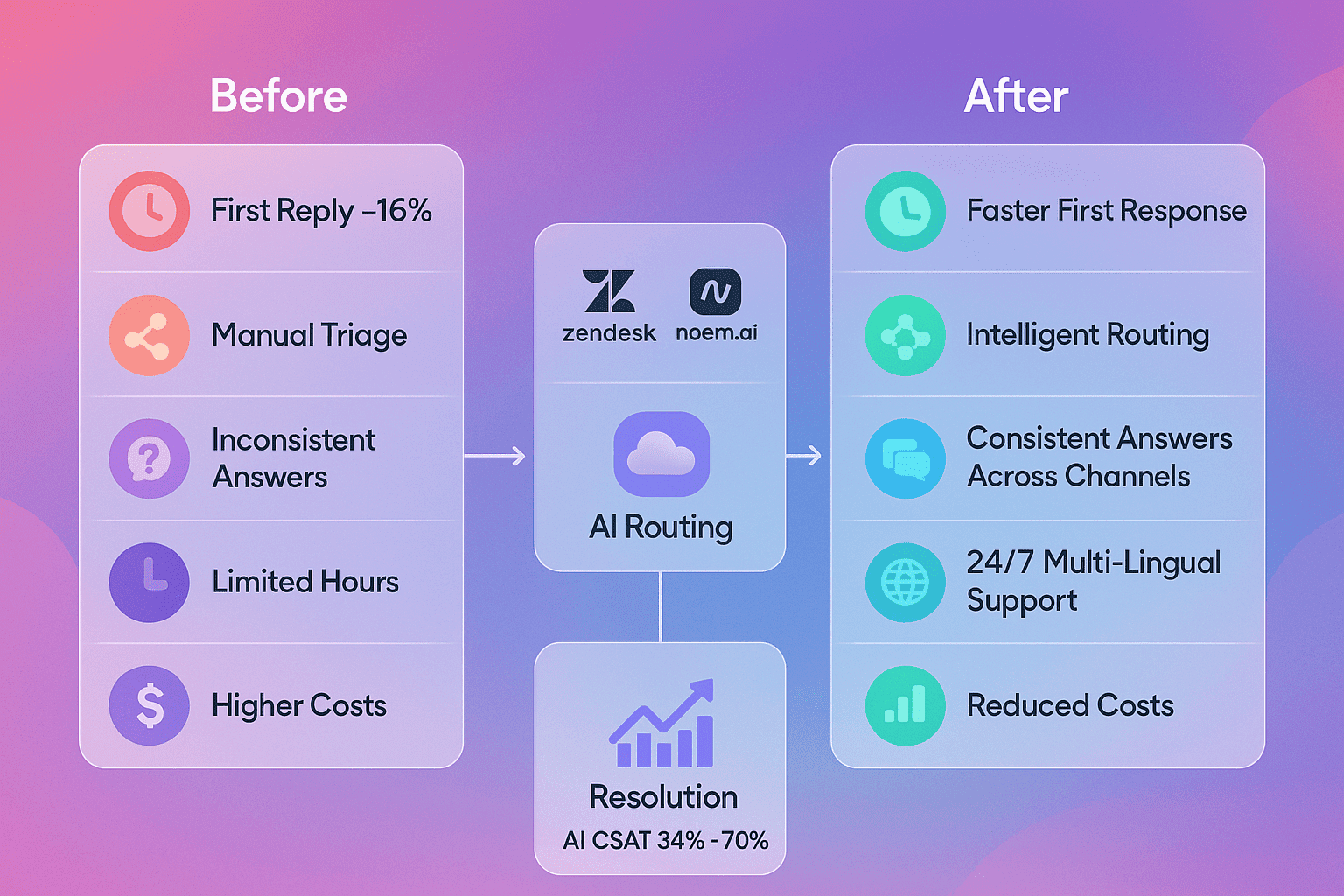
When a visitor lands on your site, they want answers right away. If they don’t get help, they are likely to leave. An AI chatbot makes sure they get help instantly at any hour, even when your team is busy or offline. With Noem.ai, you can get a chatbot live in one day, which means you start helping real people and collecting real leads fast. For many small businesses, this helps reduce bounce rates, increase satisfaction, and keep more visitors engaged until they buy or book.
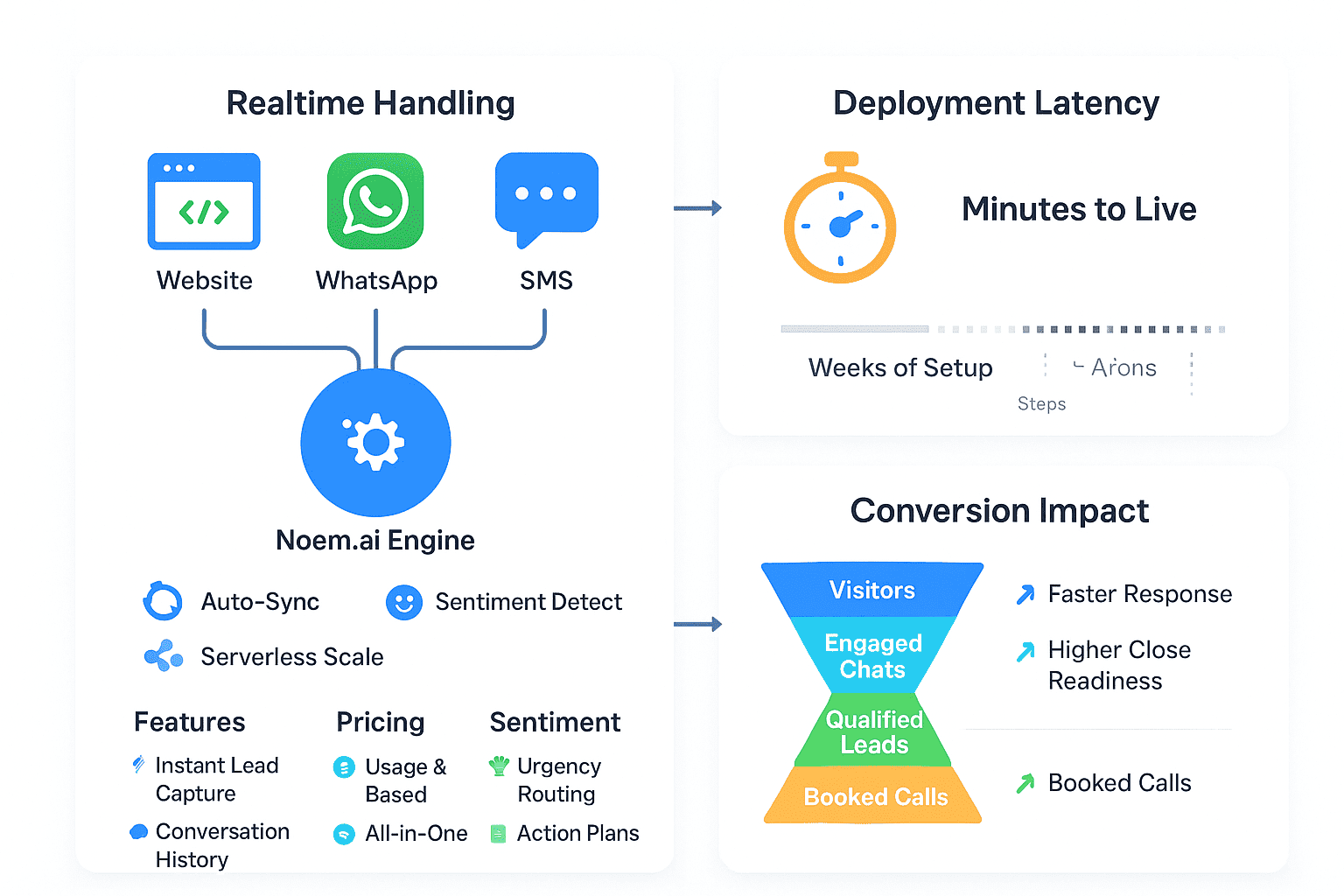
Noem.ai focuses 100% on chatbots, so it keeps everything in one place: building, hosting, syncing your knowledge, multichannel publishing, and analytics. That means fewer tools to manage and fewer chances for mistakes. You define the bot’s rules, connect your content, approve your website domain, and paste a small script—done. The platform’s setup path is simple and clear, with helpful guides for each step, like creating a project, writing instructions, and placing your chatbot on your site (ref: Noem.ai Help; ref: Noem.ai Help). Because Noem.ai bundles everything, teams go live in minutes instead of weeks, and their usage-based pricing scales predictably as your traffic grows (ref: Noem.ai Blog).
A chatbot also supports key customer goals right from day one. Visitors get faster responses, which boosts engagement and satisfaction. Many users prefer messaging over waiting on hold or sending email, and they want answers now. Instant replies can cut wait times from minutes to seconds, and that lifts conversion chances because people stay in the flow of your page (ref: Noem.ai Help; ref: Noem.ai Help). Companies that use AI chatbots often report higher satisfaction and more qualified leads from website conversations, especially when the bot captures contact info during chats (ref: Noem.ai Help).
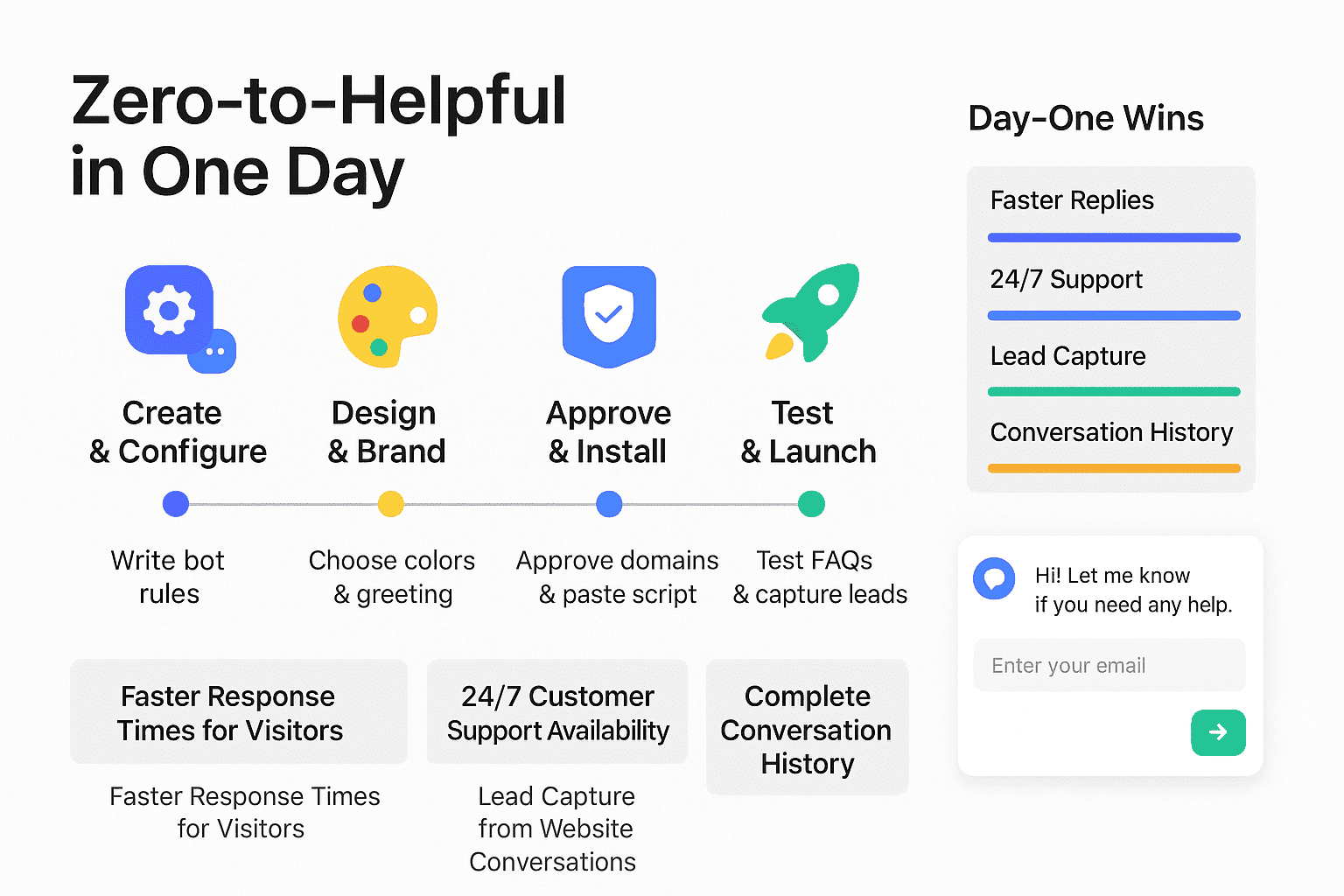
The One-Day Checklist: From Signup to Live on Your Site
- Phase 1 — Create and Configure (30–45 minutes): Start by creating a new chatbot project in your dashboard. Set the bot’s role, write a friendly greeting, and define what it should do first—answer FAQs, collect emails, and pass along helpful links. Clear instructions teach the bot what is “in bounds,” like pricing, hours, and product details, and what to do when it needs to gather contact info. As you set rules, think about your most common questions in plain language. Keep the tone helpful, short, and easy to read (ref: Noem.ai Help; ref: Noem.ai Help).
- Phase 2 — Design and Behavior (20–30 minutes): Make the widget match your brand. Choose colors, logo, and welcome text that feel familiar and friendly. Set the placeholder prompt to invite the right questions, like “Ask about pricing, hours, or services.” Turn off features you do not need yet, such as file uploads, to keep your experience simple and focused. Test in the design preview as you go (ref: Noem.ai Help).
- Phase 3 — Secure Deployment (15–20 minutes): Add your approved domains to prevent misuse. Copy the script and paste it before the closing body tag on your site or use your CMS plugin. Make sure you save changes and publish your page. This step is fast, but it is important for safety and reliability. You can confirm the bot loads in the corner of your site after refresh (ref: Noem.ai Help; ref: Noem.ai Help).
- Phase 4 — Test, Integrate, Launch (30–60 minutes): Try the common questions your customers ask. Ask about pricing, shipping, refunds, or booking. Have the bot request an email address and send a follow-up note so you can capture leads from website conversations. Then test across devices and browsers, and check the conversation history in your dashboard so you can see what people asked and what the bot said. Turn on basic analytics or connect with tools like Google Tag Manager to track engagement (ref: Noem.ai Help; ref: Noem.ai Help).
The Benefits You Unlock on Day One
- Faster Response Times for Visitors: A chatbot replies in seconds, not minutes, so people stay on your site longer and feel heard right away. When visitors do not have to wait, they tend to ask more questions and explore more pages. This increases the chance they share their email or book a demo, because they are already engaged in the conversation. Noem.ai’s clear instructions and prompt design help your bot give quick, direct answers to FAQs from the first day you turn it on (ref: Noem.ai Help; ref: Noem.ai Help).
- 24/7 Customer Support Availability: Your team cannot be online at every hour, but your chatbot can be. It gives friendly replies day and night, even on weekends and holidays. This helps global customers in different time zones and reduces missed opportunities. With Noem.ai, you can set clear rules and welcome messages so the experience feels consistent and dependable around the clock (ref: Noem.ai Help; ref: Noem.ai Blog).
- Lead Capture from Website Conversations: While helping with answers, your bot can ask for a name and email to keep the conversation going. These simple requests turn helpful chats into real leads your team can follow up on. You can also trigger an email or log a contact in your systems. With Noem.ai, you can connect key tools, and on higher plans, even integrate with e-commerce to tag leads more easily (ref: Noem.ai Help; ref: Noem.ai Help).
- Complete Conversation History: Every chat is saved so you can see what people ask and how the bot replies. This is helpful when you want to improve your FAQs or learn what content is missing on your site. It also gives your team context if they need to email someone back. Noem.ai’s dashboard lets you explore chats, refine instructions, and keep improving results over time (ref: Noem.ai Help).
Step-by-Step: Your Setup in Detail (Copy This Flow)
This section walks you through exact steps using the Noem.ai dashboard. Follow it top to bottom and you’ll go live in a few hours. The process is simple and clear, and you can test after each step. If you like, keep the bot on a staging page first. Then flip it live on your main site when you are ready (ref: Noem.ai Help).
- Create Your Project: Log into your account and go to My Projects. Click New Project and choose Chatbot. Pick a clear name like “Website FAQ + Leads.” This helps your team find it later. If you work with multiple brands or sub-sites, set up separate projects to keep data clean (ref: Noem.ai Help).
- Write Your Bot Instructions: Think of this as your bot’s job description. Say, “You are a helpful website assistant. You answer FAQs, ask for an email when someone wants a quote or a demo, and share links to our Help page.” Add a few example questions like “What are your business hours?” and “Do you have a pricing page?” This gives your bot context for common questions and sets a helpful tone (ref: Noem.ai Help).
- Set a Friendly Greeting: Use a short, warm line that guides people right away. Try, “Hi! Ask about pricing, hours, shipping, or how to get a demo.” This nudges visitors to ask useful questions first. It also helps new users feel welcome and not lost. Keep your greeting under two lines for readability (ref: Noem.ai Help).
- Design the Widget: Match your brand colors and add your logo. Choose light or dark themes based on your site. Keep fonts simple for clear reading on phones and desktops. Use a clean button label like “Chat now” or “Ask a question” to encourage clicks (ref: Noem.ai Help).
- Configure Input and Behavior: Add a placeholder like “Ask about our FAQs or services…” to set expectations. If you are just starting, keep advanced features off to avoid confusion. You can turn them on later as you learn from users. Save your changes and preview in the built-in tester (ref: Noem.ai Help).
- Approve Your Domains: Go to the Deploy tab and list the exact domains where the bot will run (like example.com and www.example.com). This keeps your bot safe and stops others from loading it elsewhere. Save and verify. If you use a staging site, add that domain too so you can test in a protected space (ref: Noem.ai Help).
- Install the Script: Copy the JavaScript snippet and paste it just before the closing body tag on your page. Publish your site changes. Then refresh your page and you should see the widget in the corner. If you use WordPress or another CMS, follow the plugin instructions to add your API key and load the widget (ref: Noem.ai Help).
- Test Lead Capture: Start a chat and ask for a product demo. The bot should ask for a name and email. Provide a real test address so you can confirm receipt. Then check your analytics or email logs to confirm it worked (ref: Noem.ai Help).
- Review Conversation History: Open your dashboard to see the captured chat. Read the visitor’s question and the bot’s reply. This helps you adjust your bot’s instructions if something looked unclear. Over time, use these chats to add more examples or links to your Help pages (ref: Noem.ai Help).
- Launch and Monitor: When you feel good about the answers and lead capture, keep the bot live and track engagement. Check visits, open rates, and conversations daily for the first week. Update your instructions to close any gaps. Keep an eye on popular questions so you can add them to your FAQ page for stronger SEO as well (ref: Noem.ai Help).
Best Practices for Faster Answers, More Leads, and Happier Visitors
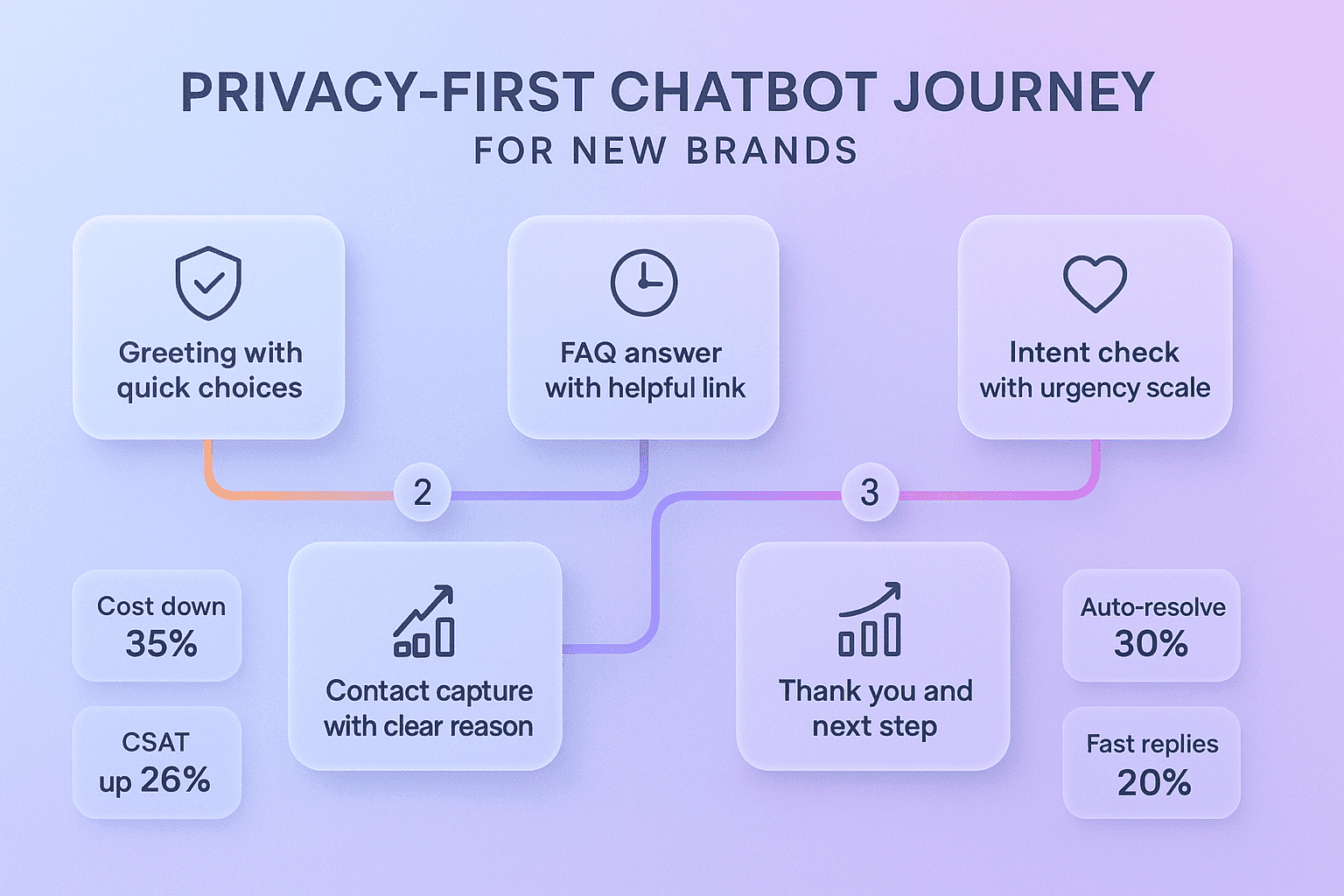
- Lead with Three Top FAQs: In your greeting, list three topics you can help with, like pricing, hours, and returns. This guides visitors to what they want to know most. When people see examples, they ask better questions and get useful answers fast. It also reduces confusion and makes the bot feel smarter from the start (ref: Noem.ai Help).
- Keep Answers Short and Linked: Aim for three to five sentences per answer with a helpful link at the end. This keeps the chat quick and focused. If people want more detail, they can click through to your Help page or pricing page. Short answers also work well on phones, which is how many people browse (ref: Noem.ai Help).
- Ask for Contact at the Right Moment: If someone asks about quotes, enterprise needs, or special cases, ask for name and email. This feels natural and not pushy because the visitor already showed interest. Once you capture the info, confirm you will follow up and thank them. This simple step can lift lead capture without adding friction (ref: Noem.ai Help).
- Use Clear, Friendly Tone: Keep it polite and to the point. Avoid jargon and long paragraphs. Use everyday words and keep a steady voice. A simple tone builds trust and helps visitors move faster through their questions (ref: Noem.ai Blog).
- Check History and Improve Weekly: Look at your conversation logs to spot repeat questions or confusing replies. Update your instructions and add examples based on what you see. Over a few weeks, your bot will get sharper and more aligned to your customers. This keeps your 24/7 support useful as your business grows (ref: Noem.ai Help).
What Makes Noem.ai the Smart Choice for Small Teams
- All-in-One Stack Built Just for Chatbots: Noem.ai focuses only on chatbots, which means you get building, hosting, knowledge sync, multichannel publishing, and analytics in a single platform. This reduces setup time and keeps your data and controls in one place. You do not need to stitch together five tools or hire a developer for complex wiring. Fewer moving parts means faster launches and fewer surprises (ref: Noem.ai Blog).
- Go Live in Hours, Not Weeks: The deployment flow is simple: create, design, approve domains, paste a script, and you are live. Each step has help docs with screen-by-screen guidance. You can even test on a staging page before you go live on the main site. This makes Noem.ai a smart choice for teams that want quick wins without a big budget (ref: Noem.ai Help).
- Continuous Auto-Sync Keeps Answers Fresh: As your site, docs, or help center change, your bot can stay up to date with ongoing sync. This reduces stale answers and keeps trust high with your visitors. When content stays current, your support experience remains strong day after day. This is key for 24/7 service that people can rely on (ref: Noem.ai Blog).
- Usage-Based Pricing That Scales Predictably: Pay for what you use and grow as your traffic grows. This makes Noem.ai friendly for budgets and gives you room to expand. You can start small, prove value, and then add more features as your team needs. Clear pricing and the all-in-one stack help keep costs simple to manage (ref: Noem.ai Blog).
- Secure by Design with Approved Domains: Domain approvals keep your bot safe and stop unauthorized embedding. The deployment steps are designed to be predictable and secure. You control where the bot lives and who can access it. This is essential when you capture emails or discuss account info (ref: Noem.ai Help).
What to Measure in Week 1 (and How to Improve Fast)
- Engagement Rate: Track how many visitors open the widget and ask a question. If engagement is low, improve your welcome text and place the widget in a visible spot. Consider an auto-open on key pages like pricing or checkout if it fits your brand. Use short, friendly prompts that match visitor intent (ref: Noem.ai Help).
- Response Quality: Read conversation history and note where answers feel vague or too long. Add examples to your instructions to make the bot more precise. Link to the exact page that supports the answer. Clear references make visitors trust the reply and take the next step (ref: Noem.ai Help).
- Lead Capture Rate: Count how many conversations include an email or phone. If the rate is low, adjust the timing of your ask. Try asking for contact after you provide value, like sharing a helpful link or giving a direct answer. This feels natural and respectful to the visitor (ref: Noem.ai Help).
- Time-to-Answer: Your bot should reply in seconds. If answers feel slow, trim your instructions and keep prompts short. Remove extra steps or large blocks of text in the greeting. Faster answers keep people engaged and reduce drop-off (ref: Noem.ai Help).
- Top Questions: List your five most common questions from the first week. Add these to your website FAQ or Help page for better SEO. Include short, clear answers and deep links to details. This helps both humans and the bot find information faster next time (ref: Noem.ai Help).
The Technical Bits (Kept Simple) You’ll Tackle Today
Even if you are not technical, these steps are straightforward and guided. You will approve domains, paste a script, and confirm the bot appears. You can do a test chat and see the history in your dashboard. All of this takes under two hours for most small sites if you follow the guides. If you need visual help, a short video walkthrough can make it even faster (ref: Noem.ai Help; ref: YouTube).
Script example (paste before
):
<script src=”https://app.noem.ai/js/ChatBot.js”></script>
<script>
document.addEventListener(“DOMContentLoaded”, () => {
let currentUser = { email: null, displayName: ‘Visitor’, userProfileUrl: ” };
const bot = new ChatBot(‘YOUR_API_KEY’, currentUser);
bot.init();
});
</script>
This setup uses approved domains for security, keeps your data safe, and lets you test quickly. If you run on WordPress, you can install through your plugin flow, add your key, and publish in minutes. The result is a clean widget in the corner of your site that’s ready to answer questions right now. That speed is why so many teams start with a small page and expand across their whole site later (ref: Noem.ai Help).
Real-World Outcomes You Can Expect This Month
- Shorter Waits and Happier Visitors: People get answers in seconds instead of waiting for a reply email. This makes the experience feel smooth and respectful. When people do not wait, they read more, ask more, and buy more often. Faster help drives better outcomes with less effort from your team (ref: Noem.ai Help).
- More Leads (Without Form Fatigue): Asking for email inside the chat feels natural because you already helped the visitor. It turns a helpful chat into an open door for follow-up. You can confirm the address and share next steps, which keeps the momentum going. This simple move often lifts lead capture without new landing pages (ref: Noem.ai Help).
- Always-On Support: Your bot works nights, weekends, and holidays. This means no lost chances when someone wants help outside office hours. It also removes the “sorry we missed you” feeling that causes people to shop elsewhere. By staying available, you build trust and keep people coming back (ref: Noem.ai Blog).
- Full Conversation History for Insights: With stored chats, you see what customers truly care about. You can spot patterns, fix confusing web copy, and add missing help articles. Your team also gets context on any follow-up, which leads to stronger replies. Over time, this helps your whole support flow get better and easier to manage (ref: Noem.ai Help).
How Noem.ai Keeps It Simple (So You Can Focus on Growth)
Noem.ai is built for speed. You can set up and deploy without writing code. The steps are guided, and each page explains what to do next. Because the platform bundles setup, hosting, knowledge sync, and analytics, you do not need five different tools and a week of trial and error. This keeps your costs low and your process clean from day one (ref: Noem.ai Blog).
With Noem.ai, your bot can auto-sync content so answers stay up to date as your site changes. This protects trust and keeps your 24/7 support useful. Conversation history and analytics help you improve quickly. When you combine faster response times, constant availability, lead capture in the chat, and complete conversation history, you get a strong support and sales layer with very little overhead (ref: Noem.ai Help).
If you are a small team or a busy owner, this approach is perfect. You can launch on your main pages first—like Pricing, Product, or Contact—then expand as you see results. In each area, keep messages short, helpful, and linked to the right article or page. Over time, you will fine-tune the bot and grow your lead list steadily (ref: Noem.ai Help).
Your 4-Phase Day Plan (Put It on Your Calendar)
- Hour 1 — Build: Create your project, write your instructions, and add three example questions. Set your friendly greeting and choose the widget colors to match your brand. Save and run a test in the dashboard. Make small tweaks to keep the answers short and clear (ref: Noem.ai Help).
- Hour 2 — Configure and Approve: Add your domain to the approved list and copy your script. Decide which pages should show the bot right away—start with pricing and contact pages. If you use a CMS, install through your plugin flow. Confirm the changes and reload your pages (ref: Noem.ai Help).
- Hour 3 — Test and Tweak: Ask the top 10 FAQs and review the replies. Try a lead capture scenario and confirm you received the test email. Adjust wording that feels too long or too complex. Keep the feel friendly and direct (ref: Noem.ai Help).
- Hour 4 — Launch and Monitor: Ship it to your live site and watch for new chats. Review the conversation history at the end of the day for any unclear answers. Make small updates to instructions right away. Share your new chatbot with your team so they know how to use the conversation logs for follow-up (ref: Noem.ai Help).
Your Next Step: Start Free, Launch Today
You can get started with Noem.ai right now and be live today. The process is simple, and the results are clear: faster response times, 24/7 availability, lead capture inside the chat, and complete conversation history to learn from. Visit Noem.ai to set up your project, follow the steps in this guide, and watch your site become more helpful in one day. If you need a hand, the Help Center provides clear walkthroughs with screenshots for every step (ref: Noem.ai Help Center). Try it now, keep it simple, and let your website start conversations around the clock—with Noem.ai powering your helpful new assistant. Then, as you see results, expand to more pages and keep improving with your chat history and analytics.
Ready to turn your site into a 24/7 helper and lead machine? Launch your first chatbot today with Noem.ai, follow this checklist, and see how much you can do in just one day. Your customers are already asking—give them quick answers and a simple way to connect, right now, with Noem.ai powering the chat.